
Apple Watch 8 was showing animation when closing all rings and now it doesn't
New Apple Watch 8 was showing animation when closing all rings, but has not for 2 days. What should I check or look for to fix this?
Apple Watch Series 8
New Apple Watch 8 was showing animation when closing all rings, but has not for 2 days. What should I check or look for to fix this?
Apple Watch Series 8
Hi janefromeast longmeadow,
Congratulations on your new Apple Watch. For help with seeing the animation again, start with a normal restart of both your Apple Watch and paired iPhone. If needed, and you have watchOS 9 the steps below found in the article here can assist. Restart your Apple Watch - Apple Support
"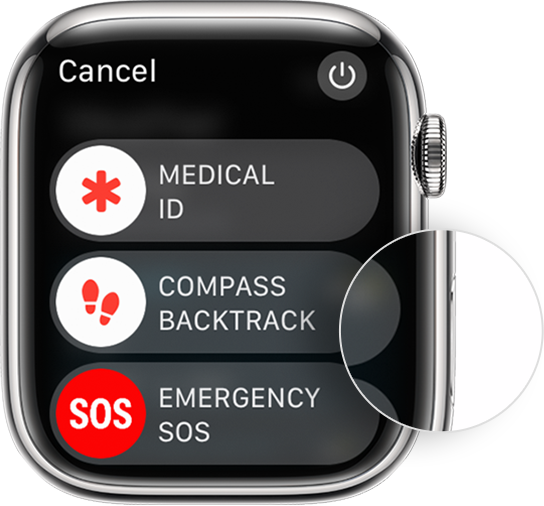
How to restart your Apple Watch if you have watchOS 9
 in the upper-right corner of the display.
To restart you iPhone check out the article here: Restart your iPhone - Apple Support
You can also check all your settings are correct with the help of the article here: Use the Activity app on your Apple Watch
If the issue continues, reach out to Apple directly to further assist.
Best.
OrigamiFan1,
Thank you soooo much, it worked! I so appreciate your taking the time to help me out!
Jane
Apple Watch 8 was showing animation when closing all rings and now it doesn't
