
Playlist wont play all the way through
Hi! I made a playlist of 30hours and it only wants to shuffle/play the same 20 songs from the top of the list. Any ideas why or how to fix?
iPad, iPadOS 15
Hi! I made a playlist of 30hours and it only wants to shuffle/play the same 20 songs from the top of the list. Any ideas why or how to fix?
iPad, iPadOS 15
Hello lindsayfromsantaana,
Thank you for reaching out to Apple Support Communities.
Let's try creating another playlist and drag this playlist into that one and test. These steps should help:
"Create a playlist on your iPhone, iPod touch, or Android device
 .
.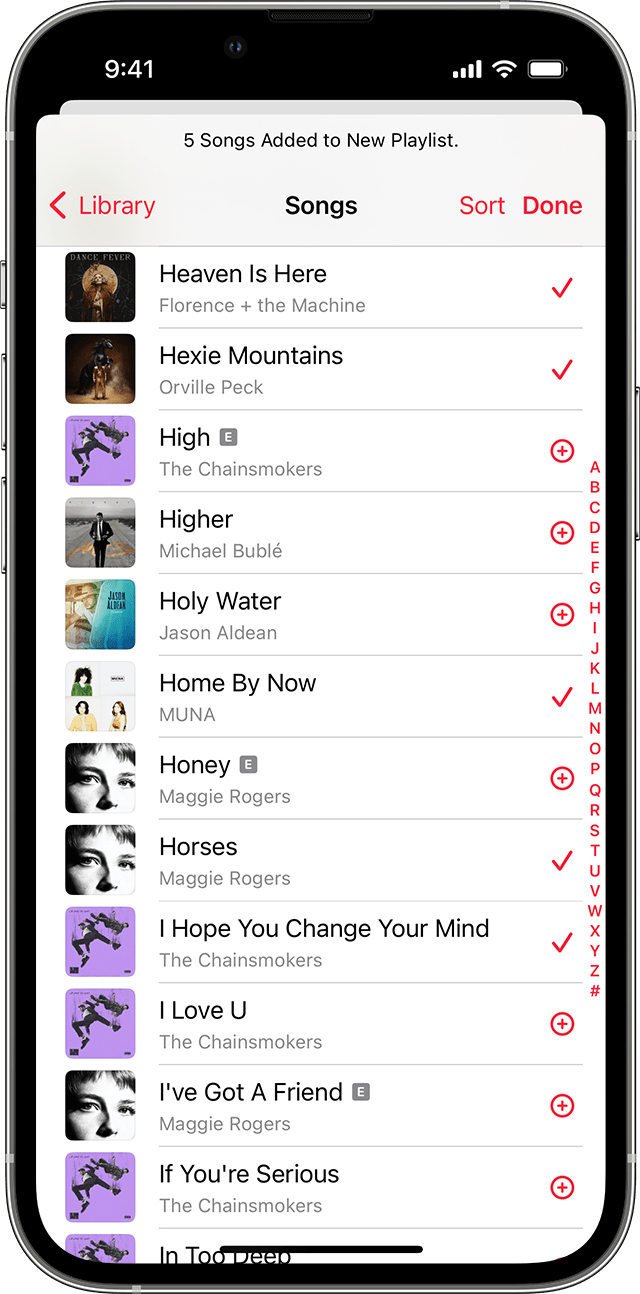
You can also touch and hold a song, album, or playlist. Then tap Add to a Playlist to add the music to an existing one, or tap New Playlist. Or you can touch and hold on a playlist to download, share, or delete it."
More details can be found here: How to make a playlist in the Apple Music app
If the issue persists, can you provide a few more details? Are you starting the playlist from the same song? What is your current iPadOS version? Also, are you experiencing this with other playlists as well?
Cheers!
Playlist wont play all the way through

