
I’m having trouble with my Apple Cash
I’m having trouble with my Apple Cash . I need to get the money off of there asap
I’m having trouble with my Apple Cash . I need to get the money off of there asap
Is your Apple Cash account locked or frozen? If so, this support article has information may be of assistance.
If your Apple Cash account is restricted or locked - Apple Support
You can transfer funds from Apple Cash to a bank, and depending on the time frame you want it may be free or you can transfer it instantly for a small fee.
You could also you apple Messages to instantly transfer the funds to a trusted friend.
How to transfer money to your bank or eligible debit card
When you transfer money from your Apple Cash1 card, you can either use a bank transfer to send funds to your bank account in 1 to 3 days or you can use Instant Transfer2 to send funds instantly3 to an eligible Mastercard or Visa debit card.
You can also send money to an individual in Messages or Wallet.
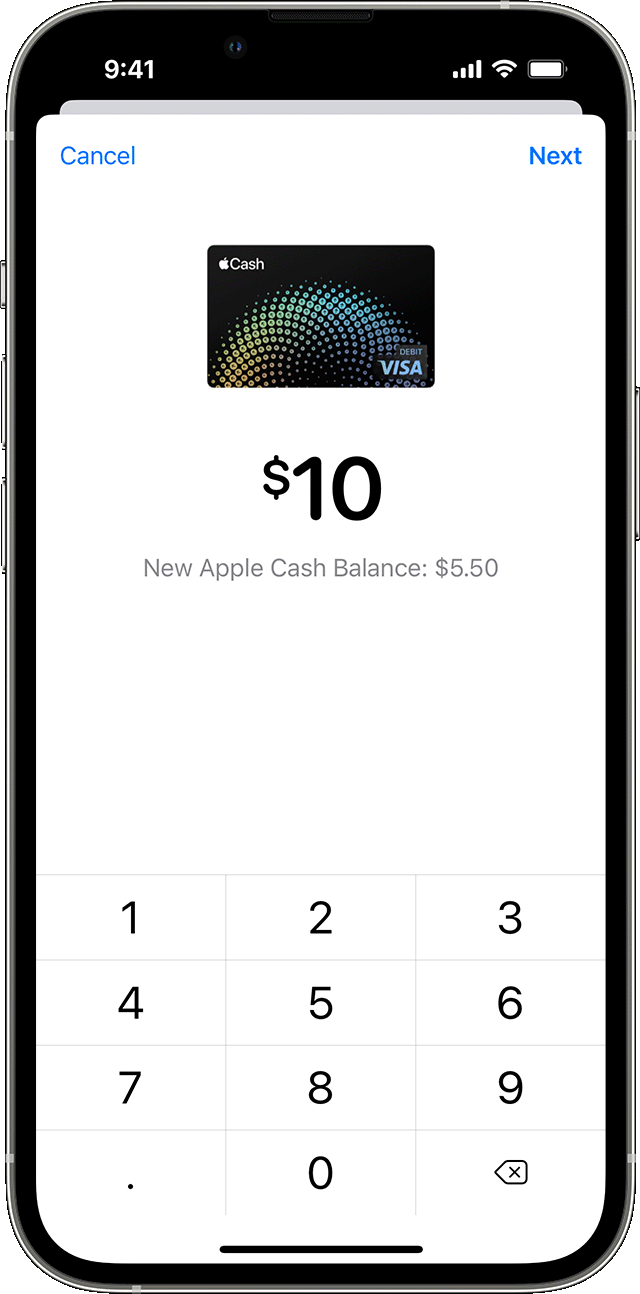
Transfer instantly to an eligible debit card
First, make sure that your iPhone or iPad has the latest version of iOS or iPadOS and add an eligible debit card4 in the Wallet app.
Then, make an Instant Transfer:
 , then tap Transfer to Bank
  ..
..Your funds should transfer within 30 minutes.
Transfer money in Apple Cash to your bank account or debit card - Wsparcie Apple (PL)
Is your Apple Cash account locked or frozen? If so, this support article has information may be of assistance.
If your Apple Cash account is restricted or locked - Apple Support
You can transfer funds from Apple Cash to a bank, and depending on the time frame you want it may be free or you can transfer it instantly for a small fee.
You could also you apple Messages to instantly transfer the funds to a trusted friend.
How to transfer money to your bank or eligible debit card
When you transfer money from your Apple Cash1 card, you can either use a bank transfer to send funds to your bank account in 1 to 3 days or you can use Instant Transfer2 to send funds instantly3 to an eligible Mastercard or Visa debit card.
You can also send money to an individual in Messages or Wallet.
Transfer instantly to an eligible debit card
First, make sure that your iPhone or iPad has the latest version of iOS or iPadOS and add an eligible debit card4 in the Wallet app.
Then, make an Instant Transfer:
, then tap Transfer to Bank ..Your funds should transfer within 30 minutes.
Transfer money in Apple Cash to your bank account or debit card - Wsparcie Apple (PL)
I’m having trouble with my Apple Cash
