Opening pictures and giffs

It seems as if after the last update… I am not able to open pictures, videos or gifs that are sent to me thru text. I also tried to send a 30second video and it never went. After the update, any pics I received would have to download and then open(which I never had to do before). Now they won’t even open. I have a 13 pro max… anyone else have these or similar problems

Posted on May 14, 2023 7:52 AM

Reply
Question marked as Top-ranking reply

Posted on May 16, 2023 1:46 PM

Hello Susanb1958,


To help us get a better understanding of the issue, we’d like to ask a few questions.


1. What exactly happens when you try to open or send a picture now? Do you receive a specific error? If so, what does the error say?

2. Is this happening with all messages, or only conversations with certain contacts?

3. Is this happening in the Apple Messages app, or another application?

4. Do you experience any issues sending and receiving messages without photos or attachments?


The above details will help us plan how to proceed.


For issues sending and receiving messages, please check out the information in this link, which may be helpful in resolving some Messages issues: If you can't send or receive messages on your iPhone or iPad
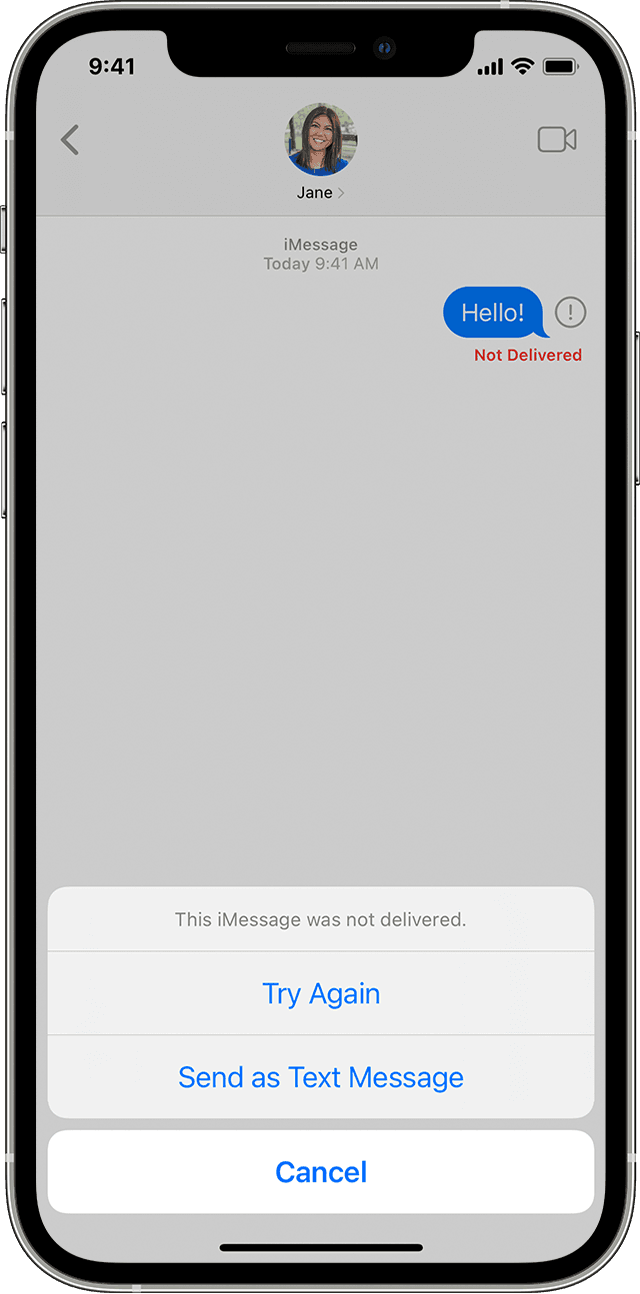

An iPhone showing a message that wasn't delivered in Messages 

If you see a red exclamation point

If you try to send a message and you see  Exclamation mark icon with an alert that says Not Delivered, follow these steps:
1. Check your network connection.
2. Tap  Exclamation mark icon, then tap Try Again.
3. If you still can’t send the message, tap  Exclamation mark icon, then tap Send as Text Message. Messaging rates may apply. Contact your carrier for more information.

You can set up Messages so that it automatically tries to send messages as an SMS when iMessage isn't available. Go to Settings > Messages, and turn on Send as SMS.


Thanks!

3 replies
Question marked as Top-ranking reply

May 16, 2023 1:46 PM in response to Susanb1958

Hello Susanb1958,


To help us get a better understanding of the issue, we’d like to ask a few questions.


1. What exactly happens when you try to open or send a picture now? Do you receive a specific error? If so, what does the error say?

2. Is this happening with all messages, or only conversations with certain contacts?

3. Is this happening in the Apple Messages app, or another application?

4. Do you experience any issues sending and receiving messages without photos or attachments?


The above details will help us plan how to proceed.


For issues sending and receiving messages, please check out the information in this link, which may be helpful in resolving some Messages issues: If you can't send or receive messages on your iPhone or iPad


An iPhone showing a message that wasn't delivered in Messages 

If you see a red exclamation point

If you try to send a message and you see  Exclamation mark icon with an alert that says Not Delivered, follow these steps:
1. Check your network connection.
2. Tap  Exclamation mark icon, then tap Try Again.
3. If you still can’t send the message, tap  Exclamation mark icon, then tap Send as Text Message. Messaging rates may apply. Contact your carrier for more information.

You can set up Messages so that it automatically tries to send messages as an SMS when iMessage isn't available. Go to Settings > Messages, and turn on Send as SMS.


Thanks!

May 17, 2023 10:26 AM in response to Susanb1958

Hey Susanb1958,


Thanks for that screenshot! We’ll be happy to help out with this. Just to confirm, have you tried switching to a different network to see if the same issue exists? For example, connecting to a Wi-Fi network? You can connect to Wi-Fi by going to Settings > Wi-Fi. Testing a different network can help with isolating the issue. Here's some more information about switching networks: View or change cellular data settings on iPhone - Apple Support


Keep us updated!

This thread has been closed by the system or the community team. You may vote for any posts you find helpful, or search the Community for additional answers.

Opening pictures and giffs

Welcome to Apple Support Community
A forum where Apple customers help each other with their products. Get started with your Apple Account.