An individual cannot blacklist a stolen iPhone, However, the following steps will surely protect your device and data.
- Get in touch with your mobile carrier's customer service as soon as possible. Provide them with the necessary details, such as your iPhone's serial number or IMEI (International Mobile Equipment Identity) number. You can typically find the IMEI number on the original iPhone box, or go through my post in the third section.
- Inform the carrier that your iPhone has been stolen and request them to blacklist it. This action will block the stolen device from being used on any network, rendering it useless for the thief.
- Provide any additional information required by your carrier to complete the blacklisting process. They may ask for proof of purchase, a police report, or any other relevant documentation.
- If you had enabled Find My, the stolen iPhone may already be locked with iCloud Activation Lock. This security feature prevents anyone from activating the device without your Apple ID and password. It adds an additional layer of protection against unauthorized access to your personal data.
- It's advisable to file a police report regarding the stolen iPhone. This step helps to create an official record of the theft and may be required by your carrier or insurance provider.
Remember to act promptly to maximize the chances of recovering your stolen iPhone and preventing unauthorized use.

Don'ts
If the device is removed from an account after it is erased, Activation Lock will be turned off. This allows another person to turn on and use the device.
An example of my iPhone 5 is given in the GIF below. There is no "Undo" after you remove it from your account.

Find IMEI & Serial No. of the Lost Device
- If an iPhone, iPad, or iPod touch is lost or stolen - Apple ...
- Find the serial number or IMEI on an iPhone, iPad, or iPod ...
You may use a web browser to get the Serial Number and the IMEI Number. You cannot track using the IMEI number. but you may need it so keep it handy
Log in to https://appleid.apple.com with your Apple ID credentials. All your devices will be listed there. Click on any to get the details.
Do's, If you had enabled "Find My" before it was lost
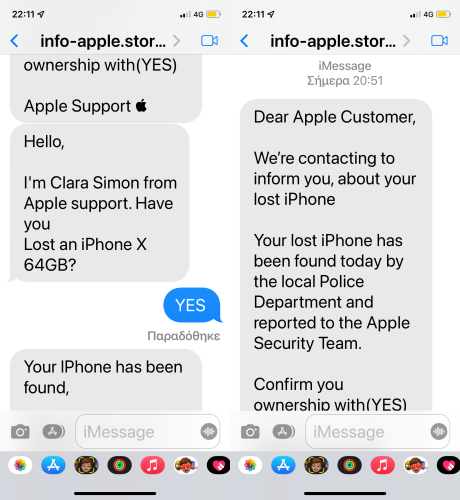
Beware of Phishing!
Be careful and be smart to --> Recognize and avoid phishing messages, phoney support calls ...
Note: Apple will never send you any info on Lost/Found iPhones. It (Phishing) may appear as the image given below.
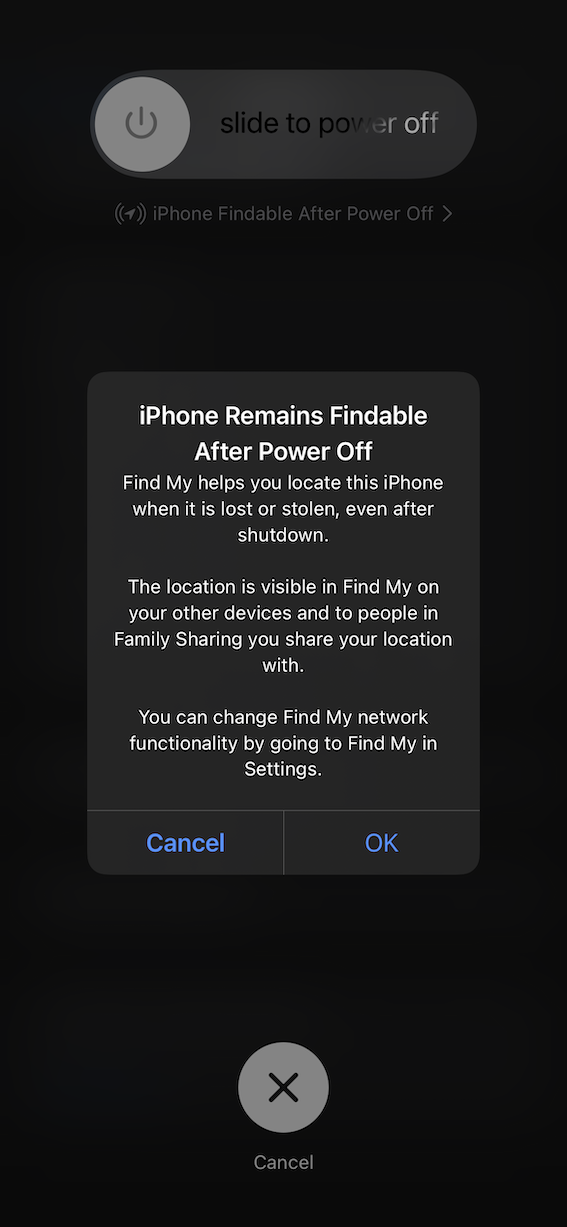
Switched Off? Still traceable
Even if the iPhone is switched off it is findable, see the pic below.
Device Offline?
I see my device in Find My, but it's offline
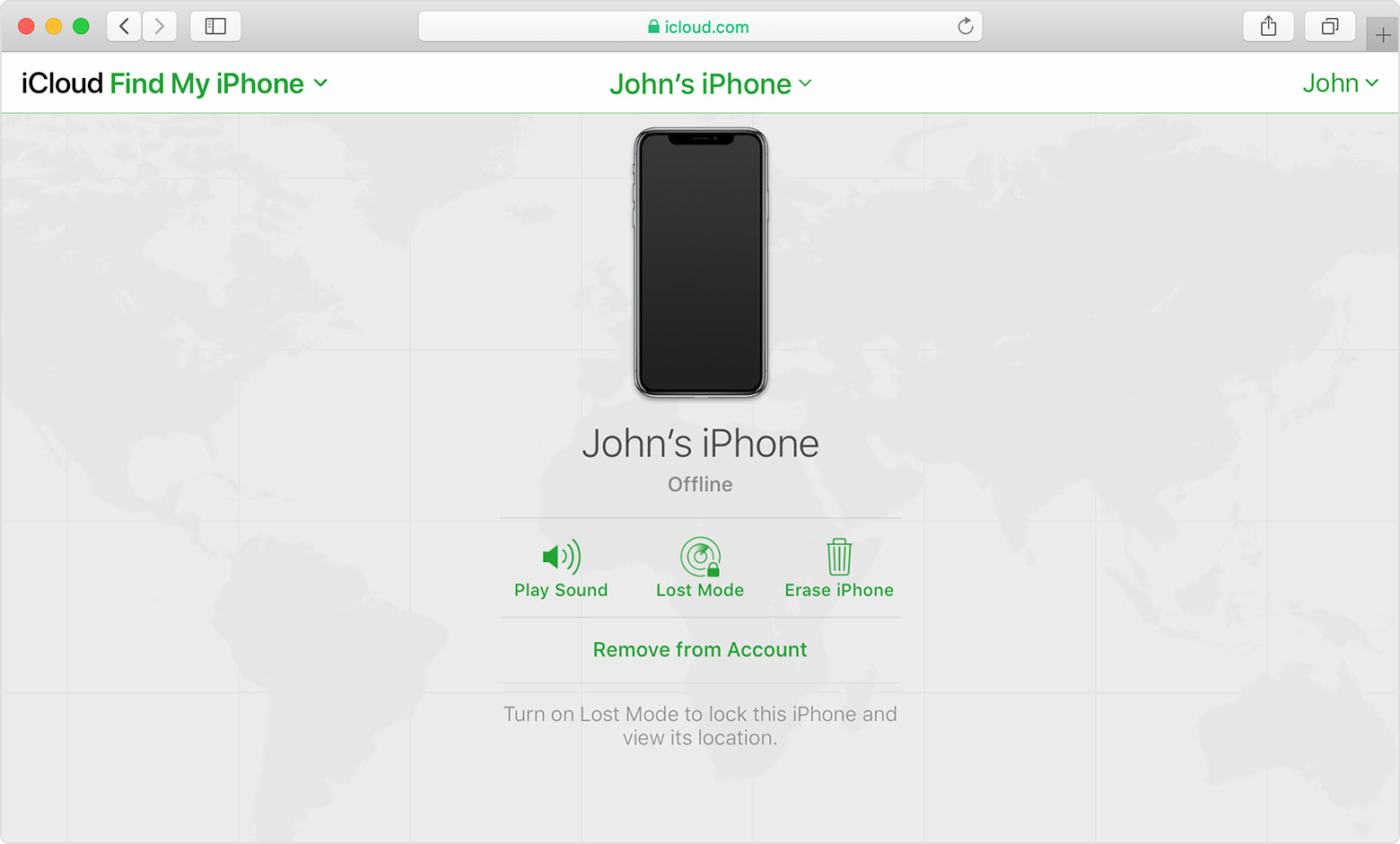
If you see "Offline," "No location available," or "Location Services Off," your device might be offline for one of these reasons:
Don't see your device?
- You might not have Find My turned on.
- If you're using the Find My app, you can't see your device's location if more than 7 days have passed since its last location was sent to Apple.
- If you're using iCloud.com/find, you can't see your device's location if it's powered off, the battery has run out, or more than 24 hours has passed since its last location was sent to Apple.
- Learn how you can still protect your information.


