
why is my mic not working in my ipad
Why is my microphone not working in my ipad? I just bought it for less than 2 weeks and it's not working already.
Why is my microphone not working in my ipad? I just bought it for less than 2 weeks and it's not working already.
Hey _sammy,
We'd first recommend looking over the tips here:
"If the sound is unclear during FaceTime calls, in video recordings, or in apps, learn what to do.
Clear the microphones
Test your microphones
 to switch to the back camera. Then record another video of yourself speaking while facing the camera on the back of your iPad.
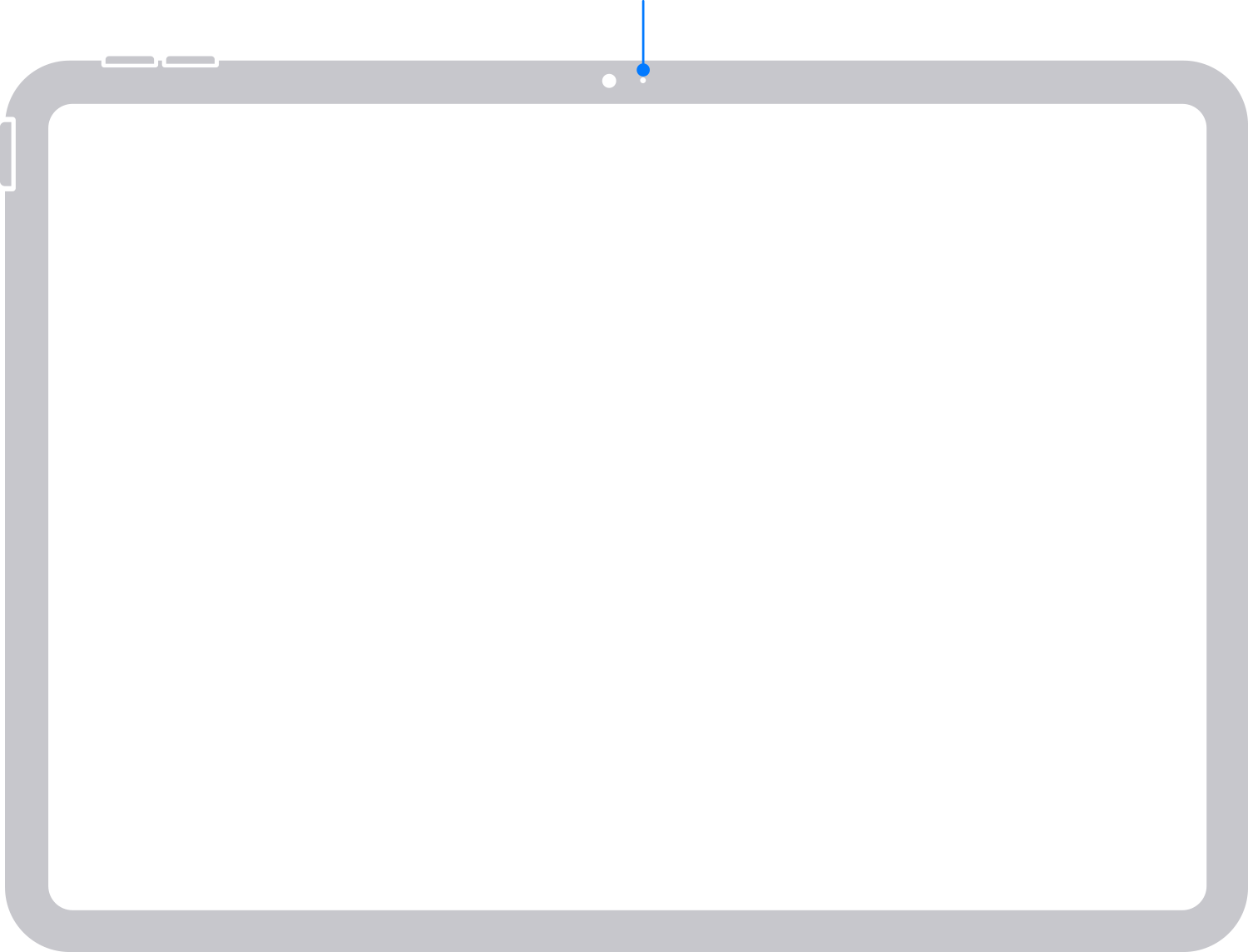
If your voice sounds muffled on the iPad (10th generation)
If your voice sounds too quiet or muffled when you play back the videos you recorded using the Camera app, make sure that the microphones on your iPad aren't blocked by your hands or a case. If your iPad has a screen protector, make sure that the screen protector has an opening over the front microphone.
If the microphone doesn't work in a specific app
If you still don't hear your voice clearly, contact Apple Support."
If the issue persists, we'd advise contacting Apple Support for additional assistance.
Take care.
Hey _sammy,
We'd first recommend looking over the tips here:
"If the sound is unclear during FaceTime calls, in video recordings, or in apps, learn what to do.
Clear the microphones
Test your microphones
to switch to the back camera. Then record another video of yourself speaking while facing the camera on the back of your iPad.If your voice sounds muffled on the iPad (10th generation)
If your voice sounds too quiet or muffled when you play back the videos you recorded using the Camera app, make sure that the microphones on your iPad aren't blocked by your hands or a case. If your iPad has a screen protector, make sure that the screen protector has an opening over the front microphone.
If the microphone doesn't work in a specific app
If you still don't hear your voice clearly, contact Apple Support."
If the issue persists, we'd advise contacting Apple Support for additional assistance.
Take care.
why is my mic not working in my ipad

