
Every time I make a FaceTime call or receive one the video is not visible
Every time I make a FaceTime call or receive one, the video is not visible. It shows the initials of the person. Is it happening with anyone else?
[Re-Titled by Moderator]
Every time I make a FaceTime call or receive one, the video is not visible. It shows the initials of the person. Is it happening with anyone else?
[Re-Titled by Moderator]
Hi poushali1993,
There's a couple reasons this may happen.
First, you can make a FaceTime video or audio call. If this is an audio only call that is expected behavior. As seen here, there are a few ways to make a FaceTime call: Use FaceTime with your iPhone or iPad - Apple Support
"Make a FaceTime call
To make a FaceTime call, you need the person's phone number or registered email address. There are a few ways to make a FaceTime call:
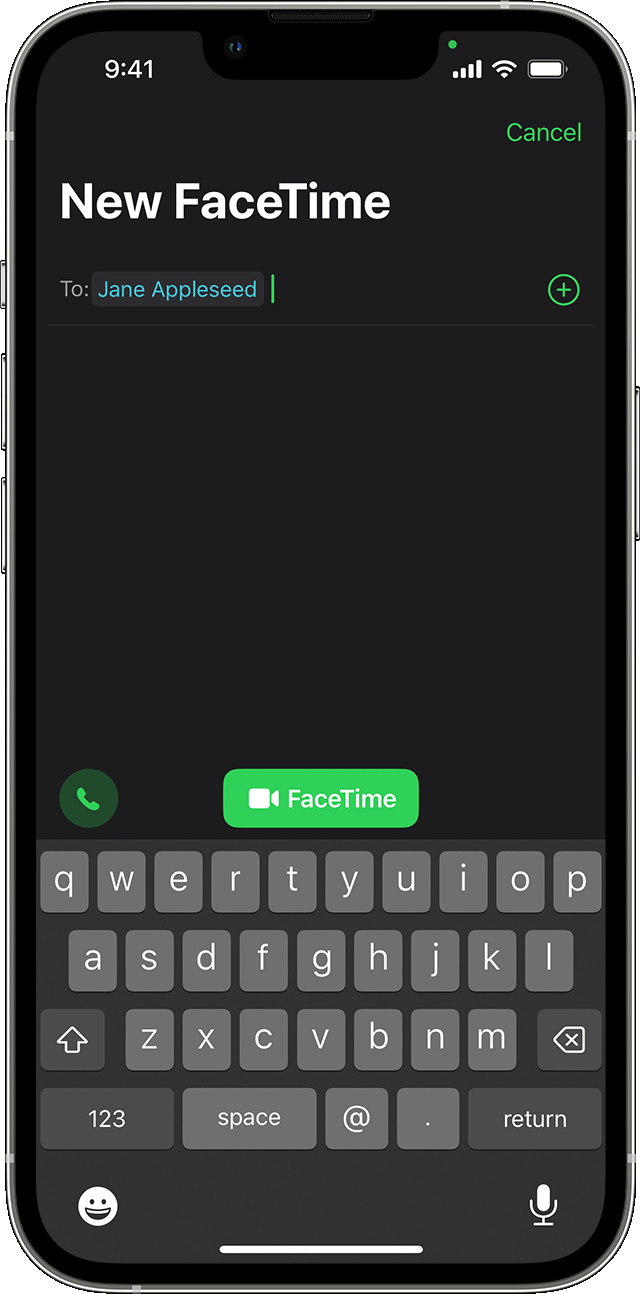
 or
or  FaceTime. or FaceTime.
The second reason could be the other person has turned off their video. During FaceTime video calls, either participant can choose to enable or disable the video.
"Turn off your camera
When you’re on a FaceTime call, tap the screen to make the controls appear, then tap  . (Tap it again to turn the camera back on.)"
Let us know if that helps.
Cheers!
Hi poushali1993,
There's a couple reasons this may happen.
First, you can make a FaceTime video or audio call. If this is an audio only call that is expected behavior. As seen here, there are a few ways to make a FaceTime call: Use FaceTime with your iPhone or iPad - Apple Support
"Make a FaceTime call
To make a FaceTime call, you need the person's phone number or registered email address. There are a few ways to make a FaceTime call:
or FaceTime. or FaceTime.The second reason could be the other person has turned off their video. During FaceTime video calls, either participant can choose to enable or disable the video.
"Turn off your camera
When you’re on a FaceTime call, tap the screen to make the controls appear, then tap . (Tap it again to turn the camera back on.)"
Let us know if that helps.
Cheers!
Every time I make a FaceTime call or receive one the video is not visible

