I do not have the option to use Apple Watch to unlock my Mac.

I'm running MacOS Ventura 13.3.1 and my Apple Watch has the latest update. I've followed the instructions to enable this functionality (after checking to make sure my laptop has the capability, and it does), but Apple Watch options do not appear anywhere. Not under "Touch ID & Password" and not under "Privay & Security". I simply can't find anywhere within settings to enable this. I greatly appreciate any help. Thanks!

MacBook Pro (2017 – 2020)

Posted on May 23, 2023 7:58 AM

Reply
2 replies

May 25, 2023 9:30 AM in response to sarahinwestchester

Hey sarahinwestchester,


We understand you're having an issue using your Apple Watch to unlock your Mac. It does appear you have a software update available for your Mac, so we'd suggest getting started by getting fully updated using these steps. Since the Apple Watch is updated to the latest watchOS version, ensuring the Mac is fully updated as well will be an important step in ruling out possible software issues:

Use Software Update
Before installing new software, it's a good idea to back up your Mac.
To check for new software, open Software Update. It's in System Settings (or System Preferences), which you can open from the Apple menu  in the corner of your screen:
* Choose Apple menu  > System Settings. Click General on the left side of the System Settings window, then click Software Update on the right.
* Or choose Apple menu  > System Preferences, then click Software Update.

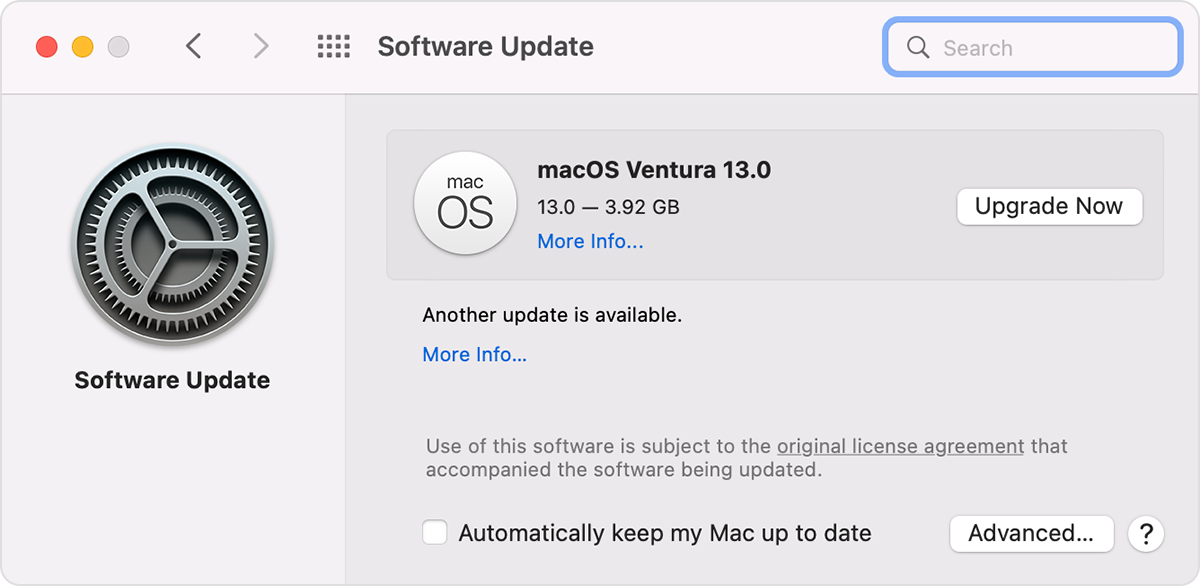
If Software Update finds new software, click the button to install it, then enter your administrator password when prompted. During installation, your Mac might show a progress bar or blank screen several times, and you should avoid putting it to sleep or closing its lid.

Software Update window in macOS Monterey

If Software Update says that your Mac is up to date, then no new software is currently available for your Mac model. Software Update shows only software that is compatible with your Mac. 


This is outlined further here: Update macOS on Mac - Apple Support


Once fully updated, make sure you're using the steps linked in your post here: Unlock your Mac with your Apple Watch - Apple Support


We hope this helps out.


Take care!

May 31, 2023 6:30 AM in response to sarahinwestchester

14 inch MacBook Pro 2021 (M1 Max), Ventura 13.4, iPhone 10X iOS 16.5, watchOS 9.5.1 installed this morning. All three are signed into my AppleID. Bluetooth is on Mac and iPhone. Trying to turn on the MacOS setting to use Watch to unlock Mac yields only the Apple Watch must be signed into iCloud message. That message is nonsense for Ventura. The Watch does sign into iCloud, it DOES sign in to AppleID and it is so signed in.


I've restarted all three devices. Can't unlock the MacBook (it was working two days ago and stopped overnight). NONE of the instructions offered by ryane77 resolve the issue. What else is there?

This thread has been closed by the system or the community team. You may vote for any posts you find helpful, or search the Community for additional answers.

I do not have the option to use Apple Watch to unlock my Mac.

Welcome to Apple Support Community
A forum where Apple customers help each other with their products. Get started with your Apple Account.