Change Apple ID for Apple Music or Join two different families sharing

So my friend group is sharing for the Apple Music Family but one of my friend already have a family sharing of his own (sharing location and icloud) would he be able to join my family just to use apple music or worse case would he be able to create another account just to use for apple music app

Posted on May 24, 2023 5:11 AM

Reply
Question marked as Top-ranking reply

Posted on May 26, 2023 7:00 AM

Hello naruset,


We would like to see how we canhelp you with Family Sharing. It is not possible to join two groups or combine them. They would need to leave their previous family grouop with the steps in this link: Leave Family Sharing - Apple Support


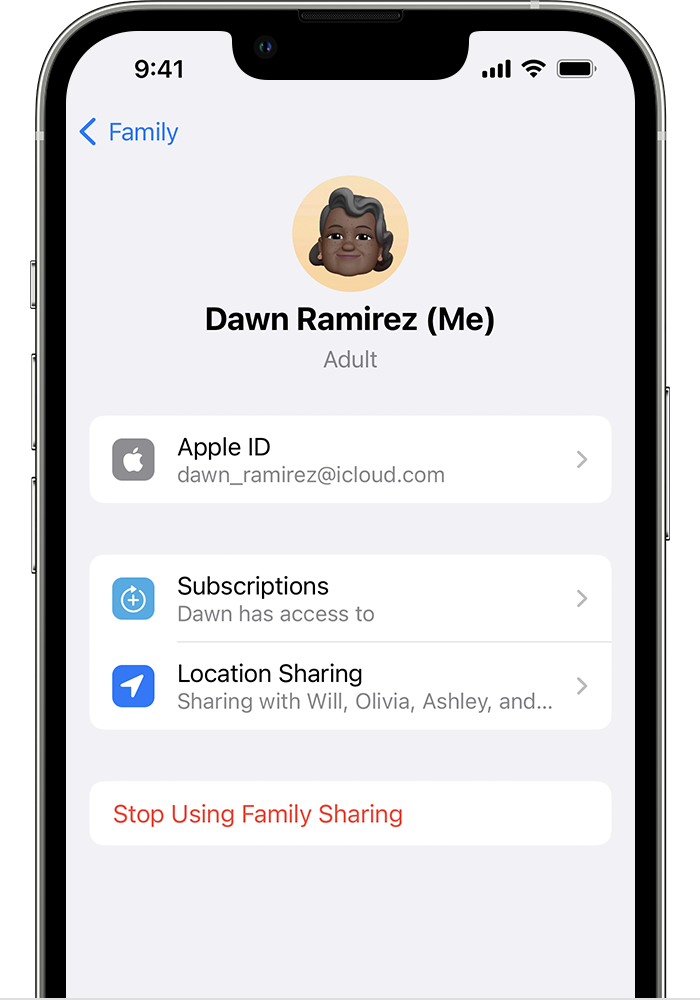
"On your iPhone, iPad, or iPod touch

  1. Go to Settings.
  2. Tap Family. If you don't see Family, tap your name, then tap Family Sharing. 
  3. Tap your name.
  4. Tap Stop Using Family Sharing.

Stop Using Family Sharing is located below Location Sharing.

On your Mac

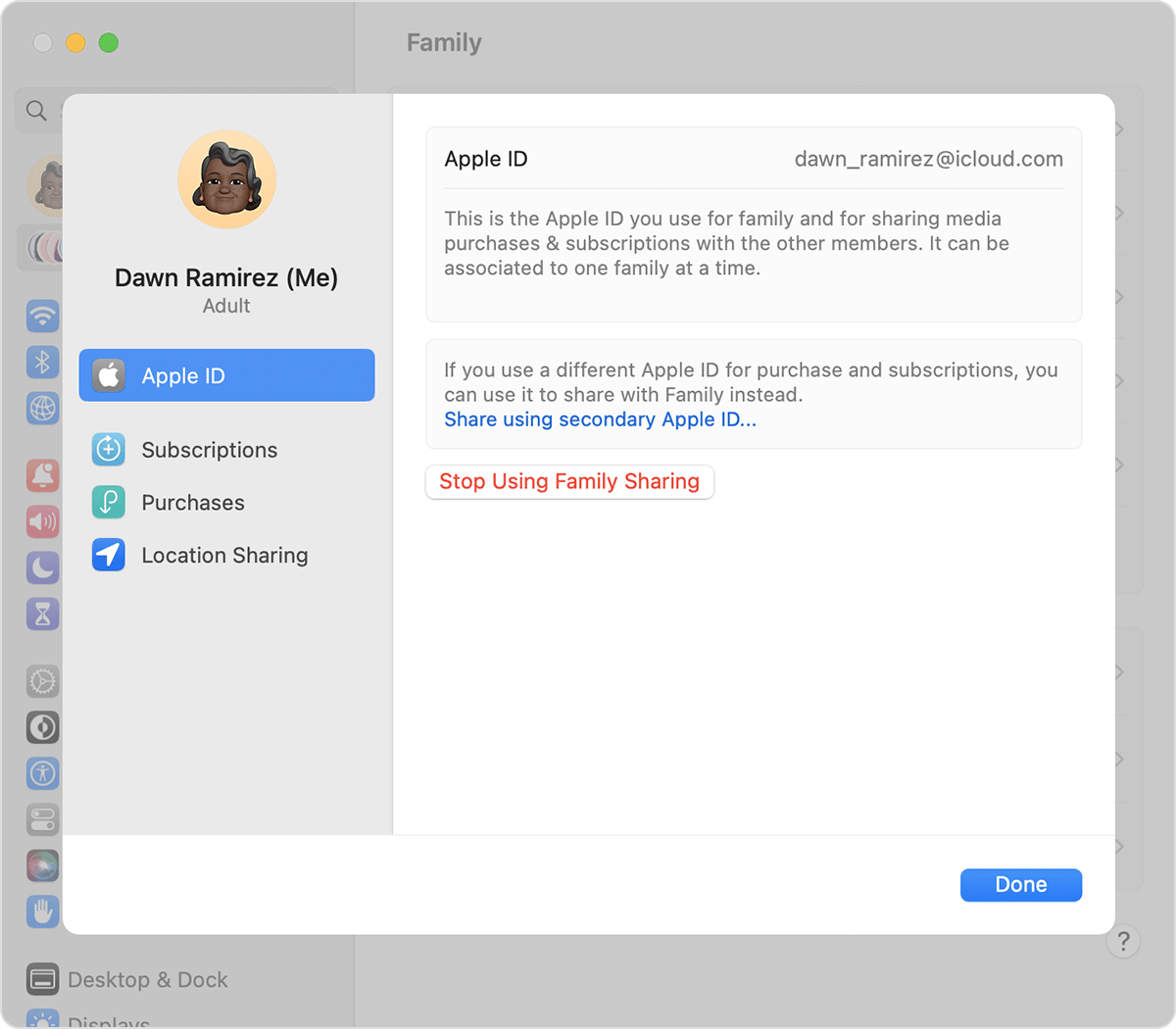
In macOS Ventura or later:

  1. Choose Apple menu  > System Settings.
  2. Click Family.
  3. Click your name. 
  4. Click Stop Using Family Sharing.

Stop Using Family Sharing is located below 'Share using secondary Apple ID.'

In macOS Monterey or earlier: 

  1. Choose Apple menu  > System Preferences.
  2. Click Family Sharing. 
  3. Click Details next to your name.
  4. Click Stop Using Family Sharing.

When you leave Family Sharing, you lose access to any shared purchases or services shared by the family group."


Cheers!

1 reply
Question marked as Top-ranking reply

May 26, 2023 7:00 AM in response to naruset

Hello naruset,


We would like to see how we canhelp you with Family Sharing. It is not possible to join two groups or combine them. They would need to leave their previous family grouop with the steps in this link: Leave Family Sharing - Apple Support


"On your iPhone, iPad, or iPod touch

  1. Go to Settings.
  2. Tap Family. If you don't see Family, tap your name, then tap Family Sharing. 
  3. Tap your name.
  4. Tap Stop Using Family Sharing.

Stop Using Family Sharing is located below Location Sharing.

On your Mac

In macOS Ventura or later:

  1. Choose Apple menu  > System Settings.
  2. Click Family.
  3. Click your name. 
  4. Click Stop Using Family Sharing.

Stop Using Family Sharing is located below 'Share using secondary Apple ID.'

In macOS Monterey or earlier: 

  1. Choose Apple menu  > System Preferences.
  2. Click Family Sharing. 
  3. Click Details next to your name.
  4. Click Stop Using Family Sharing.

When you leave Family Sharing, you lose access to any shared purchases or services shared by the family group."


Cheers!

This thread has been closed by the system or the community team. You may vote for any posts you find helpful, or search the Community for additional answers.

Change Apple ID for Apple Music or Join two different families sharing

Welcome to Apple Support Community
A forum where Apple customers help each other with their products. Get started with your Apple Account.