Hello naruset,
We would like to see how we canhelp you with Family Sharing. It is not possible to join two groups or combine them. They would need to leave their previous family grouop with the steps in this link: Leave Family Sharing - Apple Support
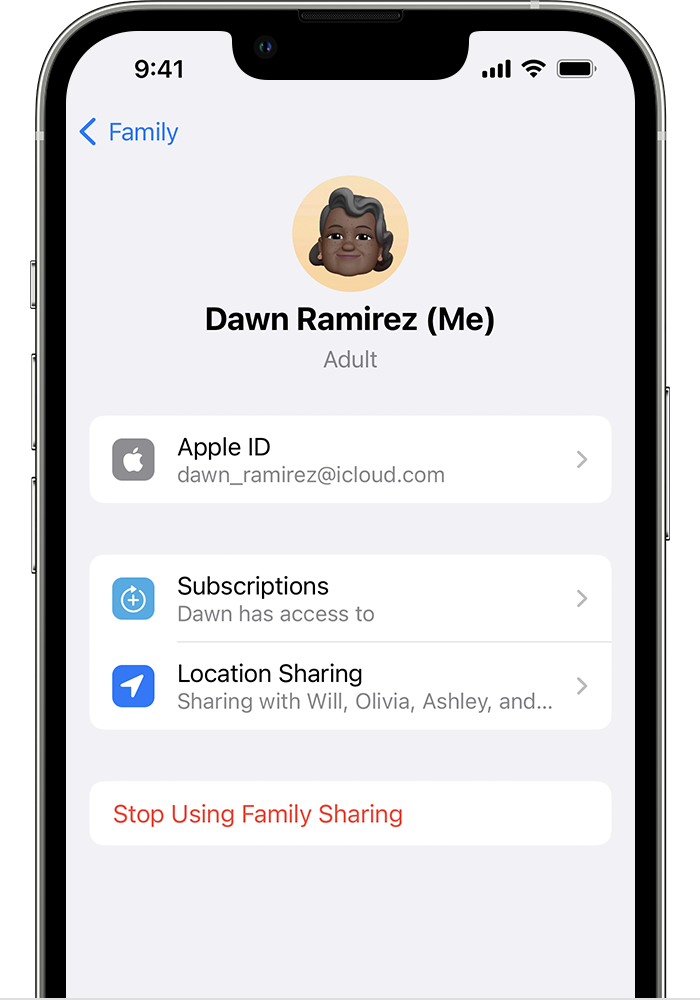
"On your iPhone, iPad, or iPod touch
- Go to Settings.
- Tap Family. If you don't see Family, tap your name, then tap Family Sharing.
- Tap your name.
- Tap Stop Using Family Sharing.
On your Mac
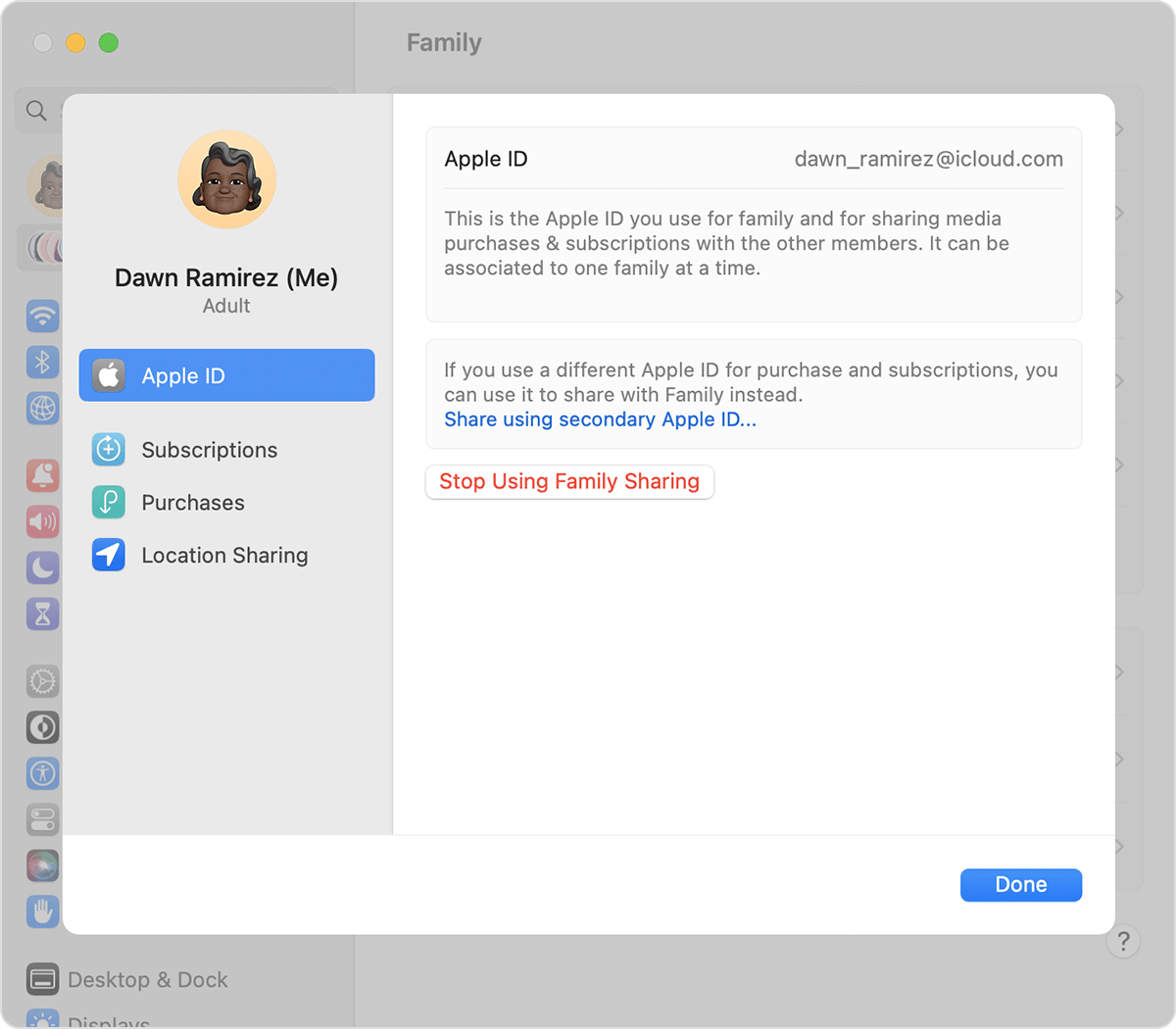
In macOS Ventura or later:
- Choose Apple menu > System Settings.
- Click Family.
- Click your name.
- Click Stop Using Family Sharing.
In macOS Monterey or earlier:
- Choose Apple menu > System Preferences.
- Click Family Sharing.
- Click Details next to your name.
- Click Stop Using Family Sharing.
When you leave Family Sharing, you lose access to any shared purchases or services shared by the family group."
Cheers!


