Hello Lauren800,
If you use telephone numbers to send an iMessage, you will need to make sure the location for your Apple account is the same country or region where you are sending and receiving your iMessages.
Go to Settings > Messages > Send & Receive and tap your Apple ID at the bottom. You should see the option to "Change Location" here.
Then, make sure it's the same location that you have set for your Apple account.
Use your iPhone or iPad to change your region
1. Open the Settings app.
2. Tap your name, then tap Media & Purchases.
3. Tap View Account. You might be asked to sign in.
4. Tap Country/Region.
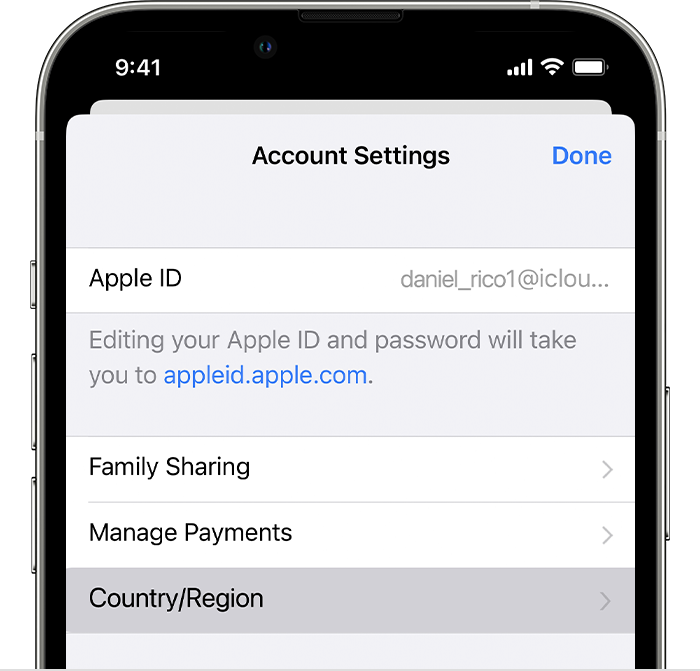
5. Tap Change Country or Region.
6. Tap your new country or region, then review the Terms & Conditions.
7. Tap Agree in the upper-right corner, then tap Agree again to confirm.
8. Select a payment method and enter your new payment information and billing address, then tap Next. You must enter a valid payment method for your new country or region.*
Change your Apple ID country or region - Apple Support
All Our Best.


