Hi iTerryB,
Thanks for posting in Apple Support Communities.
We understand that you want to change your iPhone memories. You can change several different aspects of the memory. You can also create your own memory.
Change the Memory mix
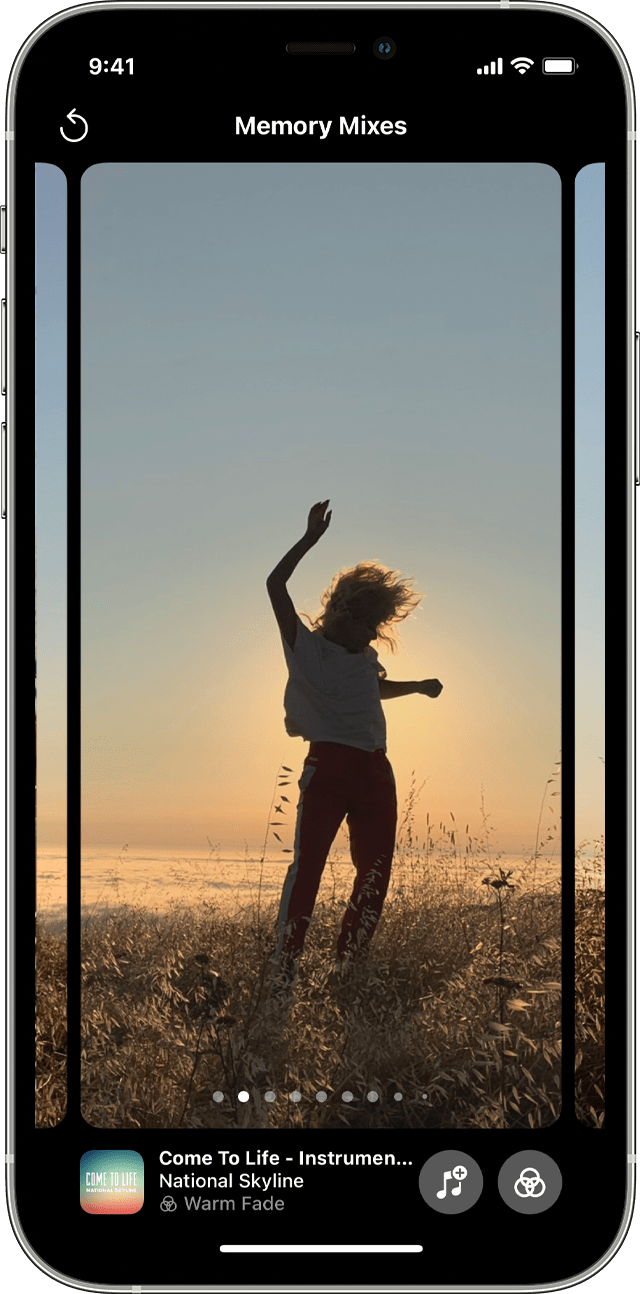
Memory mixes are curated combinations of photographic looks and corresponding songs that you can apply to a memory. For each memory, you can choose between multiple Memory mixes, or select your own look and song from Apple Music. Here's how:
1. Open Photos and tap the For You Tab.
2. Tap a memory to play it.
3. Tap the screen, tap the Memory mixes button  , then swipe left to scroll through the different mixes.
4. Tap the screen again to apply the Memory mix.
5. 
Create your own memories
To create your own Memories from an album, or a specific month or day:
1. Go to the Albums tab and select the album. Or go to the Library tab and tap Months or Days.
2. Tap the More button  , then tap Play Memory Movie.
3. While the movie plays, tap the screen, then tap the More button  .
.
4. Tap Add to Favorites.
5. Tap the Close button  .
.
To add someone from your People album to your Memories:
1. Go to the Albums tab, then tap the People album.
2. Tap the thumbnail of the person, then tap the More button .
3. Tap Create Photo Memory.
You can find these and more details in Use Memories in Photos on your iPhone, iPad, or iPod touch - Apple Support.
Regards.


