
I can’t delete my card and put new one
I can’t delete my card and put new one
I can’t delete my card and put new one
Hello waad261,
Thanks for choosing the Apple Support Communities. We see you're not able to update your payment method. We have a few steps that can help you get this taken care of. Check those out below.
If you need to change or update your Apple ID payment method - Apple Support
"Learn how to edit the payment method that you use for subscriptions like iCloud+ and Apple Music, apps from the App Store, and other Apple media purchases.
If you change your address, the credit or debit card information that you use with your Apple ID might be automatically updated by your financial institution, and you don't need to take action. But if there's an issue, add a new card first, then remove the old card.
Update your payment method on your iPhone or iPad
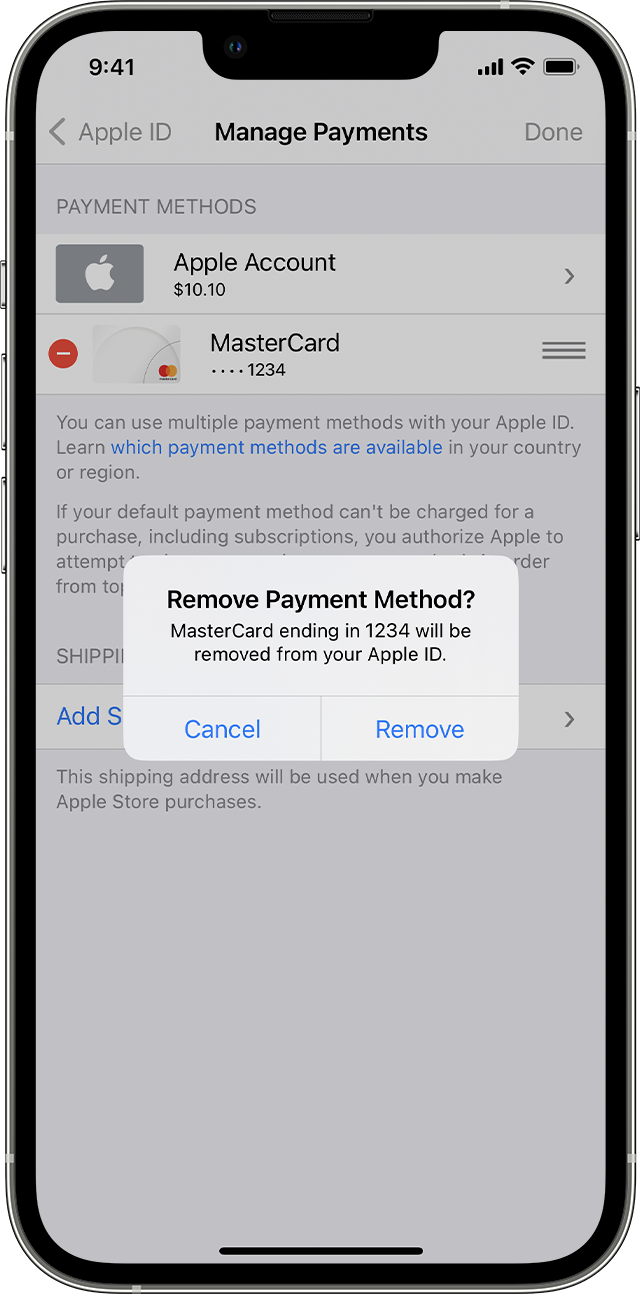 "
"
Also, take a look at: Remove a payment method from your Apple ID - Apple Support
We hope this helps.
Cheers!
Hello waad261,
Thanks for choosing the Apple Support Communities. We see you're not able to update your payment method. We have a few steps that can help you get this taken care of. Check those out below.
If you need to change or update your Apple ID payment method - Apple Support
"Learn how to edit the payment method that you use for subscriptions like iCloud+ and Apple Music, apps from the App Store, and other Apple media purchases.
If you change your address, the credit or debit card information that you use with your Apple ID might be automatically updated by your financial institution, and you don't need to take action. But if there's an issue, add a new card first, then remove the old card.
Update your payment method on your iPhone or iPad
"
Also, take a look at: Remove a payment method from your Apple ID - Apple Support
We hope this helps.
Cheers!
I can’t delete my card and put new one

