I have Two first gen HomePods and appleTV 4K and I want them set up so they are the default sound for my TV
Where canni find this information?
Where canni find this information?
Hi davefromcan,
After you set up your Apple TV 4K and HomePod speakers as your home theater system, you can connect your Apple TV to the HDMI ARC or eARC input on your TV. This will allow the sound from all other inputs on your TV to pass through your Apple TV to the HomePod speakers.
These directions and articles will help you get it set up.
Set up home theater audio
1. Assign your Apple TV and HomePod or HomePod mini to the same room in the Home app. If you want to use two HomePod or two HomePod mini speakers, create a stereo pair, then assign the stereo pair to the same room as your Apple TV in the Home app.
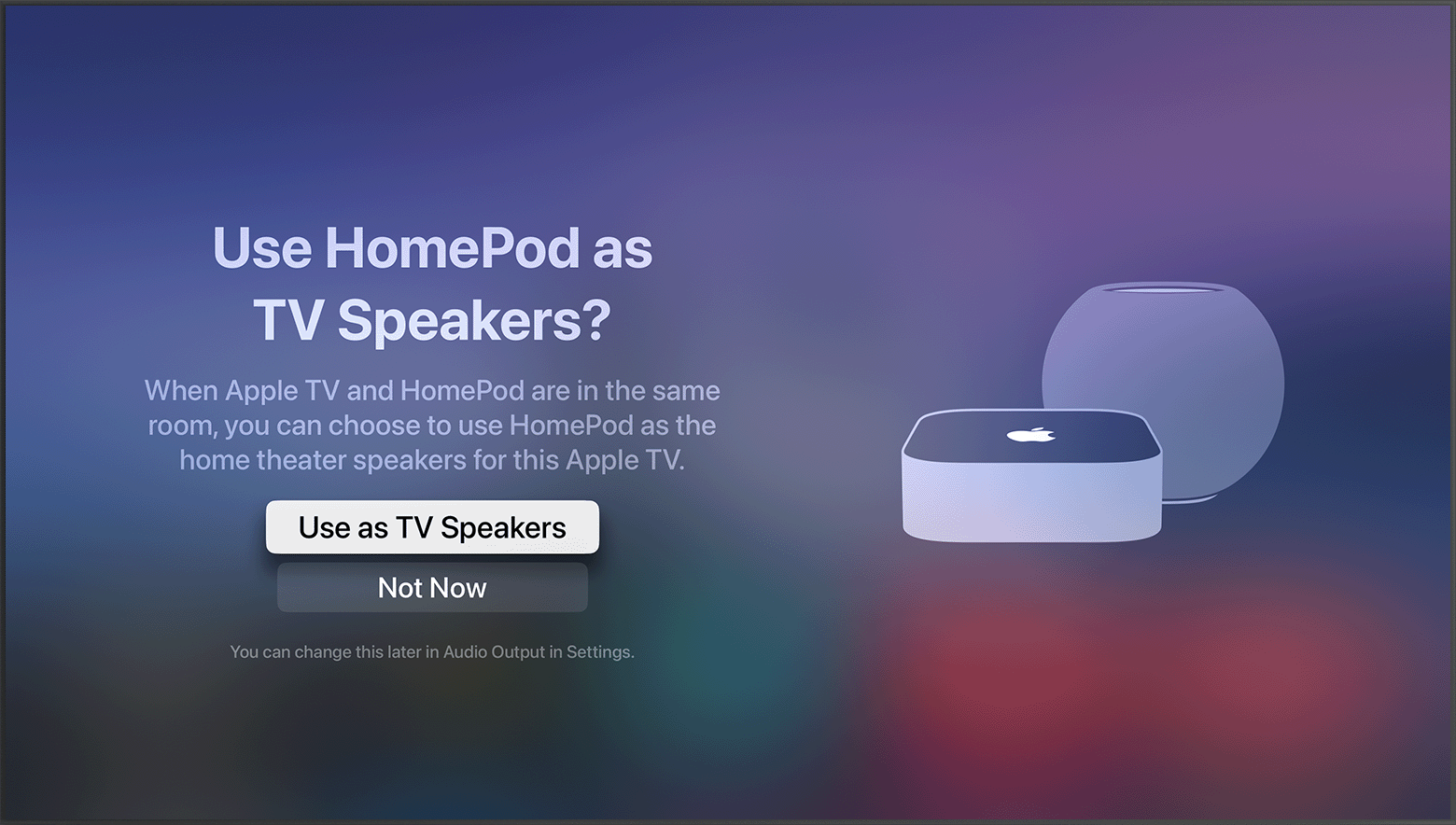
2. Turn on your Apple TV. You'll be asked if you want to Use HomePod speakers as Apple TV speakers.
3. Select Use as TV Speakers to turn on home theater audio.
Set up home theater audio with HomePod or HomePod mini and Apple TV 4K - Apple Support
Turn on HDMI ARC or eARC
1. Set up your single or stereo pair of HomePod or HomePod mini speakers as the default speaker(s) for Apple TV.
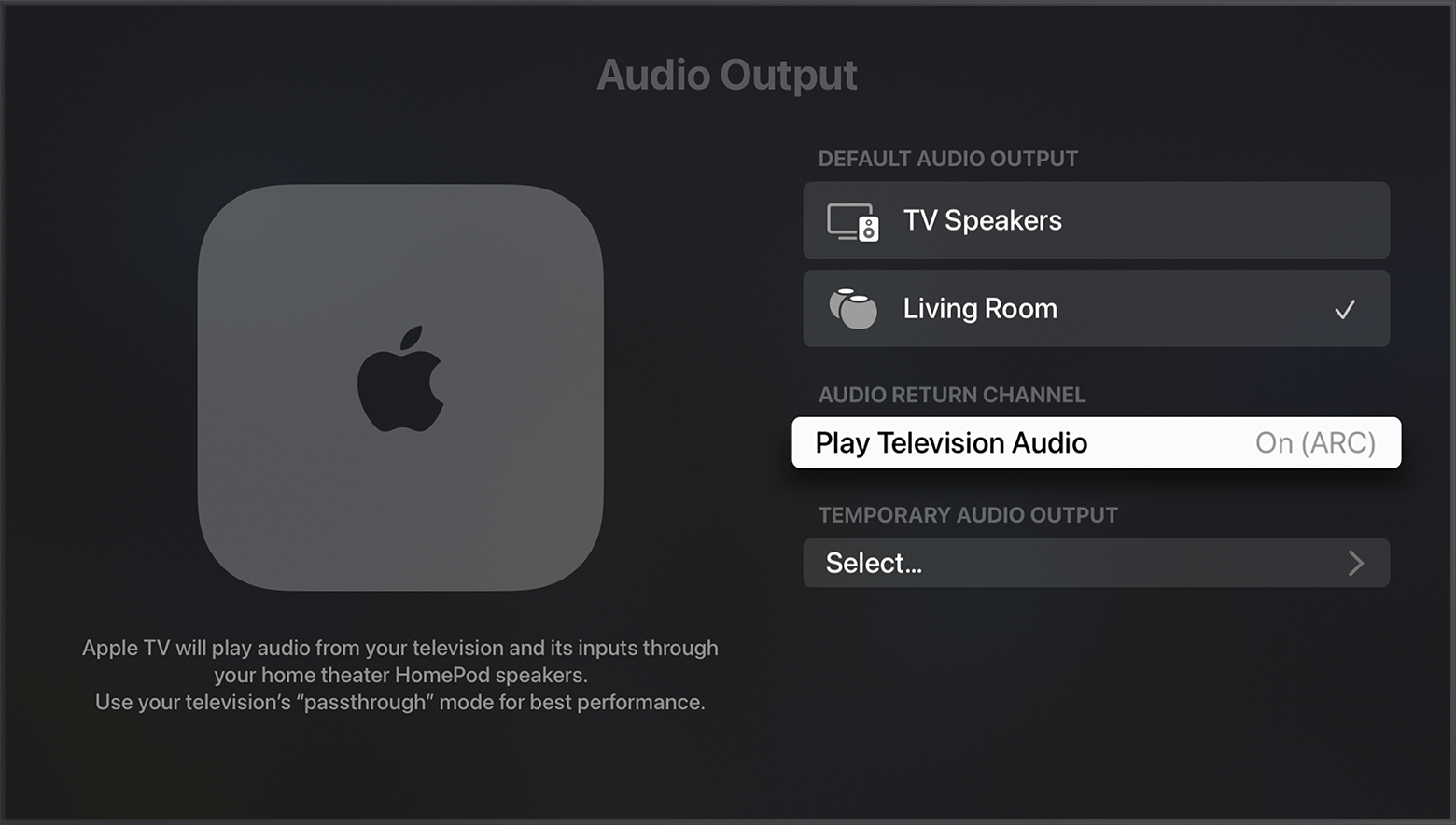
2. Go the Home screen on Apple TV and select Settings > Video and Audio > Audio Output.
3. Under Default Audio Output, make sure that the room with HomePod or HomePod mini is selected.
4. Under Audio Return Channel, select Play Television Audio. You'll know ARC or eARC is turned on when it says On (ARC) or On (eARC).
Use HDMI ARC or eARC with your Apple TV 4K - Apple Support
Let us know how it goes!
Kindest Regards.
Hi davefromcan,
After you set up your Apple TV 4K and HomePod speakers as your home theater system, you can connect your Apple TV to the HDMI ARC or eARC input on your TV. This will allow the sound from all other inputs on your TV to pass through your Apple TV to the HomePod speakers.
These directions and articles will help you get it set up.
Set up home theater audio
1. Assign your Apple TV and HomePod or HomePod mini to the same room in the Home app. If you want to use two HomePod or two HomePod mini speakers, create a stereo pair, then assign the stereo pair to the same room as your Apple TV in the Home app.
2. Turn on your Apple TV. You'll be asked if you want to Use HomePod speakers as Apple TV speakers.
3. Select Use as TV Speakers to turn on home theater audio.
Set up home theater audio with HomePod or HomePod mini and Apple TV 4K - Apple Support
Turn on HDMI ARC or eARC
1. Set up your single or stereo pair of HomePod or HomePod mini speakers as the default speaker(s) for Apple TV.
2. Go the Home screen on Apple TV and select Settings > Video and Audio > Audio Output.
3. Under Default Audio Output, make sure that the room with HomePod or HomePod mini is selected.
4. Under Audio Return Channel, select Play Television Audio. You'll know ARC or eARC is turned on when it says On (ARC) or On (eARC).
Use HDMI ARC or eARC with your Apple TV 4K - Apple Support
Let us know how it goes!
Kindest Regards.
I have Two first gen HomePods and appleTV 4K and I want them set up so they are the default sound for my TV