Workout App suddenly missing from my Apple Watch
Facing the exact same issue ad @Jonhhunt, and I swear, ive looked through all available app options on my watch and through my iphone. Please help
Apple Watch Series 8
Facing the exact same issue ad @Jonhhunt, and I swear, ive looked through all available app options on my watch and through my iphone. Please help
Apple Watch Series 8
Hey DonnyDolynny,
Thanks for using Apple Support Communities. We'd be happy to help out if missing the Workout app from your Apple Watch.
If unable to reinstall as it's not available in the App Store, you'll want to erase your Apple Watch and unpair it from your iPhone and set it back up again using these steps:
How to unpair and erase your Apple Watch if you have your iPhone
1. Keep your Apple Watch and iPhone close together as you unpair them.
2. Open the Apple Watch app on your iPhone.
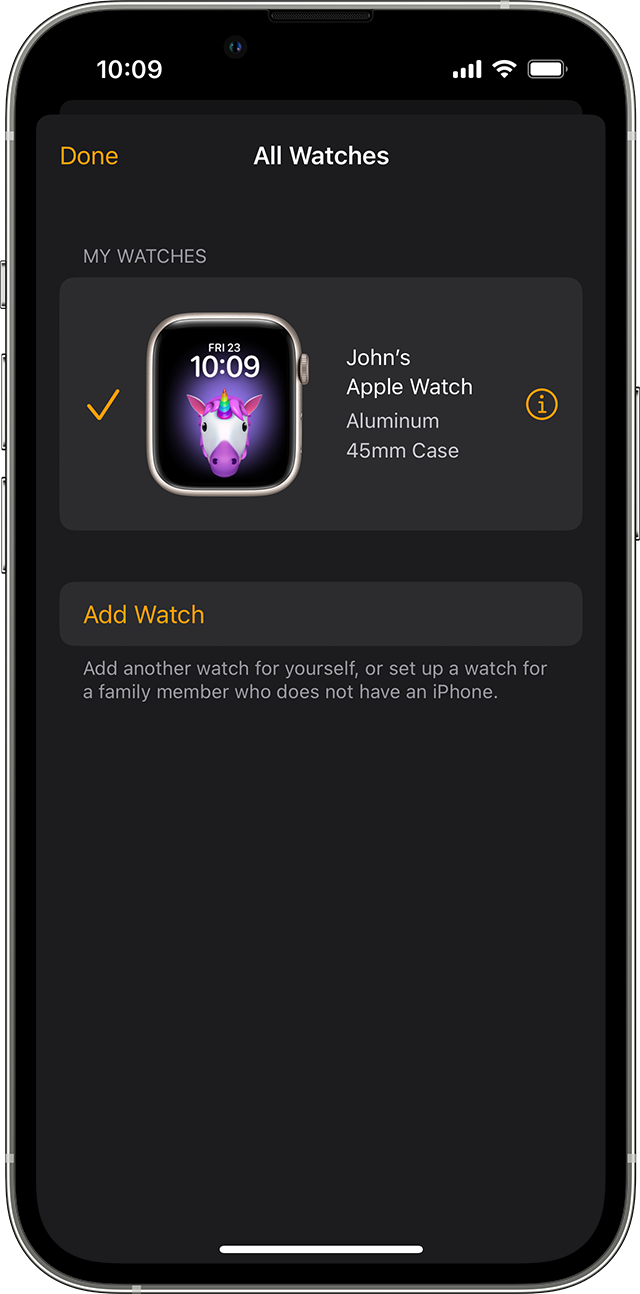
3. Go to the My Watch tab and tap All Watches.
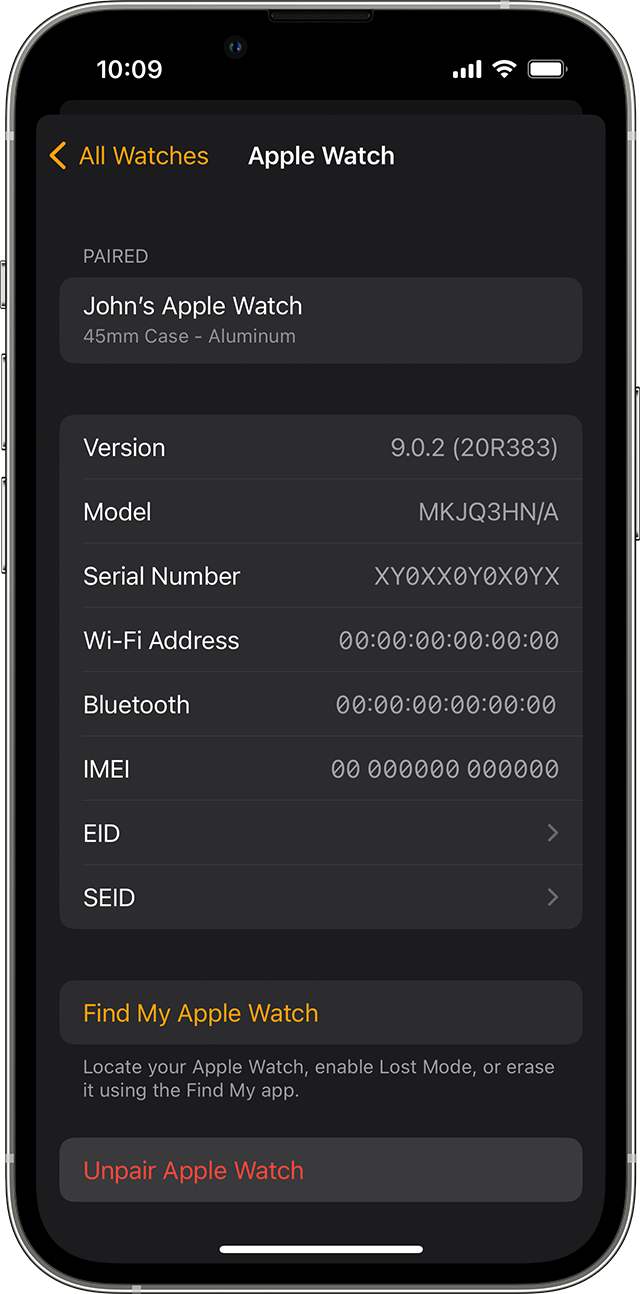
4. Tap the info buttonnext to the watch that you want to unpair.
5. Tap Unpair Apple Watch.
6. Tap Unpair [your Apple Watch name].
7. For GPS + Cellular models, choose whether to keep or remove your cellular plan.
* If you want to pair your Apple Watch and iPhone again, keep your plan.
* If you don't want to pair your Apple Watch and iPhone again, remove your plan. If you aren't going to pair with a different watch or iPhone, you might need to contact your carrier to cancel your cellular subscription.
8. Type your Apple ID password to disable Activation Lock, then tap Unpair.
Before erasing all content and settings on your Apple Watch, your iPhone creates a new backup of your Apple Watch. You can use the backup to restore a new Apple Watch. After your Apple Watch unpairs, you'll see the Start Pairing message.
Now you can set up your Apple Watch again or turn it off if you're selling it or giving it away.
This is outlined further here: Unpair and erase your Apple Watch - Apple Support
We hope this helps out.
Take care!
Hey DonnyDolynny,
Thanks for using Apple Support Communities. We'd be happy to help out if missing the Workout app from your Apple Watch.
If unable to reinstall as it's not available in the App Store, you'll want to erase your Apple Watch and unpair it from your iPhone and set it back up again using these steps:
How to unpair and erase your Apple Watch if you have your iPhone
1. Keep your Apple Watch and iPhone close together as you unpair them.
2. Open the Apple Watch app on your iPhone.
3. Go to the My Watch tab and tap All Watches.
4. Tap the info button
5. Tap Unpair Apple Watch.
6. Tap Unpair [your Apple Watch name].
7. For GPS + Cellular models, choose whether to keep or remove your cellular plan.
* If you want to pair your Apple Watch and iPhone again, keep your plan.
* If you don't want to pair your Apple Watch and iPhone again, remove your plan. If you aren't going to pair with a different watch or iPhone, you might need to contact your carrier to cancel your cellular subscription.
8. Type your Apple ID password to disable Activation Lock, then tap Unpair.
Before erasing all content and settings on your Apple Watch, your iPhone creates a new backup of your Apple Watch. You can use the backup to restore a new Apple Watch. After your Apple Watch unpairs, you'll see the Start Pairing message.
Now you can set up your Apple Watch again or turn it off if you're selling it or giving it away.
This is outlined further here: Unpair and erase your Apple Watch - Apple Support
We hope this helps out.
Take care!
Workout App suddenly missing from my Apple Watch