
My message icon does not work
when I press the message icon it takes me to the message page which is blank. I cannot change the page or go back or forth.
iPad, iPadOS 16
when I press the message icon it takes me to the message page which is blank. I cannot change the page or go back or forth.
iPad, iPadOS 16
Hello Irishsandra,
We would like to see how we can help you with Messages not working as expected. If you restart your iPad, does the issue return? Follow the steps in this link to restart the iPad: Restart your iPad - Apple Support
"How to restart an iPad without a Home button
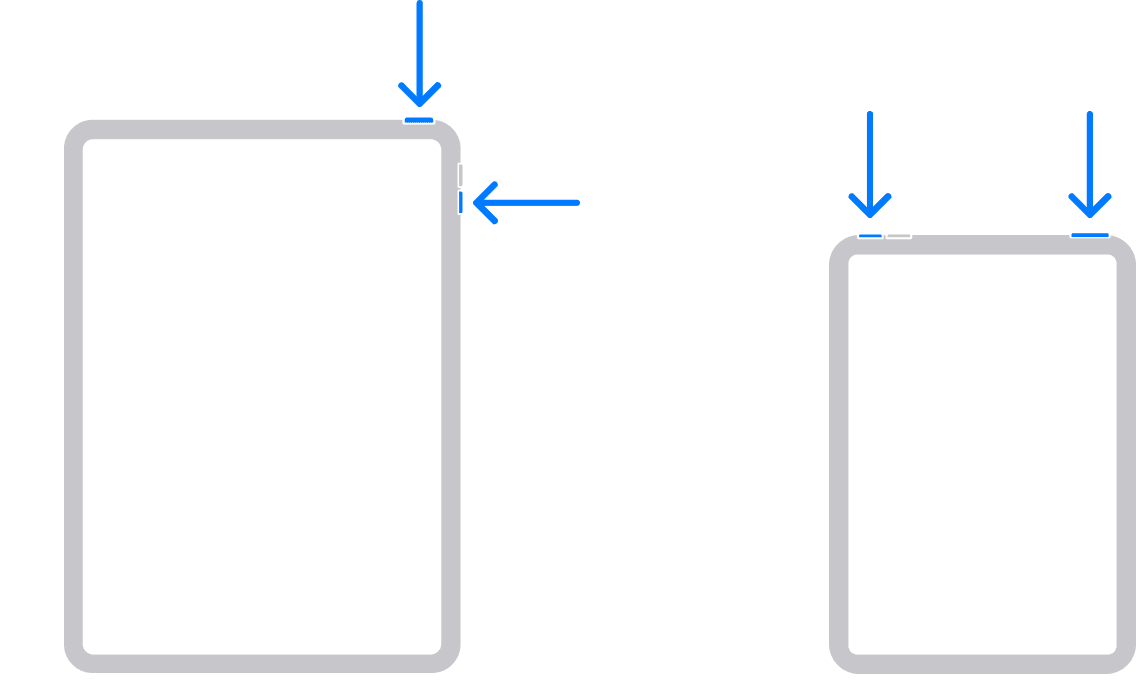
2.Drag the slider, then wait 30 seconds for your device to turn off. If your device is frozen or unresponsive, force restart your device.
3.To turn your device back on, press and hold the top button until you see the Apple logo.
How to restart an iPad with a Home button

2.Drag the slider, then wait for 30 seconds for your device to turn off. If your device is frozen or unresponsive, force restart your device.
3.To turn your device back on, press and hold the top button until you see the Apple logo."
Cheers!
My message icon does not work

