Hey OL609-MaG1525,
First, we'd recommend checking for and installing any updates that may be available for your paired iPhone to see if that helps resolve the issue. This article explains how: Update your iPhone or iPad - Apple Support
If that doesn't help, we'd then suggest unpairing your Apple Watch and setting it up again. You can find the steps to do that here: Unpair and erase your Apple Watch - Apple Support
"How to unpair and erase your Apple Watch if you have your iPhone
- Keep your Apple Watch and iPhone close together as you unpair them.
- Open the Apple Watch app on your iPhone.
- Go to the My Watch tab and tap All Watches.
- Tap the info button
 next to the watch that you want to unpair.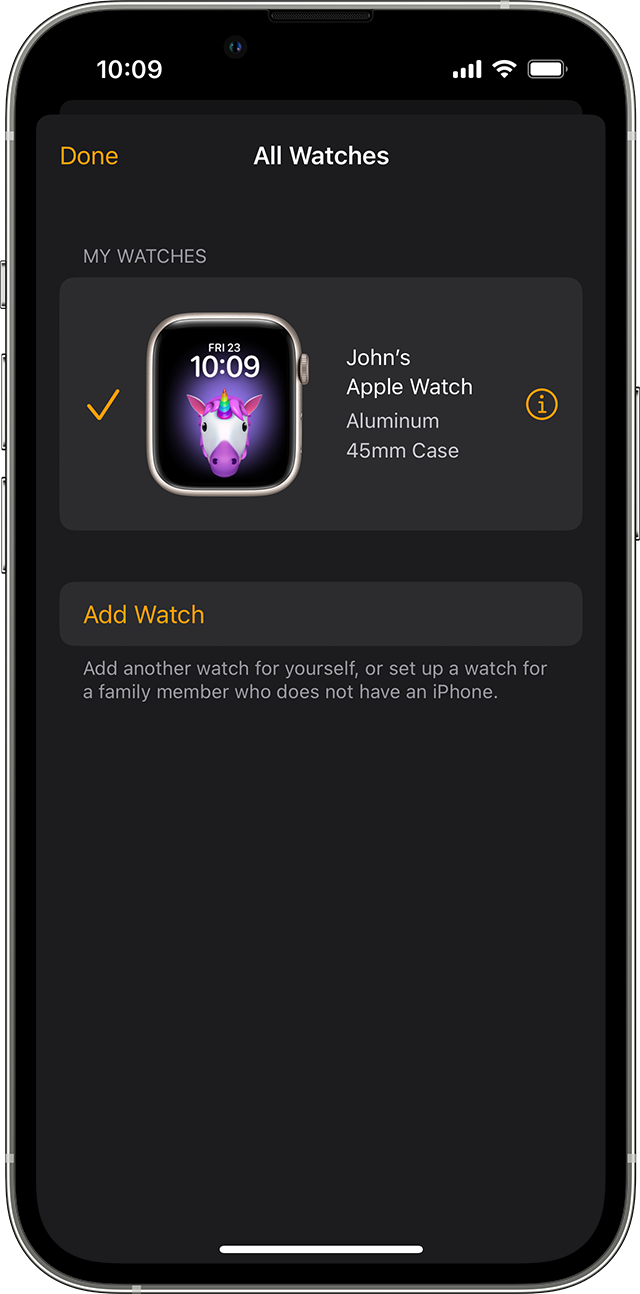
- Tap Unpair Apple Watch.
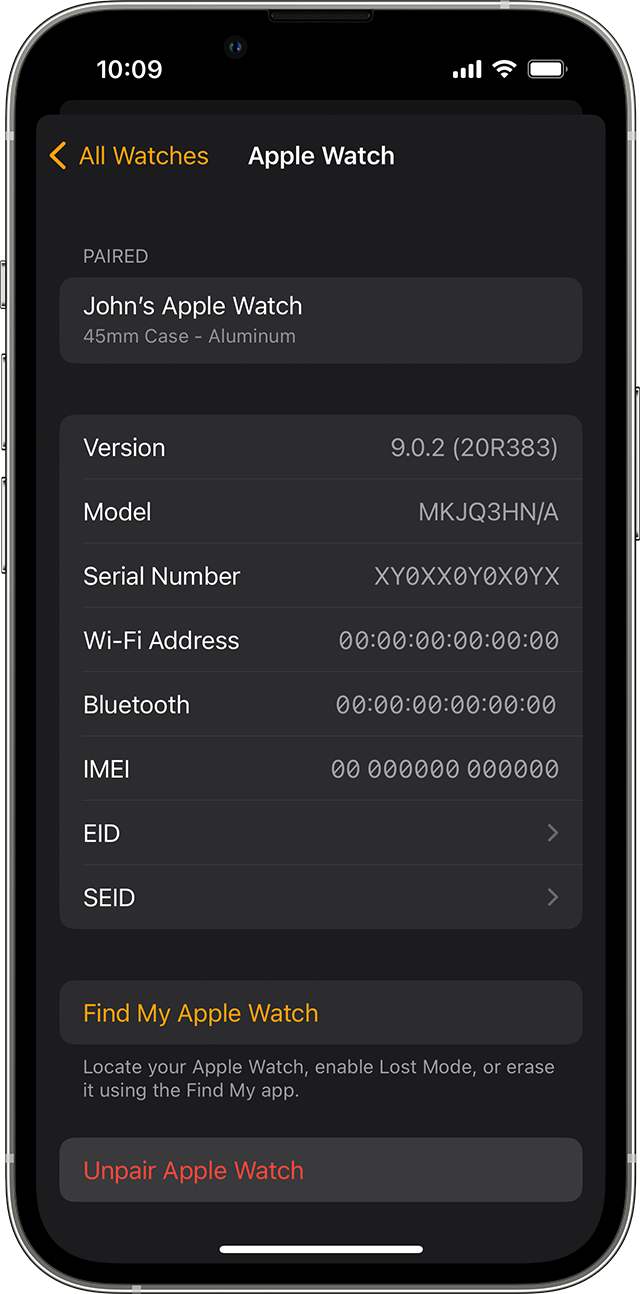
- Tap Unpair [your Apple Watch name].
- For GPS + Cellular models, choose whether to keep or remove your cellular plan.
- If you want to pair your Apple Watch and iPhone again, keep your plan.
- If you don't want to pair your Apple Watch and iPhone again, remove your plan. If you aren't going to pair with a different watch or iPhone, you might need to contact your carrier to cancel your cellular subscription.
- Type your Apple ID password to disable Activation Lock, then tap Unpair.
Before erasing all content and settings on your Apple Watch, your iPhone creates a new backup of your Apple Watch. You can use the backup to restore a new Apple Watch. After your Apple Watch unpairs, you'll see the Start Pairing message.
Now you can set up your Apple Watch again "
Thanks!


