how can I log into my child under 13 iCloud when verification code is not available
how can I log into my child under 13 iCloud when verification code is not available
how can I log into my child under 13 iCloud when verification code is not available
Hi CSLeaf3,
Thanks for posting in Apple Support Communities.
If you're unable to receive the verification code, you can get it from the trusted device.
Get a code from Settings on your trusted device
If you can’t receive a verification code on your trusted devices automatically, you can get one from Settings, even if your device is offline.
From your iPhone, iPad, or iPod touch
If your device is online:
1. Go to Settings > [your name].
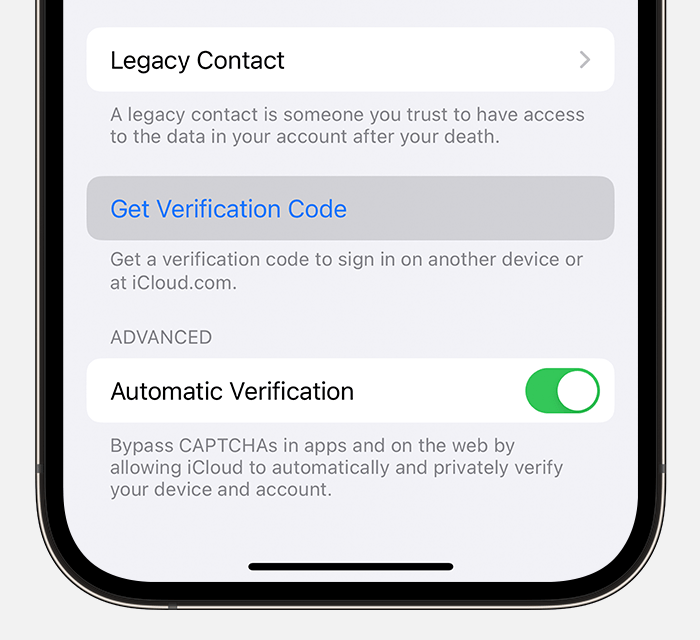
2. Tap Password & Security > Get Verification Code.
3.
If your device is offline:
1. Go to Settings > [your name].
2. Tap Password & Security.
3. A message says "Account Details Unavailable." Tap Get Verification Code.
From your Mac
1. Go to Apple menu > System Settings (or System Preferences), then click your name (or Apple ID).
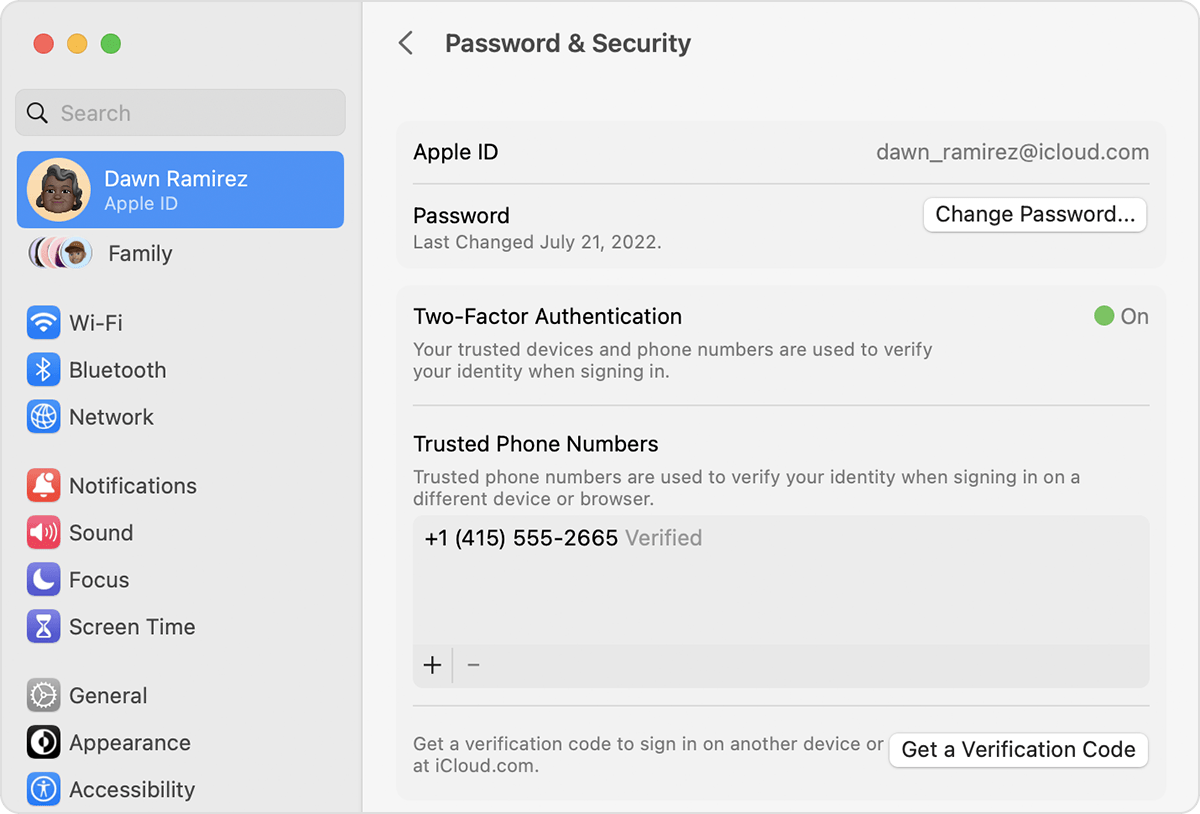
2. Click Password & Security > Get a Verification Code.
3.
You can find these steps and how to enter Account Recovery if you're unable to receive the verification code using Get a verification code and sign in with two-factor authentication - Apple Support.
Regards.
Hi CSLeaf3,
Thanks for posting in Apple Support Communities.
If you're unable to receive the verification code, you can get it from the trusted device.
Get a code from Settings on your trusted device
If you can’t receive a verification code on your trusted devices automatically, you can get one from Settings, even if your device is offline.
From your iPhone, iPad, or iPod touch
If your device is online:
1. Go to Settings > [your name].
2. Tap Password & Security > Get Verification Code.
3.
If your device is offline:
1. Go to Settings > [your name].
2. Tap Password & Security.
3. A message says "Account Details Unavailable." Tap Get Verification Code.
From your Mac
1. Go to Apple menu > System Settings (or System Preferences), then click your name (or Apple ID).
2. Click Password & Security > Get a Verification Code.
3.
You can find these steps and how to enter Account Recovery if you're unable to receive the verification code using Get a verification code and sign in with two-factor authentication - Apple Support.
Regards.
how can I log into my child under 13 iCloud when verification code is not available