Silence phone buttons
How do I silence buttons on iPhone 14?
How do I silence buttons on iPhone 14?
Hey akeithley,
If you're referring to making your iPhone have no sound when using your device, you can silent the device by using the Ring/Silent switch on the left side of your iPhone. Check out this article here: How to put your iPhone on vibrate, ring, or silent mode
In addition, you can also change the ringtones, sounds, and vibrations by following the steps below:
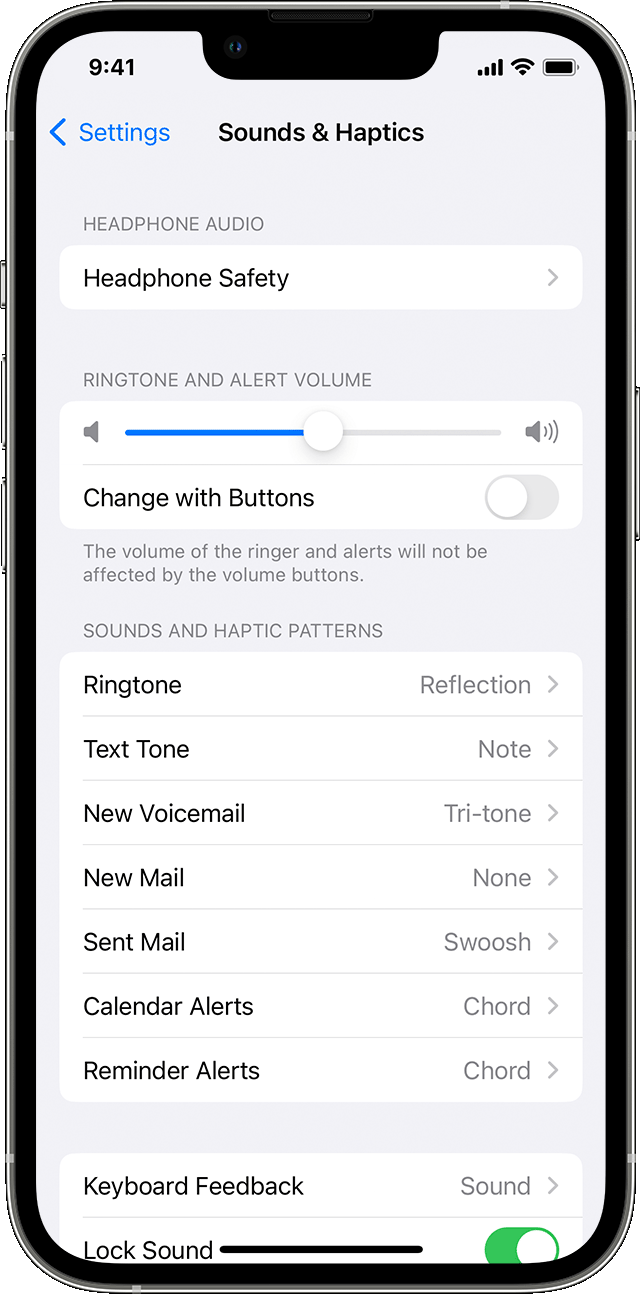
1. On iPhone 7 and later, go to Settings > Sounds & Haptics. On earlier iPhone models, go to Settings > Sounds.
2. Choose what you want to adjust, like Ringtone or New Mail.
3. Tap the alert tone that you want. You can also tap Vibration and choose a vibration pattern or make a custom vibration.
We hope this helps answer your question!
Best regards.
Hey akeithley,
If you're referring to making your iPhone have no sound when using your device, you can silent the device by using the Ring/Silent switch on the left side of your iPhone. Check out this article here: How to put your iPhone on vibrate, ring, or silent mode
In addition, you can also change the ringtones, sounds, and vibrations by following the steps below:
1. On iPhone 7 and later, go to Settings > Sounds & Haptics. On earlier iPhone models, go to Settings > Sounds.
2. Choose what you want to adjust, like Ringtone or New Mail.
3. Tap the alert tone that you want. You can also tap Vibration and choose a vibration pattern or make a custom vibration.
We hope this helps answer your question!
Best regards.
Silence phone buttons