
Can Verizon tell where my lost iPhone is
Can Verizon customer service tell me where my last location of iPhone that is lost?
Can Verizon customer service tell me where my last location of iPhone that is lost?
Was Find My enabled?
Open the Find My app. Choose the Devices tab or the Items tab. Select your missing device or item, then choose Play Sound. If your device is offline, it won't play a sound until it connects to a network.
Use the Find My app to locate a missing device or item
If Find My [device] was not turned ON before your device was lost or stolen, it can't be used to locate a device nor one can use the IMEI number for tracking a device. The best action would be to Change the Apple ID password and change the passwords for other internet accounts that were used on the device. This can include email accounts, Facebook, Twitter, etc...

Don'ts
If the device is removed from an account after it is erased, Activation Lock will be turned off. This allows another person to turn on and use the device.
An example of my iPhone 5 is given in the GIF below. There is no "Undo" after you remove it from your account.
Find IMEI & Serial No. of the Lost Device
You may use a web browser to get the Serial Number and the IMEI Number. You cannot track using the IMEI number. but you may need it so keep it handy
Log in to https://appleid.apple.com with your Apple ID credentials. All your devices will be listed there. Click on any to get the details.
Do's, If you had enabled "Find My" before it was lost
Beware of Phishing!
Be careful and be smart to --> Recognize and avoid phishing messages, phoney support calls ...
Note: Apple will never send you any info on Lost/Found iPhones. It (Phishing) may appear as the image given below.
Switched Off? Still traceable
Even if the iPhone is switched off it is findable, see the pic below.
Device Offline?
I see my device in Find My, but it's offline
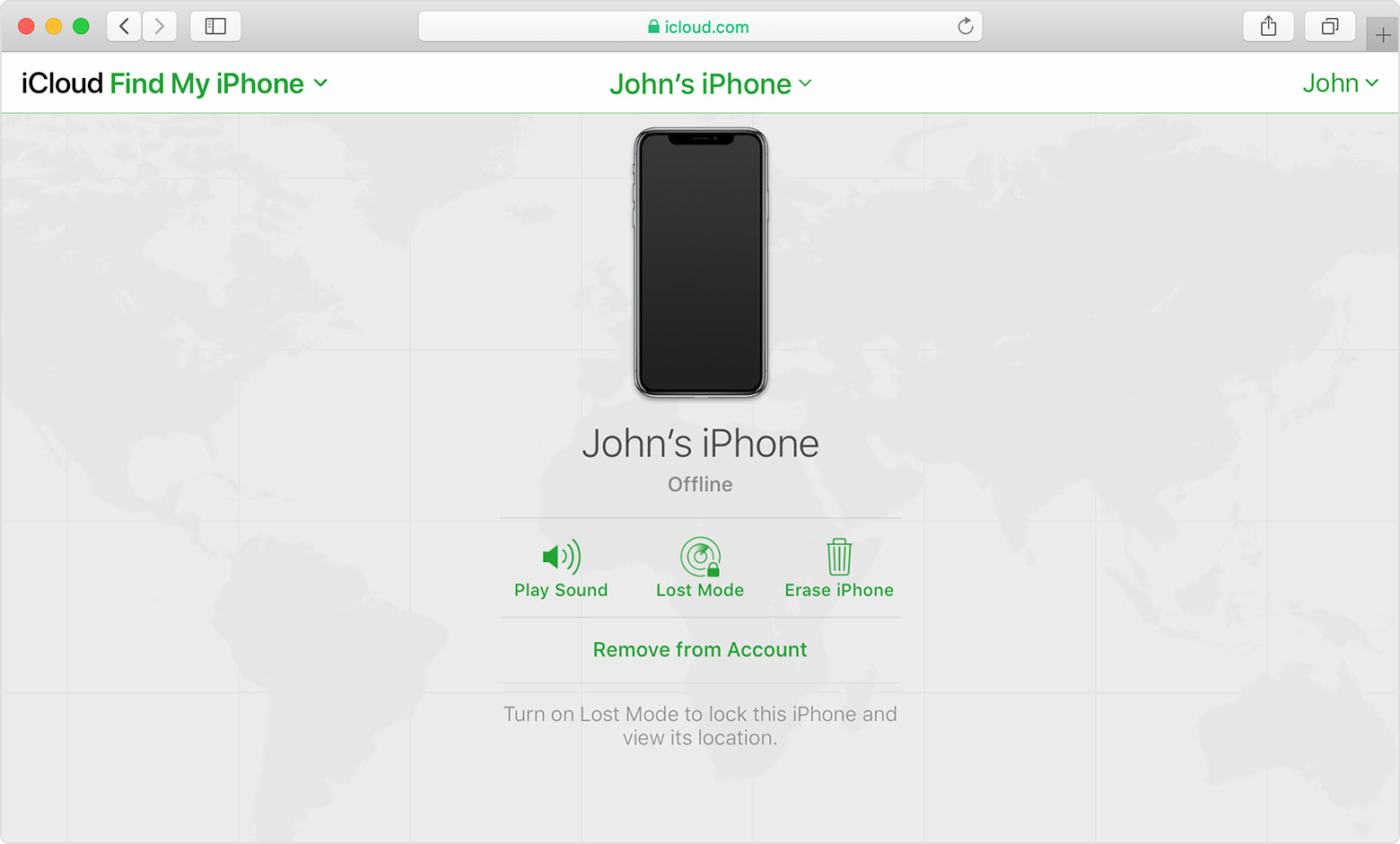
If you see "Offline," "No location available," or "Location Services Off," your device might be offline for one of these reasons:
Don't see your device?
Was Find My enabled?
Open the Find My app. Choose the Devices tab or the Items tab. Select your missing device or item, then choose Play Sound. If your device is offline, it won't play a sound until it connects to a network.
Use the Find My app to locate a missing device or item
If Find My [device] was not turned ON before your device was lost or stolen, it can't be used to locate a device nor one can use the IMEI number for tracking a device. The best action would be to Change the Apple ID password and change the passwords for other internet accounts that were used on the device. This can include email accounts, Facebook, Twitter, etc...
Don'ts
If the device is removed from an account after it is erased, Activation Lock will be turned off. This allows another person to turn on and use the device.
An example of my iPhone 5 is given in the GIF below. There is no "Undo" after you remove it from your account.
Find IMEI & Serial No. of the Lost Device
You may use a web browser to get the Serial Number and the IMEI Number. You cannot track using the IMEI number. but you may need it so keep it handy
Log in to https://appleid.apple.com with your Apple ID credentials. All your devices will be listed there. Click on any to get the details.
Do's, If you had enabled "Find My" before it was lost
Beware of Phishing!
Be careful and be smart to --> Recognize and avoid phishing messages, phoney support calls ...
Note: Apple will never send you any info on Lost/Found iPhones. It (Phishing) may appear as the image given below.
Switched Off? Still traceable
Even if the iPhone is switched off it is findable, see the pic below.
Device Offline?
I see my device in Find My, but it's offline
If you see "Offline," "No location available," or "Location Services Off," your device might be offline for one of these reasons:
Don't see your device?
You would have to ask them. Apple only provides the Find My service.
This support article has a list of things to do if your iPhone, iPad, or iPod touch is lost or stolen. --> If your iPhone, iPad, or iPod touch is lost or stolen - Apple Support
- The Find My service described in the article is the only recovery feature Apple offers. It must be set up before the device is lost.
Read this document about how to use the Find My app to locate a missing device or item --> Use the Find My app to locate a missing device or item - Apple Support
The chances of locating a device depend upon which features you selected in:
Set up Find My on your iPhone, Mac, and other devices - Set up Find My on your iPhone, iPad, iPod touch, or Mac - Apple Support
I think it is quite possible that a phone carrier can provide the location, but it would have to be a serious situation such as a missing person, not simply a misplaced device. It might well require law enforcement and a court order..
Only you and you only can track the device.
That post caused my browser to freeze for 15 seconds.
Can Verizon tell where my lost iPhone is

