Beats Studio3
Hi, One side of my headphone ( the side with the wire jack), is not working. I saw some advise on resetting the headphone, but my headphone is not resetting at all. Any suggestions on what I should do?
Hi, One side of my headphone ( the side with the wire jack), is not working. I saw some advise on resetting the headphone, but my headphone is not resetting at all. Any suggestions on what I should do?
Hi there DaniGetachew,
If you are having issues with one side of your headphones, resetting is a good first step. This refreshes the firmware and can resolve issues like this. These steps from Reset your Beats on-ear or over-ear headphones show how to reset your model of Beats:
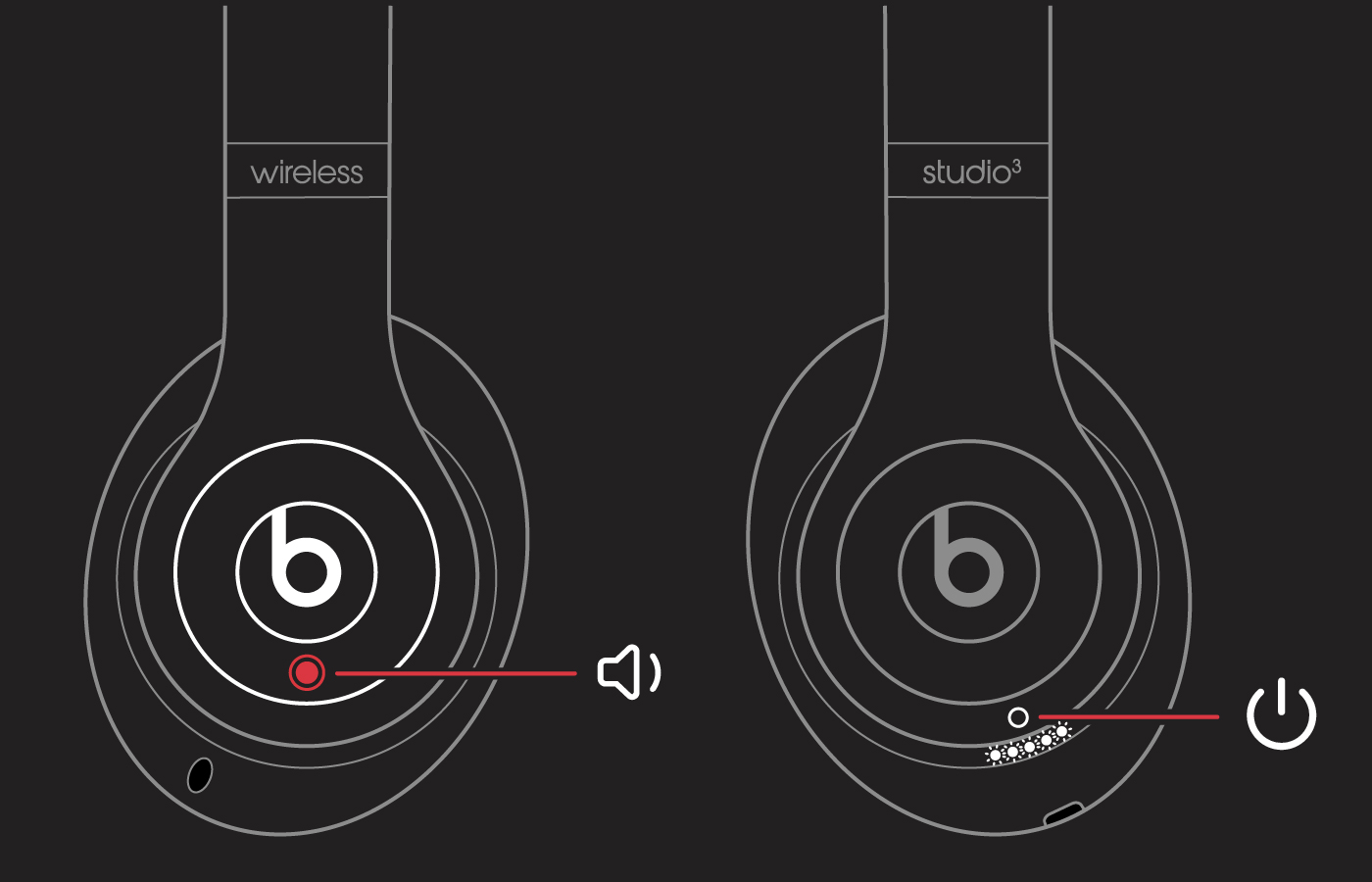
Reset Studio3 Wireless
1. Hold down the power button and volume down button for 10 seconds.
2. When the Fuel Gauge flashes, release the buttons.
Your headphones are now reset and ready to be set up with your devices again.
If this continues after resetting the Beats, then we would recommend having them inspected for service next. Apple Support would be the best equipped to look into your available options. Reach out to them using this: Get Support
Cheers!
Hi there DaniGetachew,
If you are having issues with one side of your headphones, resetting is a good first step. This refreshes the firmware and can resolve issues like this. These steps from Reset your Beats on-ear or over-ear headphones show how to reset your model of Beats:
Reset Studio3 Wireless
1. Hold down the power button and volume down button for 10 seconds.
2. When the Fuel Gauge flashes, release the buttons.
Your headphones are now reset and ready to be set up with your devices again.
If this continues after resetting the Beats, then we would recommend having them inspected for service next. Apple Support would be the best equipped to look into your available options. Reach out to them using this: Get Support
Cheers!
Beats Studio3