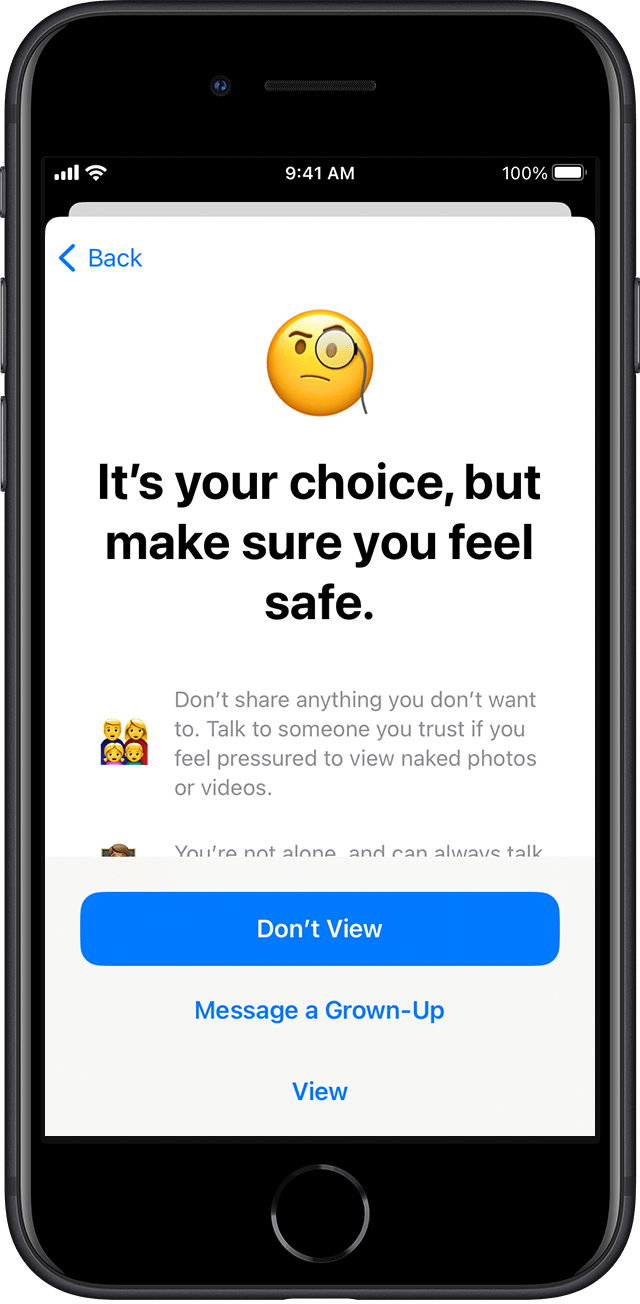
What happens if the child chooses “message a grown-up” if sensitive photos are found?
What happens when a child chooses the “message a grown-up” option if a sensitive photo is detected?
iPhone 14 Pro Max, iOS 16
What happens when a child chooses the “message a grown-up” option if a sensitive photo is detected?
iPhone 14 Pro Max, iOS 16
Hey MamaBear356,
We'd be happy to help out. For more on communication safety in Messages app, check out the info below:
Turn on communication safety in Screen Time settings
You can turn on communication safety at any time in Screen Time settings for your child’s account.
1. On your iPhone, iPad, or iPod touch, go to Settings > Screen Time. On a Mac, choose Apple menu > System Settings, then click Screen Time. (If you haven’t already turned on Screen Time, use parental controls to turn it on.)
2. Tap the name of a child in your family group.
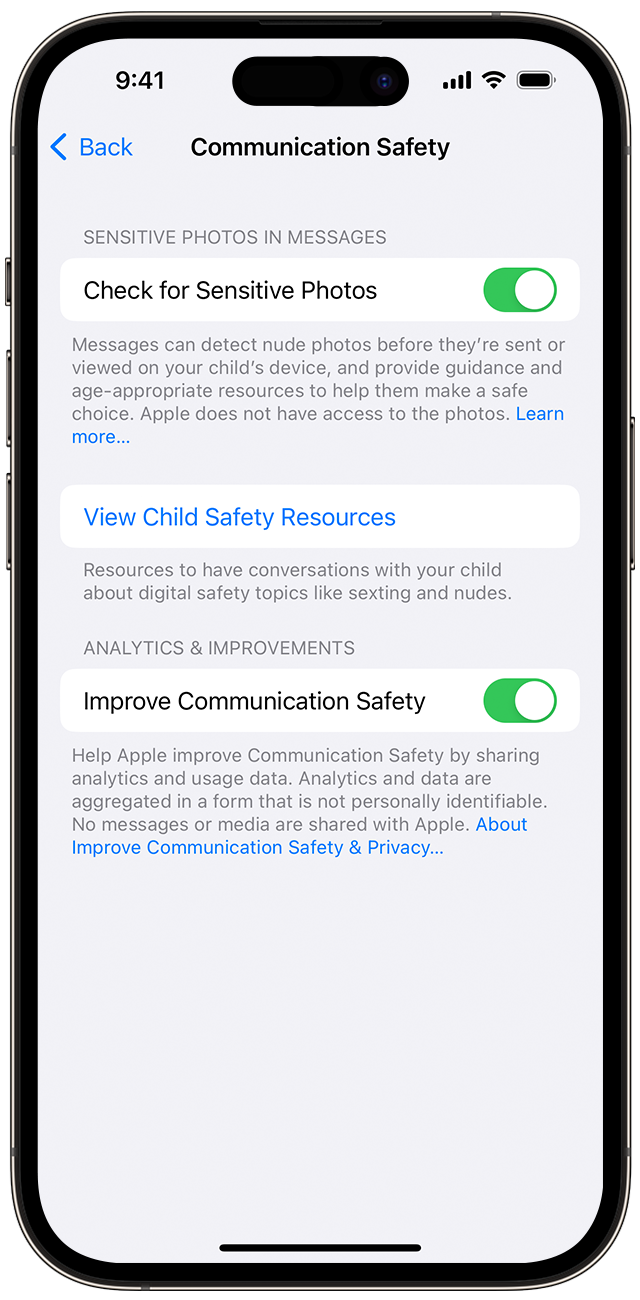
3. Then tap Communication Safety, and tap Continue.
4. Turn on Check for Sensitive Photos. You may need to enter the Screen Time passcode for the device.
5.
You can turn off communication safety for your child at any time in Screen Time settings.
If Messages detects an image that appears to contain nudity
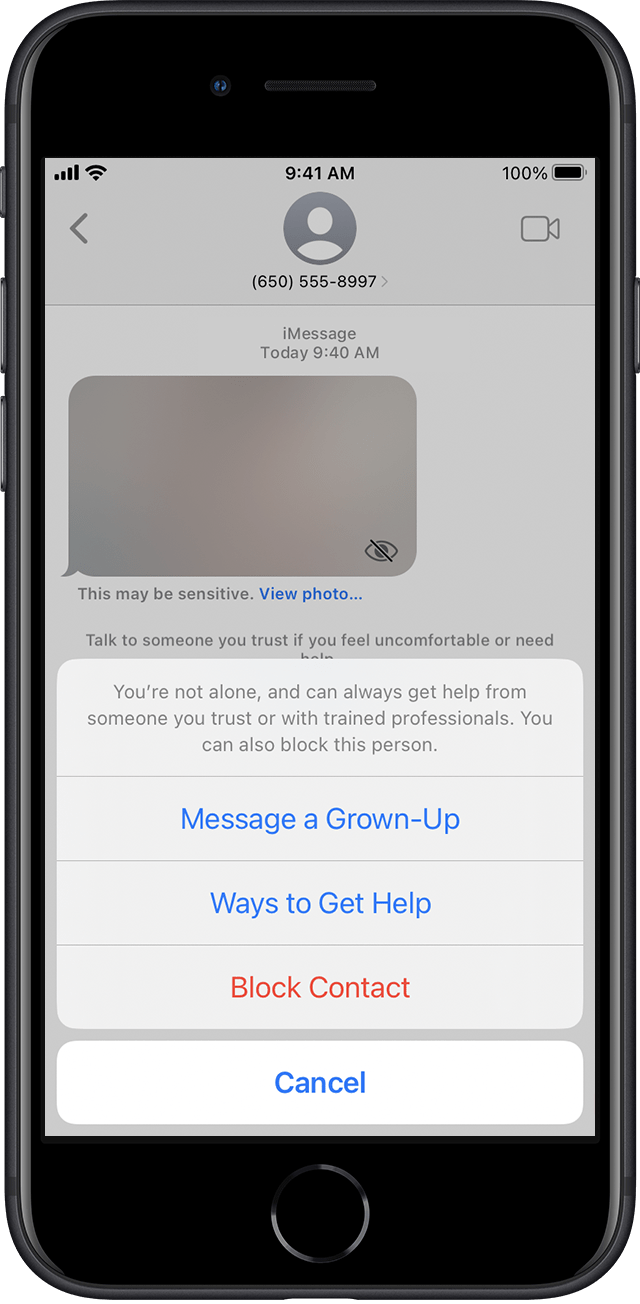
If Messages determines that a photo your child has received or is about to send appears to contain nudity, it blurs the image, displays a warning that the photo may be sensitive, and offers ways to get help.
Ways to get help
Messages offers the child several ways to get help—including leaving the conversation, blocking the contact, leaving a group message, and accessing online safety resources—and reassures the child that it’s okay if they don’t want to view the photo or continue the conversation.
Message someone they trust
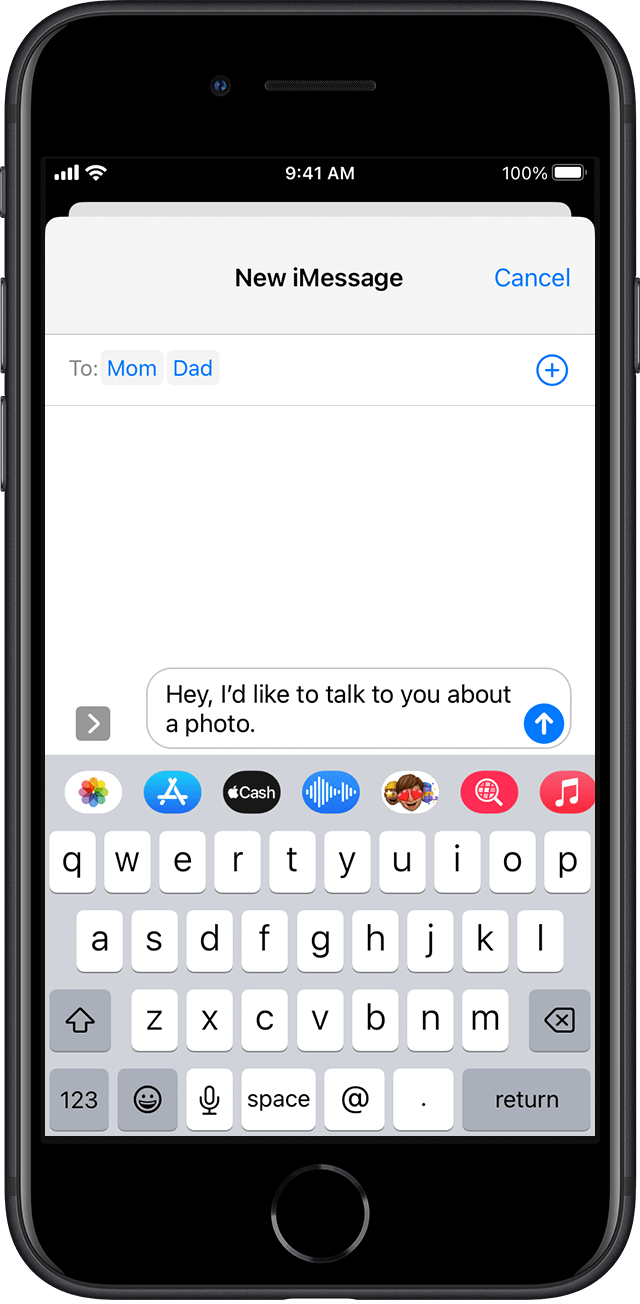
As an additional precaution, the child has the option to message an adult that they trust about the photo. If the child is under 13, Messages prompts the child to start a conversation with their parent or guardians.
If the child chooses to view or send an image that contains nudity
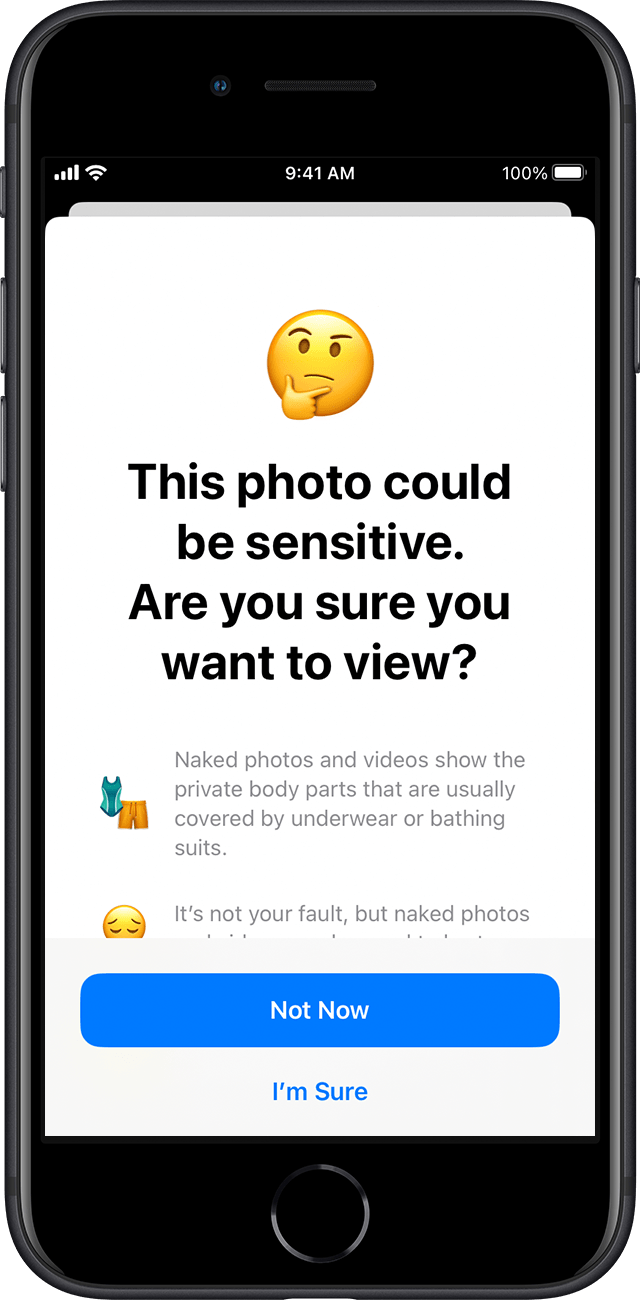
If the child chooses to view or send the photo, Messages confirms that they’re sure they want to do so and suggests alternatives, again reassuring the child that it’s okay not to participate and that more help is available.
This is outlined further here: About communication safety in Messages - Apple Support
We hope this helps out.
Take care!
Hey MamaBear356,
We'd be happy to help out. For more on communication safety in Messages app, check out the info below:
Turn on communication safety in Screen Time settings
You can turn on communication safety at any time in Screen Time settings for your child’s account.
1. On your iPhone, iPad, or iPod touch, go to Settings > Screen Time. On a Mac, choose Apple menu > System Settings, then click Screen Time. (If you haven’t already turned on Screen Time, use parental controls to turn it on.)
2. Tap the name of a child in your family group.
3. Then tap Communication Safety, and tap Continue.
4. Turn on Check for Sensitive Photos. You may need to enter the Screen Time passcode for the device.
5.
You can turn off communication safety for your child at any time in Screen Time settings.
If Messages detects an image that appears to contain nudity
If Messages determines that a photo your child has received or is about to send appears to contain nudity, it blurs the image, displays a warning that the photo may be sensitive, and offers ways to get help.
Ways to get help
Messages offers the child several ways to get help—including leaving the conversation, blocking the contact, leaving a group message, and accessing online safety resources—and reassures the child that it’s okay if they don’t want to view the photo or continue the conversation.
Message someone they trust
As an additional precaution, the child has the option to message an adult that they trust about the photo. If the child is under 13, Messages prompts the child to start a conversation with their parent or guardians.
If the child chooses to view or send an image that contains nudity
If the child chooses to view or send the photo, Messages confirms that they’re sure they want to do so and suggests alternatives, again reassuring the child that it’s okay not to participate and that more help is available.
This is outlined further here: About communication safety in Messages - Apple Support
We hope this helps out.
Take care!
What happens if the child chooses “message a grown-up” if sensitive photos are found?