
Home Screen of phone
Hello - the phone icon is not on my phone anymore.
iPhone SE, iOS 14
Hello - the phone icon is not on my phone anymore.
iPhone SE, iOS 14
Hey Andyinsyracuse,
If you're missing an icon it is likely in the App Library, particularly for the Phone app as it can't be deleted by normal means.
"Use the App Library to find your apps
From your Home Screen, swipe left until you see the App Library. Your apps are automatically sorted into categories. For example, you might see your social media apps under a Social category. The apps that you use most frequently will automatically reorder based on your usage. When you install new apps, they'll be added to your App Library, but you can change where new apps get downloaded.
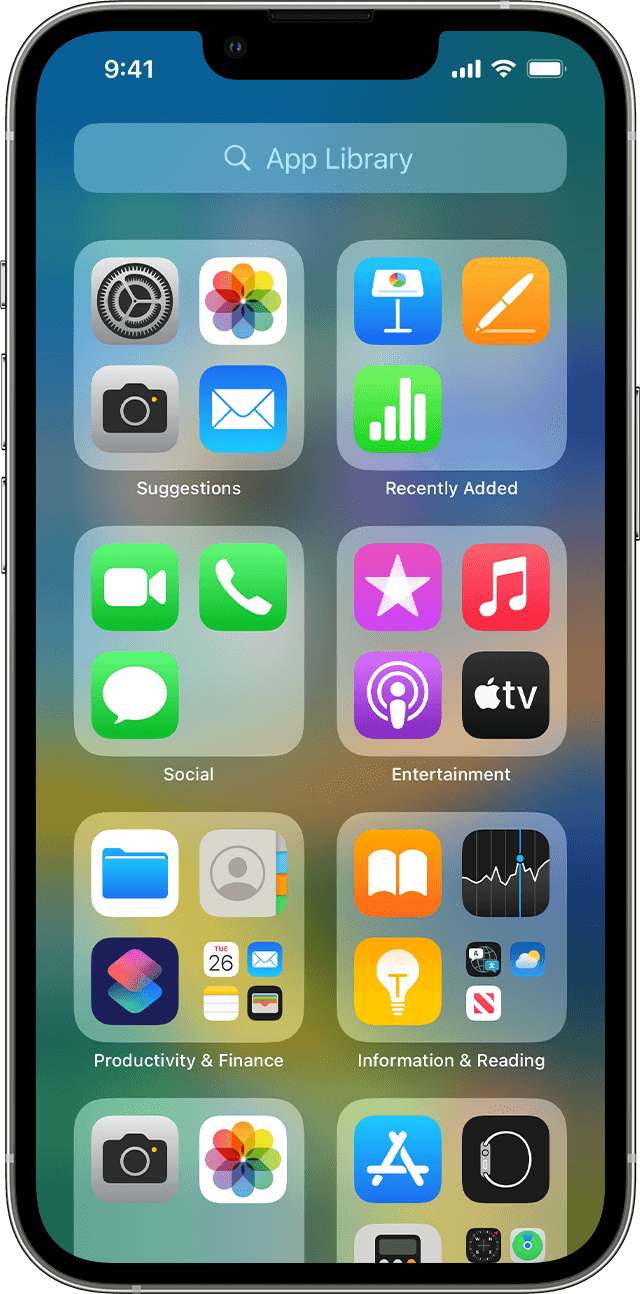
Search for an app in the App Library
Delete an app from the App Library
 .
.If you can't delete an app that's not made by Apple, disable parental controls, then try deleting the app again.
Move apps to the App Library
Let us know if that helps or if you still can't locate the app.
Cheers!
Hey Andyinsyracuse,
If you're missing an icon it is likely in the App Library, particularly for the Phone app as it can't be deleted by normal means.
"Use the App Library to find your apps
From your Home Screen, swipe left until you see the App Library. Your apps are automatically sorted into categories. For example, you might see your social media apps under a Social category. The apps that you use most frequently will automatically reorder based on your usage. When you install new apps, they'll be added to your App Library, but you can change where new apps get downloaded.
Search for an app in the App Library
Delete an app from the App Library
.If you can't delete an app that's not made by Apple, disable parental controls, then try deleting the app again.
Move apps to the App Library
Let us know if that helps or if you still can't locate the app.
Cheers!
Home Screen of phone

