Used iPad Air Restore

On trying to Restore a newly purchased Used iPad Air using iTunes on WIN10 & using Apple instructions. The software downloaded, then spent time "installing" but I got error: "The iPad "iPad" could not be restored. (2003)"

So, Rinse, Repeat. Same process - download ok but install crapped out and during that process, the Ser# (which showed up the first attempt) DISAPPEARED!!! -showed "no serial number" msg on the install wait screen.

Got a different error msg the 2nd time, ""The iPad "iPad" could not be restored. The device cannot be found."


[Re-Titled by Moderator]


Posted on Jun 26, 2023 3:00 PM

Reply

Similar questions

1 reply

Jun 27, 2023 6:20 PM in response to hal232

Hey hal232,


If you are unable to restore the iPad, try these steps:


"Put your iPad in recovery mode and set it up again

  1. Make sure that your Mac is up to date. If you're using iTunes, make sure you have the latest version of iTunes
  2. On a Mac with macOS Catalina, open Finder. On a Mac with macOS Mojave or earlier, or on a PC, open iTunes. If iTunes is already open, close it, then open it again. Find out which macOS your Mac is using.
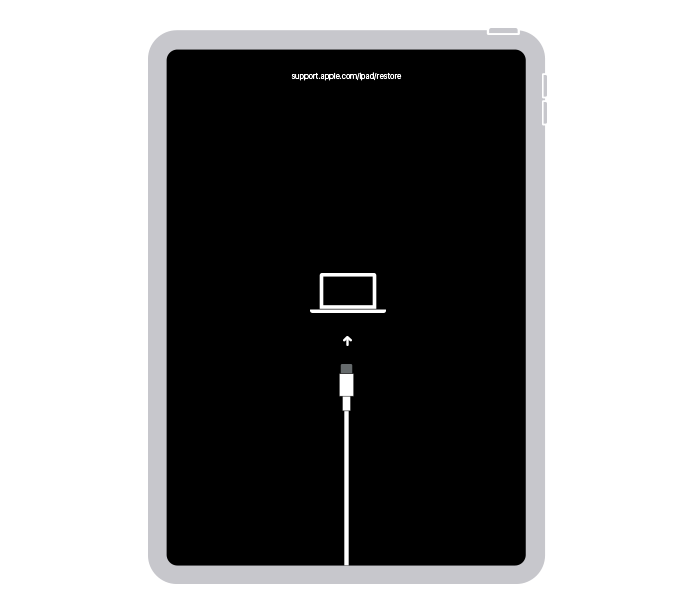
  3. Keep your iPad connected and wait until the recovery mode screen appears:
  • For an iPad without a Home button: Press and quickly release the volume button closest to the top button. Press and quickly release the volume button farthest from the top button. Press and hold the top button.


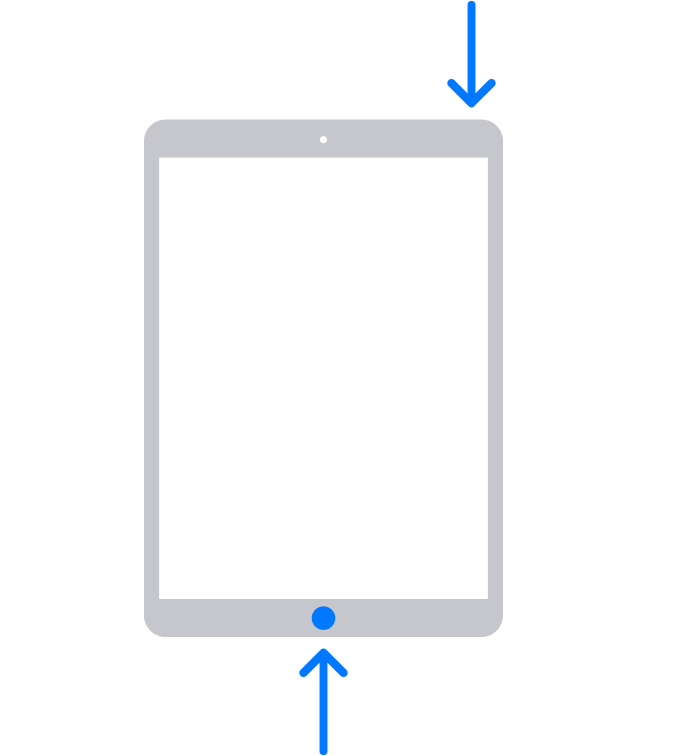
  • For an iPad with a Home button: Press and hold both the Home and the top (or side) buttons at the same time. 

4. Keep holding the button (or buttons) until you see the recovery mode screen:

5. Locate your iPad on your computer. When you see the option to Restore or Update, choose Update. Your computer will try to reinstall the software without erasing your data. Wait while your computer downloads the software for your iPad. If the download takes more than 15 minutes and your iPad exits the recovery mode screen, let the download finish, then repeat step 3.

6. After the Update or Restore completes, set up your iPad."If you can't update or restore your iPad


We hope this helps!


Sincerely.


This thread has been closed by the system or the community team. You may vote for any posts you find helpful, or search the Community for additional answers.

Used iPad Air Restore

Welcome to Apple Support Community
A forum where Apple customers help each other with their products. Get started with your Apple Account.