Creating new Apple ID/ email address without losing the mail in existing email account

My iCloud email address, which is my Apple ID, was hacked in a medical provider data breach. I've been getting dozens of scam emails every day since. I know how to block specific addresses and have constructed Rules to delete emails, but have had some of the same problems as others in getting Rules to work proactively. So I want to change my iCloud address and use it as my new Apple ID. I wish to do this without losing all of the mail I have stored under my existing email address. I have read a lot on line about this, but am having trouble understanding the exact sequence of steps I should take. Any help in doing this (new iCloud email address/Apple ID and transfer of mail from old email address to new) would be appreciated.

Mac Pro (2019)

Posted on Jun 28, 2023 1:24 PM

Reply

Similar questions

7 replies

Jun 30, 2023 9:17 AM in response to JohnLaw_0001

Hi JohnLaw_0001,


Thank you for posting in the Apple Support Community. In order to change the email address associated with your Apple ID account, follow the guidance here:


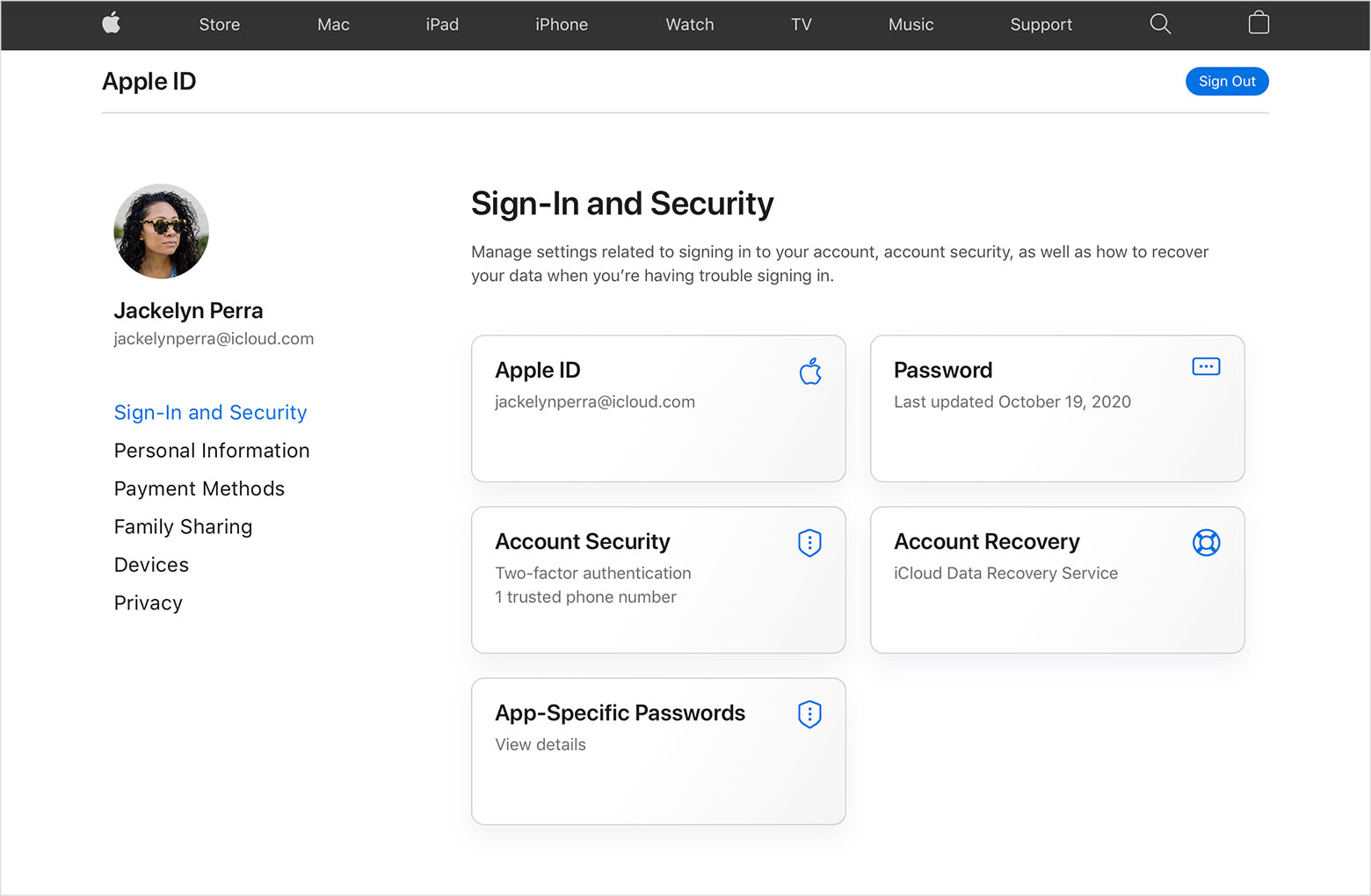
  1. "Go to appleid.apple.com and sign in.
  2. In the Sign-In and Security section, choose Apple ID.

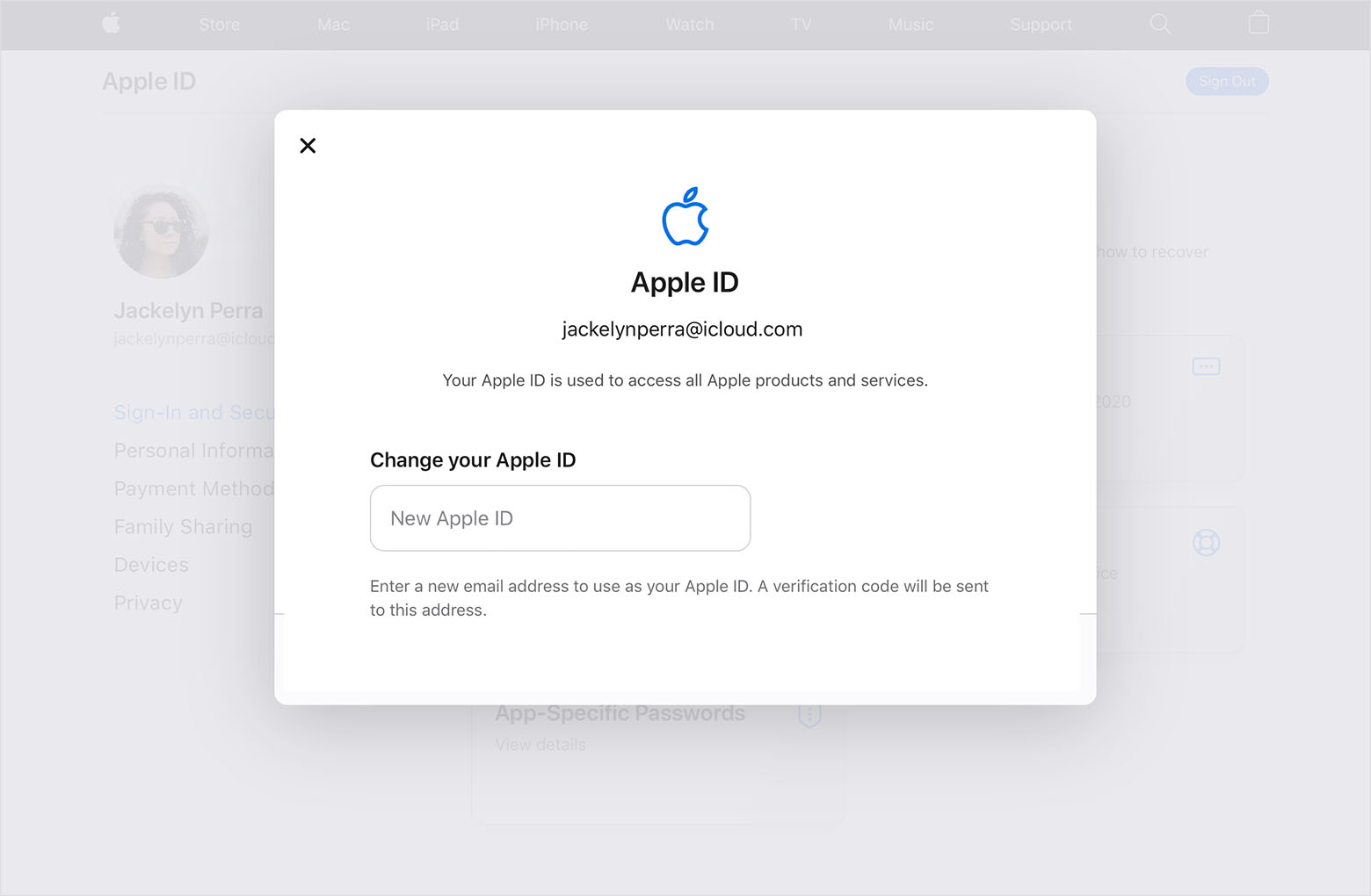
  3. Enter the email address that you want to use as your Apple ID.

  4. Choose Change Apple ID.
  5. If you changed your Apple ID to a third-party email address, check your email for a verification code, then enter the code. Learn what to do if you didn't get the email.
  6. If you use services like iCloud or Messages to share with friends and colleagues, sign in to those services with your updated Apple ID."


You can find these steps in the article Change your Apple ID. You can also follow these steps after changing your ID: What to do after you change your Apple ID or password.


Hope that helps!

Jun 30, 2023 12:40 PM in response to JohnLaw_0001

Thank you bailier. So, let's say I have an Apple ID and email account of AppleAcct1@icloud.com. I have various sent and received emails there. That email address has been hacked and I don't want to use that as my Apple ID or my email address, but I do not want to lose the emails that I have sent and received at that address.


So, I change my Apple ID and email address to AppleAcct2@icloud.com. How do I then access the sent and received emails from AppleAcct1@icloud.com? I realize that I would not be able to respond to emails in AppleAcct1@icloud.com or forward such emails or compose new emails from that address. I just want to be able to access them. I apologize if I am asking basic questions that are already answered elsewhere, but I have been unable to understand the consequences of making this change. Thank you.

Jun 30, 2023 1:38 PM in response to JohnLaw_0001

Hey JohnLaw_0001,


Changing the email address associated with your Apple ID has no impact on the data contained within it. Your emails would still be there. Changing your email address doesn't create a new account or mailbox.


We hope this clears things up for you. If you have any other questions or concerns, you can also contact Apple for further support here: Get Support


Take care!

Jun 30, 2023 1:53 PM in response to JohnLaw_0001

Thank you. Re: "Changing the email address associated with your Apple ID has no impact on the data contained within it."


I am not just changing the email address associated with my Apple ID. I am changing the Apple ID as well. Both will be brand new (and the same). Re "no impact on the data contained within it". No impact on the emails associated with my current email address even after it is no longer a valid email address?


I thank everyone who has tried to help. I will export the email mailboxes that I am concerned about, create the new Apple ID/email address and see what happens. Again, thank you.


This thread has been closed by the system or the community team. You may vote for any posts you find helpful, or search the Community for additional answers.

Creating new Apple ID/ email address without losing the mail in existing email account

Welcome to Apple Support Community
A forum where Apple customers help each other with their products. Get started with your Apple Account.