Unable to reset my power beats earbuds?
Unable to reset my power beats earbuds?
Unable to reset my power beats earbuds?
Hey Jaybird3rd,
We'd be happy to help out. If you're unable to reset your PowerBeats, the following steps may help out with ensuring you're taking the correct steps to do so:
Reset Powerbeats
1. Hold down both the power button and the volume down button for 10 seconds.
2. When the LED indicator light flashes, release the buttons. Your earphones are now reset and ready to be set up with your devices again.
Reset Powerbeats2
1. Connect your Powerbeats2 Wireless to a power source.
2. Hold down both the power/connect button and the volume down button for 10 seconds, then release.
Reset Powerbeats3
1. Hold down both the power button and the volume down button for 10 seconds.
2. When the LED indicator light flashes, release the buttons. Your earphones are now reset and ready to be set up with your devices again.
Reset Powerbeats Pro
1. Place both earbuds in the case. Leave the case open.
2. Press and hold the system button on the case for 15 seconds or until the LED indicator light flashes red and white.
3. Release the system button.
The LED indicator light will continue to flash white, which means that you can pair your Powerbeats Pro with your iPhone, Mac, Android device, or other device again.
This is outlined further here: Reset your Beats earphones - Apple Support
We hope this helps out, but if not, please contact Apple to check into the service options available to you using this link: Get Support
Take care!
Hey Jaybird3rd,
We'd be happy to help out. If you're unable to reset your PowerBeats, the following steps may help out with ensuring you're taking the correct steps to do so:
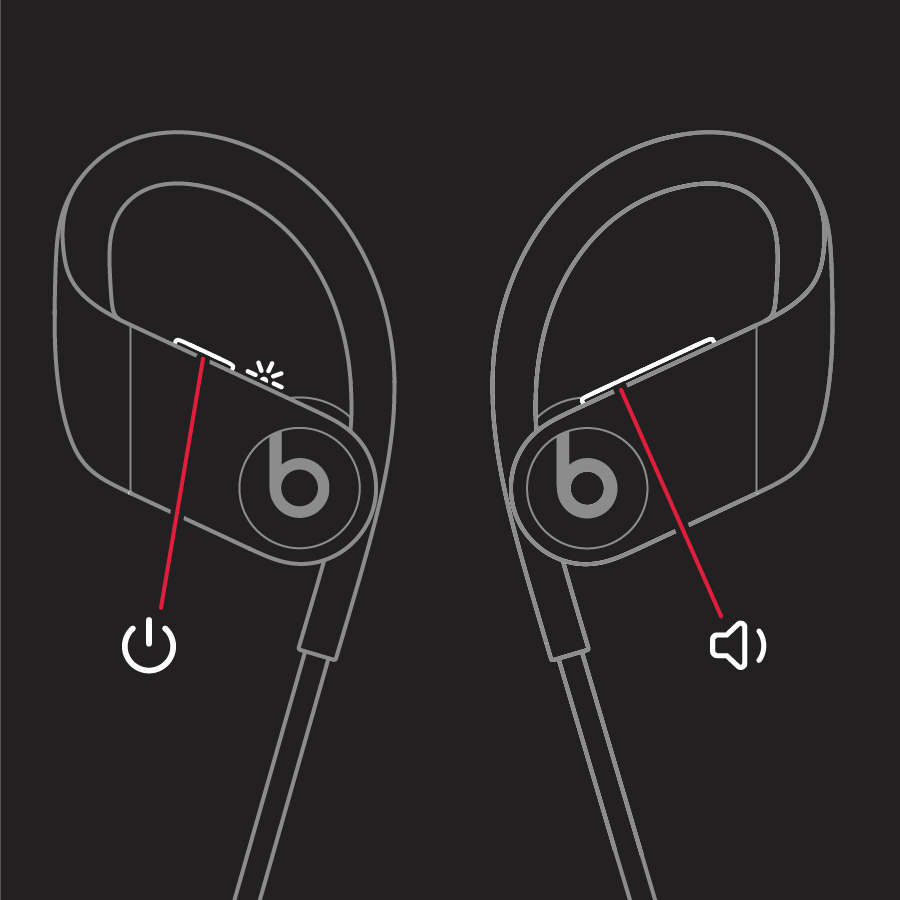
Reset Powerbeats
1. Hold down both the power button and the volume down button for 10 seconds.
2. When the LED indicator light flashes, release the buttons. Your earphones are now reset and ready to be set up with your devices again.
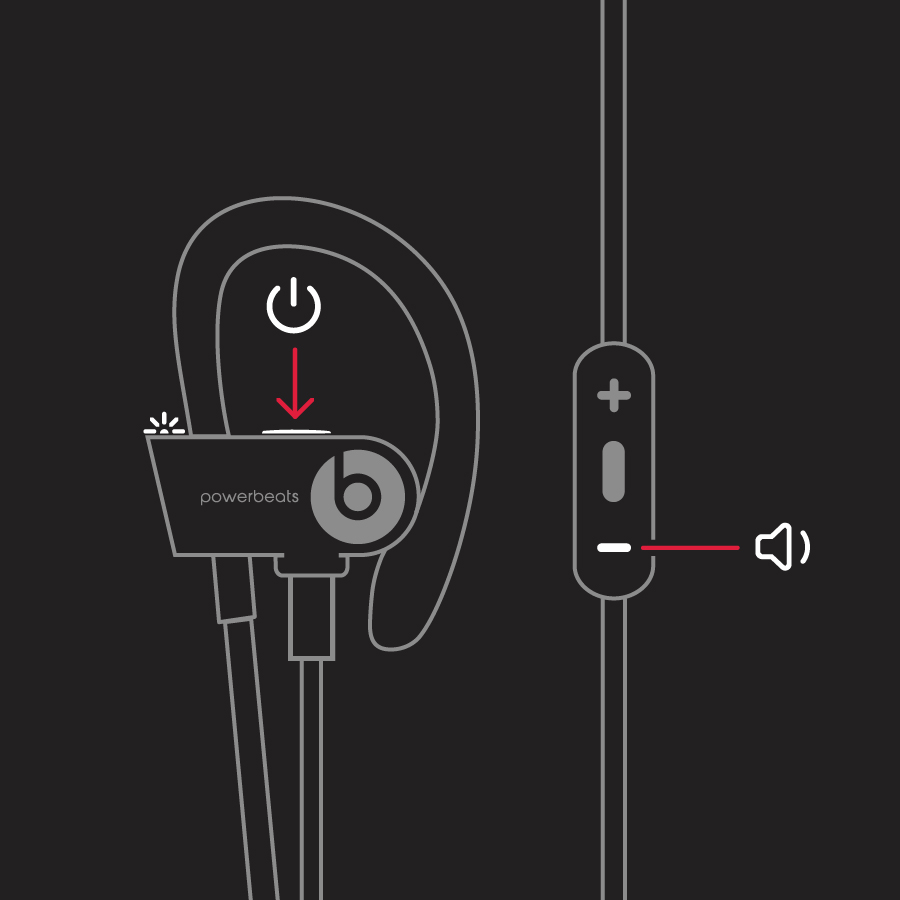
Reset Powerbeats2
1. Connect your Powerbeats2 Wireless to a power source.
2. Hold down both the power/connect button and the volume down button for 10 seconds, then release.
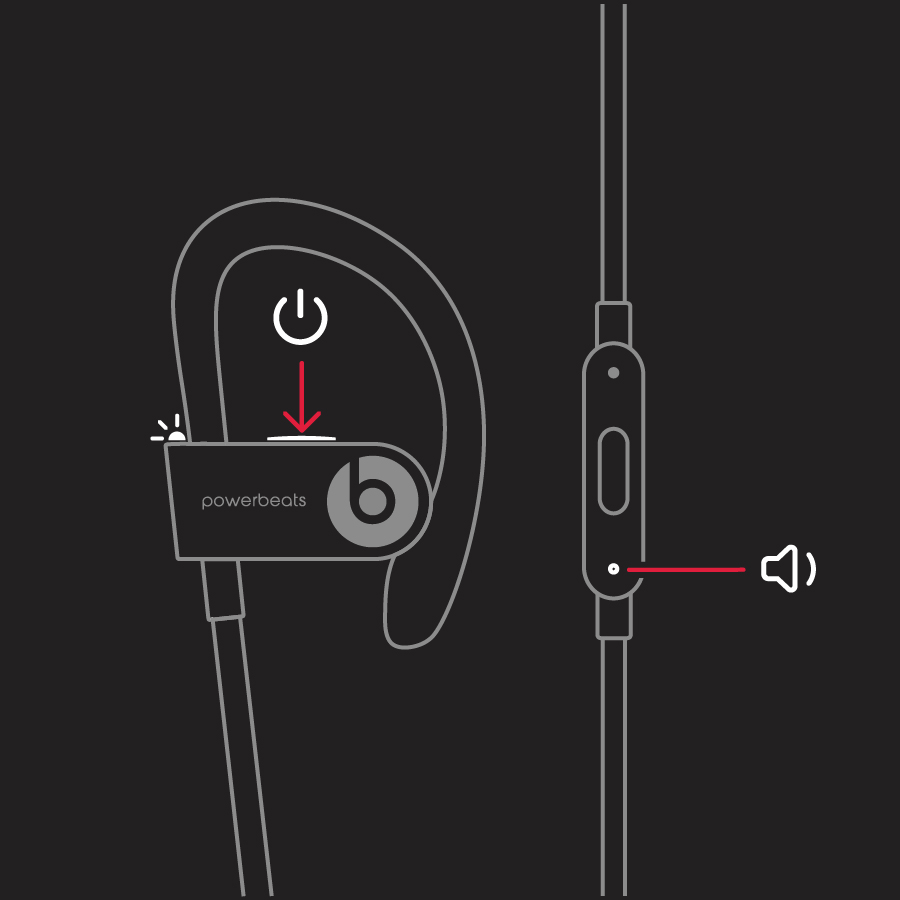
Reset Powerbeats3
1. Hold down both the power button and the volume down button for 10 seconds.
2. When the LED indicator light flashes, release the buttons. Your earphones are now reset and ready to be set up with your devices again.
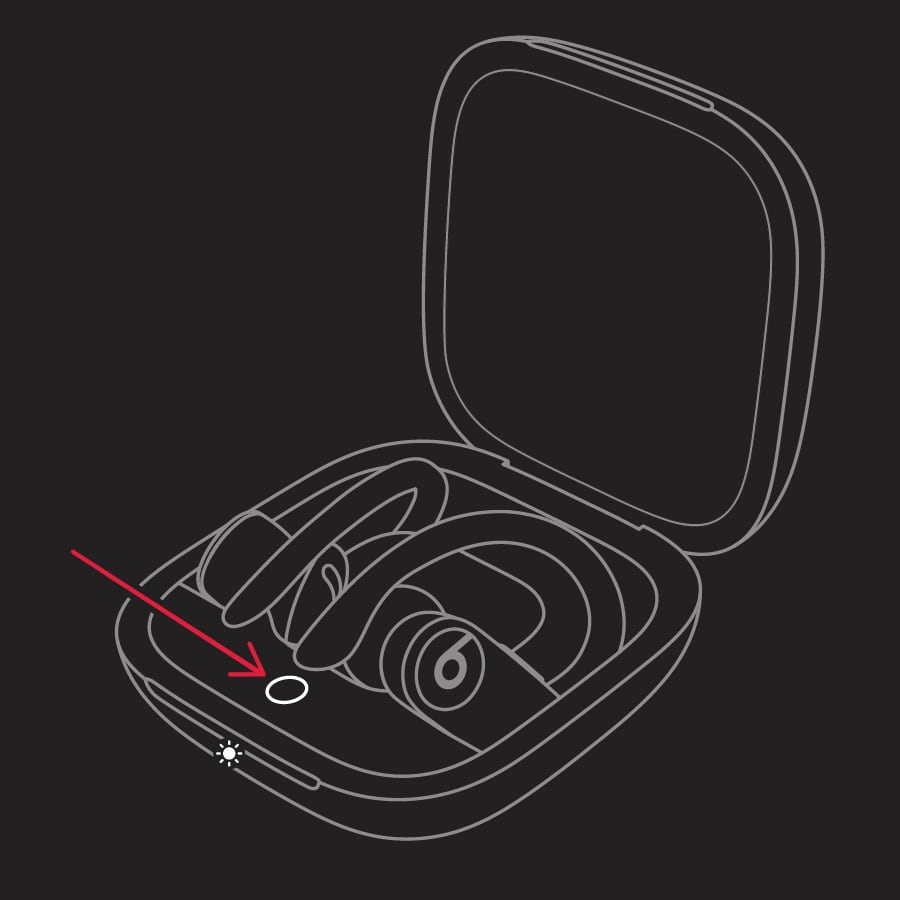
Reset Powerbeats Pro
1. Place both earbuds in the case. Leave the case open.
2. Press and hold the system button on the case for 15 seconds or until the LED indicator light flashes red and white.
3. Release the system button.
The LED indicator light will continue to flash white, which means that you can pair your Powerbeats Pro with your iPhone, Mac, Android device, or other device again.
This is outlined further here: Reset your Beats earphones - Apple Support
We hope this helps out, but if not, please contact Apple to check into the service options available to you using this link: Get Support
Take care!
Unable to reset my power beats earbuds?