when erasing all data the confirmation code screen doesnt pop up
when erasing all data the confirmation code screen doesnt pop up
when erasing all data the confirmation code screen doesnt pop up
Hey Dodger—94,
Thanks for clarifying that for us. Here's how you can restore your iPhone back to factory settings: How to factory reset your iPhone, iPad, or iPod touch
If you can't perform the restore from the iPhone, you can try it using a computer:
Restore your iPhone, iPad, or iPod to factory settings
Restore your device to factory settings
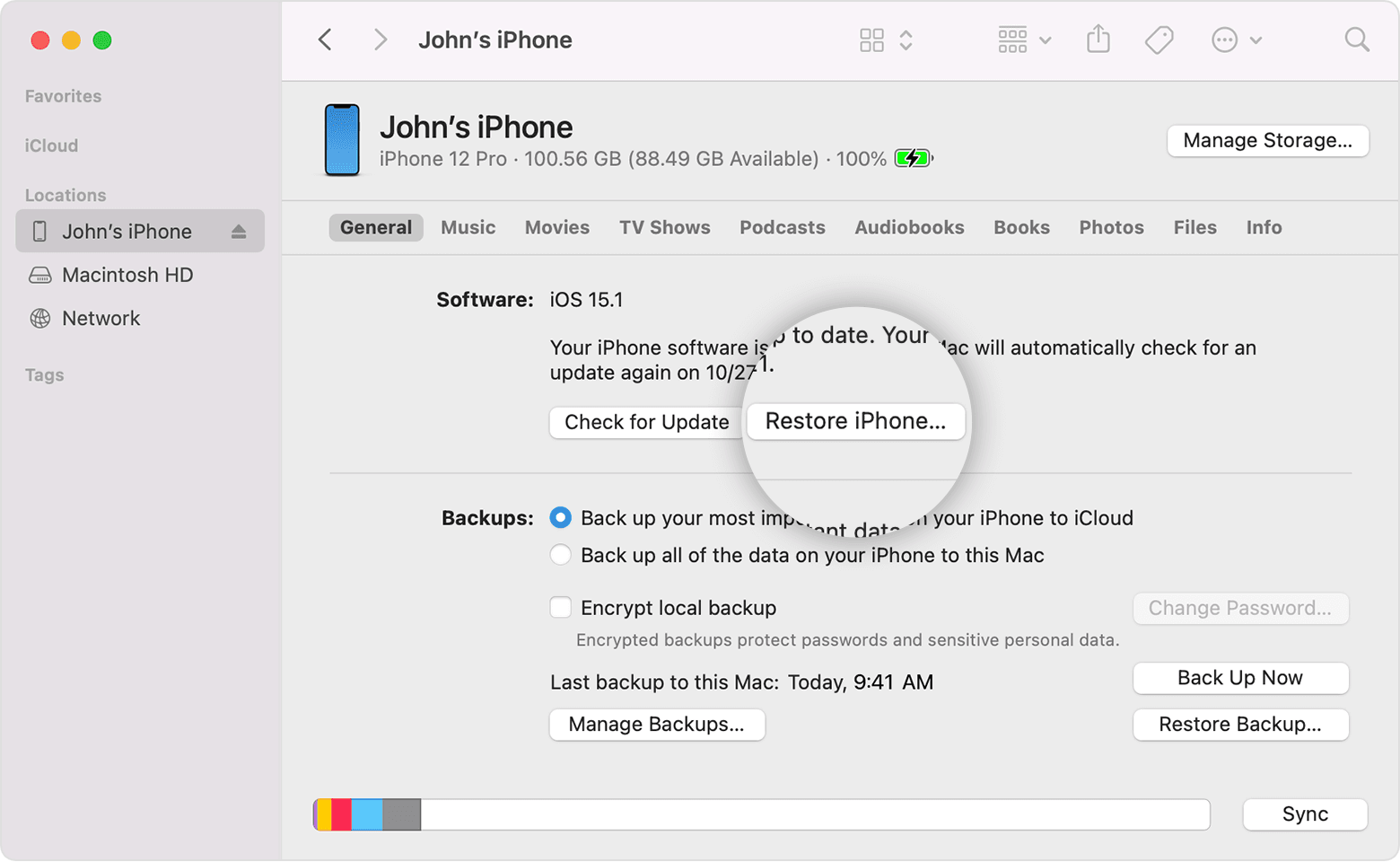
1. On a Mac with macOS Catalina or later, open the Finder. On a Mac with macOS Mojave or earlier, or on a PC, open iTunes. Find out which macOS your Mac is using.
2. Connect your device to your computer.
3. If a message asks for your device passcode or to Trust This Computer, follow the onscreen steps. Get help if you forgot your passcode.
4. Select your device when it appears on your computer. Learn what to do if your iPhone, iPad, or iPod touch is unresponsive or won't turn on. Or get help if your device doesn't appear on your computer.
5. Click Restore [device]*. If you're signed into Find My, you need to sign out before you can click Restore.
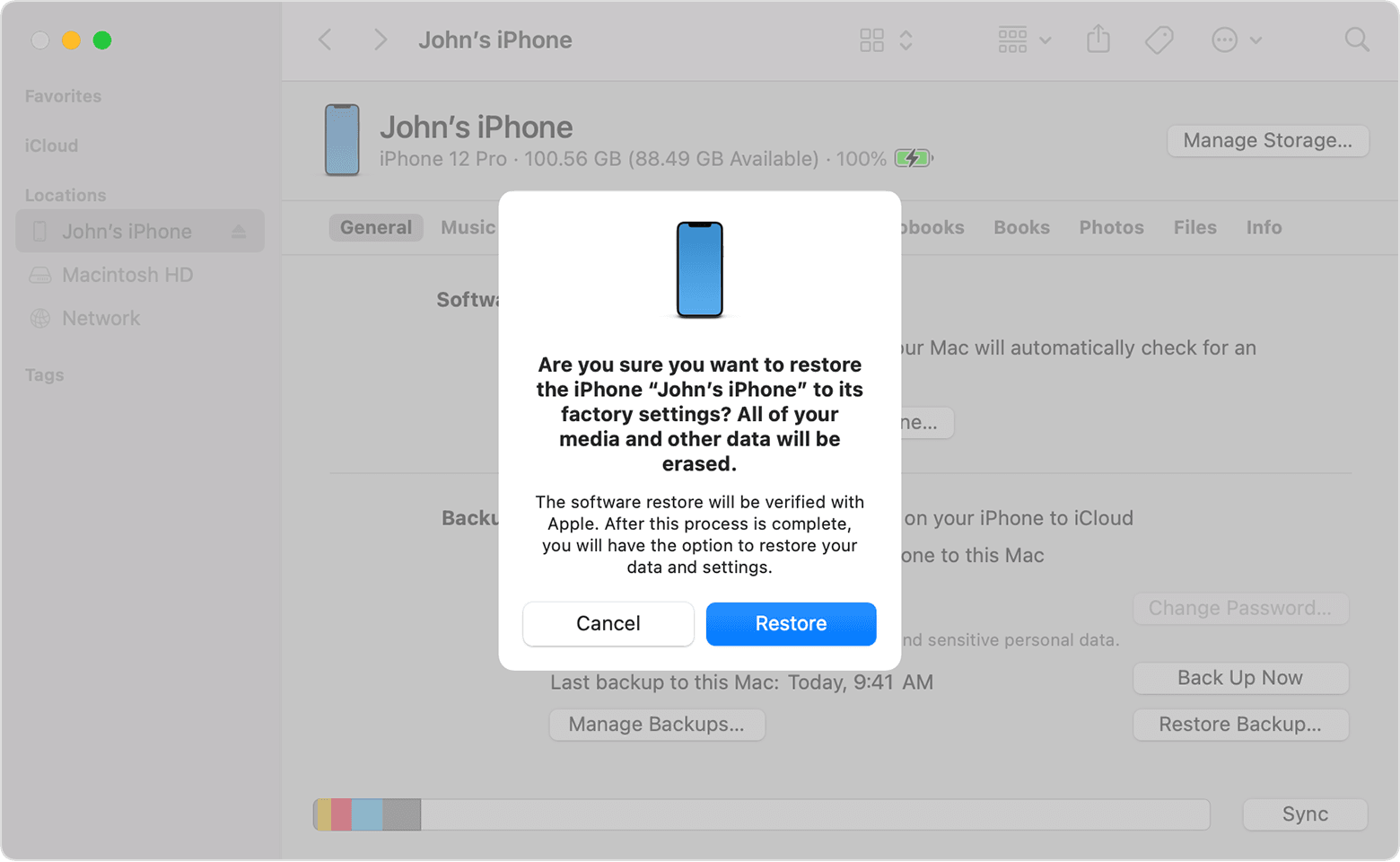
6. Click Restore again to confirm. Your computer erases your device and installs the latest iOS, iPadOS, or iPod software.
7. After your device restores to factory settings, it restarts. Now you can set it up as new.
Let us know if this helps!
Best regards.
Hi there Dodger—94,
We'll need more information in order to help you. What type of data are you trying to erase exactly and what steps are you taking to do so? Send over these details, and we'll have a starting point to troubleshoot the issue together.
Thanks!
Hello Dodger—94,
The link we provided previously has the step by step instructions & photos: Restore your iPhone, iPad, or iPod to factory settings. In addition, we've pasted the images from the process in our previous reply from 7/4/2023 12:14:24 PM.
Good luck with that process and have a great rest of your day.
To erase all data. I have been trying to reset it on my phone and on my Mac but it has not been doing it
My macOS is Ventura, so it doesn't have iTunes anymore.
Hi Dodger—94,
We understand you have macOS Ventura which no longer has iTunes. That's perfectly alright. You'll still follow the same steps, but you'll use Finder instead of iTunes.
Take care.
Do you have a step by step with photos for this new process? Will the phone show up on finder?
when erasing all data the confirmation code screen doesnt pop up