The Apple Watch said the Apple ID cannot be use to unlock this apple watch
The Apple Watch app said Apple ID cannot be use to unlock this Apple watch
The Apple Watch app said Apple ID cannot be use to unlock this Apple watch
Hello jancarlos225,
It seems like your device may be Activation Locked. Please be sure to review all of the information outlined in the link you came from, which explains Activation Lock, and how to turn it off on your Apple Watch: About Activation Lock on your Apple Watch
Turn off Activation Lock before you send your Apple Watch in for service, sell it, or give it away
Before you send your Apple Watch in for service, sell it, or give it away, you should turn off Activation Lock on your Apple Watch. Just unpair your Apple Watch from your iPhone:
1. Keep your Apple Watch and iPhone close together.
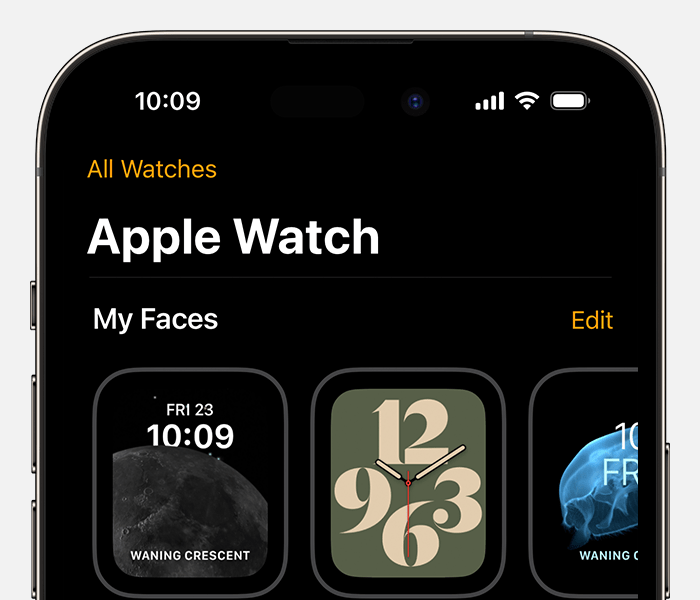
2. On your iPhone, open the Apple Watch app.
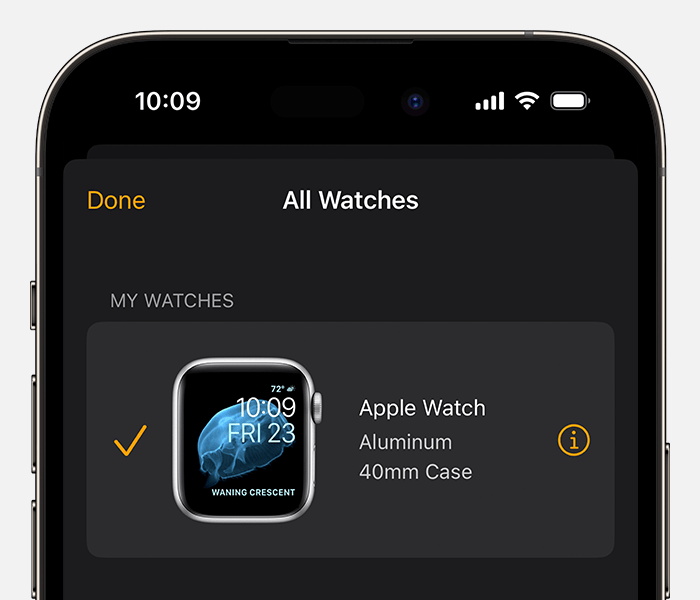
3. Tap the My Watch tab, then tap All Watches at the top of the screen.
4. Tap the info buttonnext to your Apple Watch.
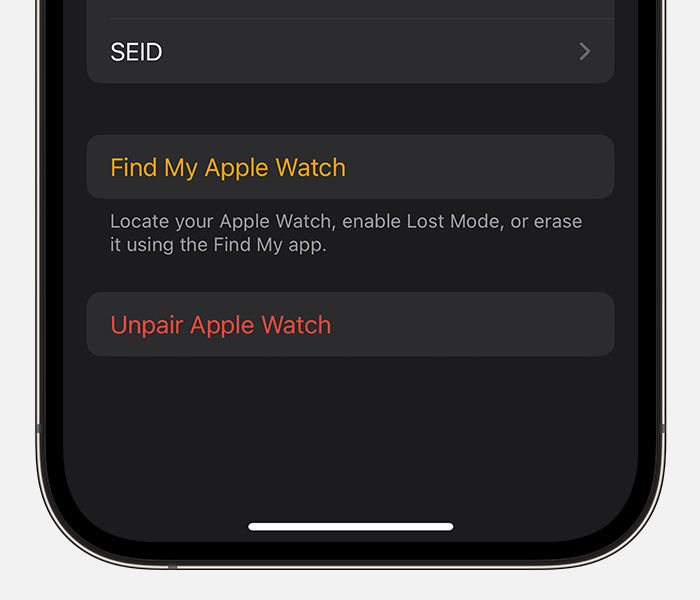
5. Tap Unpair Apple Watch.
For cellular models of Apple Watch, tap Remove [Carrier] Plan. If you aren't going to pair with a different Apple Watch or iPhone, you might need to contact your carrier to cancel your cellular subscription.*
6. Enter your Apple ID password. If you forgot your Apple ID password, you can reset it.
7. Tap again to confirm.
* Carrier fees may apply. Contact your carrier for details.
Turn off Activation Lock on the web
If you can't access your iPhone or Apple Watch, or if your Apple Watch isn't paired with your iPhone and you need to turn off Activation Lock:
1. Go to iCloud.com and sign in with your Apple ID.
2. From the Quick Access Menu in the top right, select Find My. You might be required to sign in.
3. Select All Devices, then click your Apple Watch.
4. Click Erase Apple Watch. Select Next until the device is erased.
5. Click the remove buttonnext to your Apple Watch.
If you need assistance, please contact Apple Support for help. You may be able to reach them here: Get Support
Thanks!
Hello jancarlos225,
It seems like your device may be Activation Locked. Please be sure to review all of the information outlined in the link you came from, which explains Activation Lock, and how to turn it off on your Apple Watch: About Activation Lock on your Apple Watch
Turn off Activation Lock before you send your Apple Watch in for service, sell it, or give it away
Before you send your Apple Watch in for service, sell it, or give it away, you should turn off Activation Lock on your Apple Watch. Just unpair your Apple Watch from your iPhone:
1. Keep your Apple Watch and iPhone close together.
2. On your iPhone, open the Apple Watch app.
3. Tap the My Watch tab, then tap All Watches at the top of the screen.
4. Tap the info button
5. Tap Unpair Apple Watch.
For cellular models of Apple Watch, tap Remove [Carrier] Plan. If you aren't going to pair with a different Apple Watch or iPhone, you might need to contact your carrier to cancel your cellular subscription.*
6. Enter your Apple ID password. If you forgot your Apple ID password, you can reset it.
7. Tap again to confirm.
* Carrier fees may apply. Contact your carrier for details.
Turn off Activation Lock on the web
If you can't access your iPhone or Apple Watch, or if your Apple Watch isn't paired with your iPhone and you need to turn off Activation Lock:
1. Go to iCloud.com and sign in with your Apple ID.
2. From the Quick Access Menu in the top right, select Find My. You might be required to sign in.
3. Select All Devices, then click your Apple Watch.
4. Click Erase Apple Watch. Select Next until the device is erased.
5. Click the remove button
If you need assistance, please contact Apple Support for help. You may be able to reach them here: Get Support
Thanks!
The Apple Watch said the Apple ID cannot be use to unlock this apple watch