Emergency sos on iphone - how do I stop it completely?

My iphone goes into emergency sos mode every time a go for a bike ride. My emergency contacts are notified and my phone gets locked for 40 minutes so I can't even tell them nothing is wrong. If I actually had an emergency, I would want to have access to my phone so it makes no sense that it locks me out because it thinks I'm in an emergency. How do I make it stop?


iPhone XR, iOS 16

Posted on Jul 5, 2023 8:12 AM

Reply
3 replies

Jul 5, 2023 8:39 AM in response to sheila_oconnor

Are you saying this entire process has happened automatically?


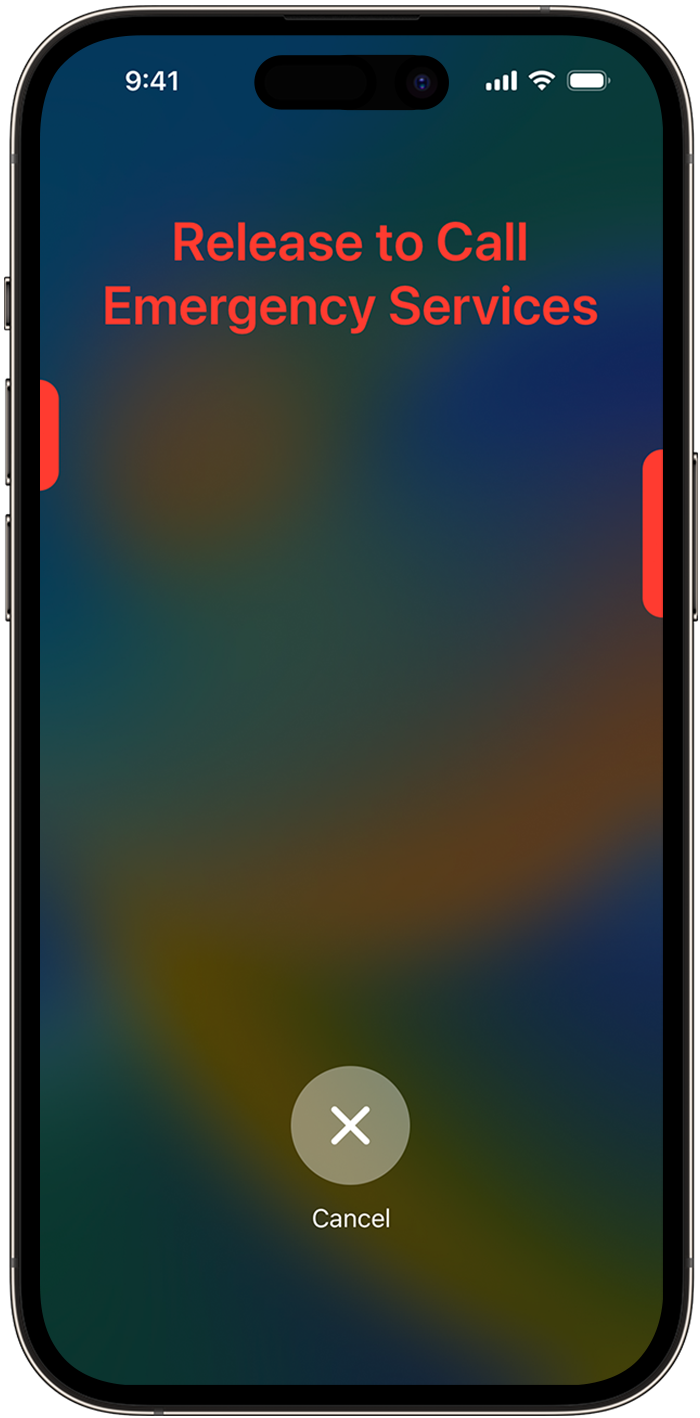
  1. Press and hold the side button and one of the volume buttons until the Emergency SOS slider appears.
  2. Drag the Emergency Call slider to call emergency services. If you continue to hold down the side button and volume button, instead of dragging the slider, a countdown begins and an alert sounds. If you release the buttons after the countdown, your iPhone automatically calls emergency services.


Call emergency services


This thread has been closed by the system or the community team. You may vote for any posts you find helpful, or search the Community for additional answers.

Emergency sos on iphone - how do I stop it completely?

Welcome to Apple Support Community
A forum where Apple customers help each other with their products. Get started with your Apple Account.