How do I sync my iPhone and iPod together

I have an iPad that I’ve already created an Apple ID for and an iPhone that I’ve created and Apple ID for. Now I want to sync them together. If this makes sense. I want to use the same Apple ID for both my iPhone and iPad

Posted on Jul 8, 2023 11:34 AM

Reply
Question marked as Top-ranking reply

Posted on Jul 9, 2023 1:28 PM

Hello 2075-Mimigi54,


Thank you for reaching out to Apple Support Communities.


Your Apple ID is designed to work on all of your Apple Devices. They don't need separate Apple IDs. Since you created two there is is no way to merge them but you can sign into both devices using one Apple ID. You can also follow these steps to set up family sharing if you made any purchases:


"Start a family group

One adult in the family — the family organizer — can set up Family Sharing for the group from their iPhone, iPad, iPod touch, or Mac. If purchase sharing is turned on, the family organizer pays for family members' purchases and must have a valid payment method on file.3 

On your iPhone, iPad, or iPod touch

  1. Go to Settings.
  2. Tap your name.
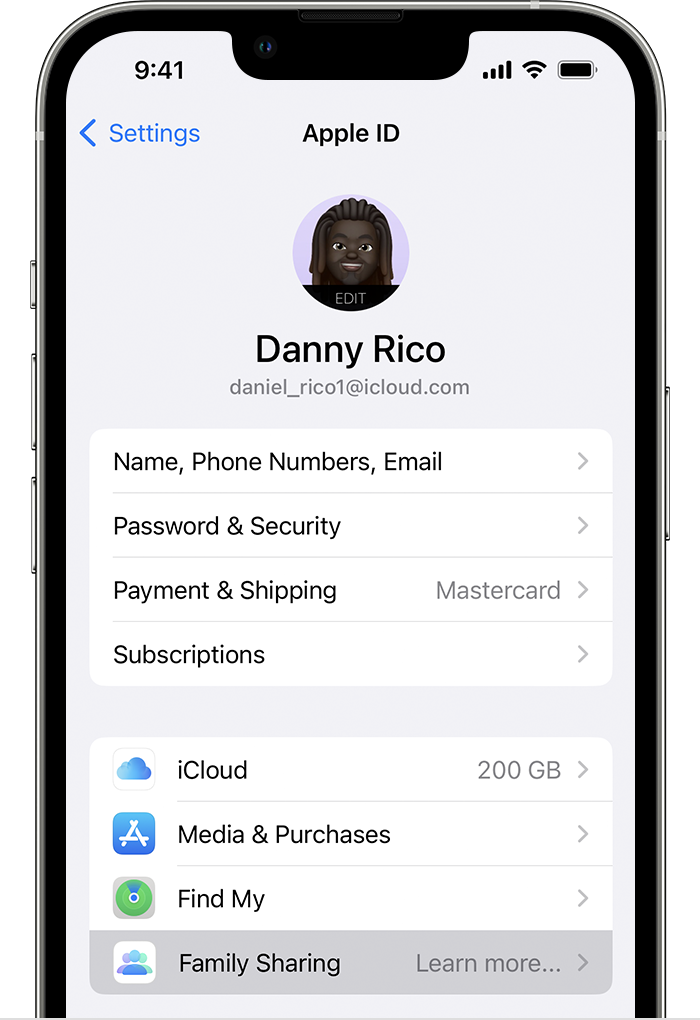
  3. Tap Family Sharing, then tap Set Up Your Family.Family Sharing is listed in the second section, below Find My.
  4. Follow the onscreen instructions to set up your family and invite your family members."


Additional details can be found here: Set up Family Sharing


Hopefully this helps. Let us know if you run into any issues.


Cheers!

1 reply
Question marked as Top-ranking reply

Jul 9, 2023 1:28 PM in response to 2075-Mimigi54

Hello 2075-Mimigi54,


Thank you for reaching out to Apple Support Communities.


Your Apple ID is designed to work on all of your Apple Devices. They don't need separate Apple IDs. Since you created two there is is no way to merge them but you can sign into both devices using one Apple ID. You can also follow these steps to set up family sharing if you made any purchases:


"Start a family group

One adult in the family — the family organizer — can set up Family Sharing for the group from their iPhone, iPad, iPod touch, or Mac. If purchase sharing is turned on, the family organizer pays for family members' purchases and must have a valid payment method on file.3 

On your iPhone, iPad, or iPod touch

  1. Go to Settings.
  2. Tap your name.
  3. Tap Family Sharing, then tap Set Up Your Family.Family Sharing is listed in the second section, below Find My.
  4. Follow the onscreen instructions to set up your family and invite your family members."


Additional details can be found here: Set up Family Sharing


Hopefully this helps. Let us know if you run into any issues.


Cheers!

This thread has been closed by the system or the community team. You may vote for any posts you find helpful, or search the Community for additional answers.

How do I sync my iPhone and iPod together

Welcome to Apple Support Community
A forum where Apple customers help each other with their products. Get started with your Apple Account.