You can't reach into a random backup and modify a file. Your only recourse is to Restore (make a copy of) that file to another location.
To be able to restore a file from a backup, your need to "inherit" that backup, so that Time Machine thinks it's a backup of YOUR computer.
This may be tricky, because you probably don't want to add a recent backup from your current computer to the backup set form the other computer if the old computer is coming back soon. so I suggest you turn off automatic backups while you fiddle with this., and disconnect your current backup disk. BE SURE TO TURN BACK ON WHEN COMPETE.
The place where you can specify an additional backup to look at is to hold the Option key while you click on the Time machine Icon on the Menubar. You get a new choice named "browse other backups" and a window opens that allows you to see a list of backups that may or may not be currently associated with your machine.
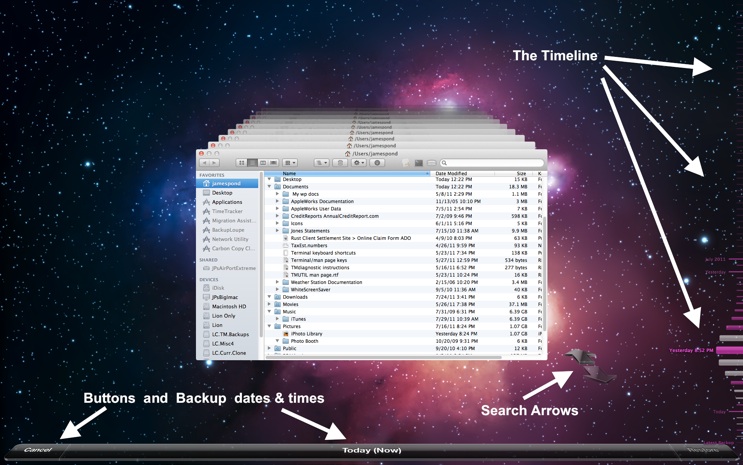
Then launch Time machine.app, and you will get a view of the current folder, and its copies receding back, back, back in time. You can navigate (rather clumsily) to other folders and look for other files.
I did not find an Apple article on this subject.
.


