Multiple lock screen wallpaper

For some reason I cannot access the multiple lock screen wallpapers by touching the lock screen anymore initially when I got the phone i was able to but after 2 days I couldn’t not sure what happened if anyone please suggest anything.

iPhone 14 Pro Max, iOS 16

Posted on Jul 13, 2023 2:24 PM

Reply
Question marked as Top-ranking reply

Posted on Jul 14, 2023 4:48 PM

Hey rubee194,


We'd recommend reviewing this article for your options on changing your Lock Screen wallpaper: Change the wallpaper on your iPhone - Apple Support


"Change your wallpaper from the Lock Screen

  1. Make sure that you previously set up Face ID on your iPhone. To change your wallpaper from the Lock Screen, Face ID must clearly see your eyes and the areas around them.
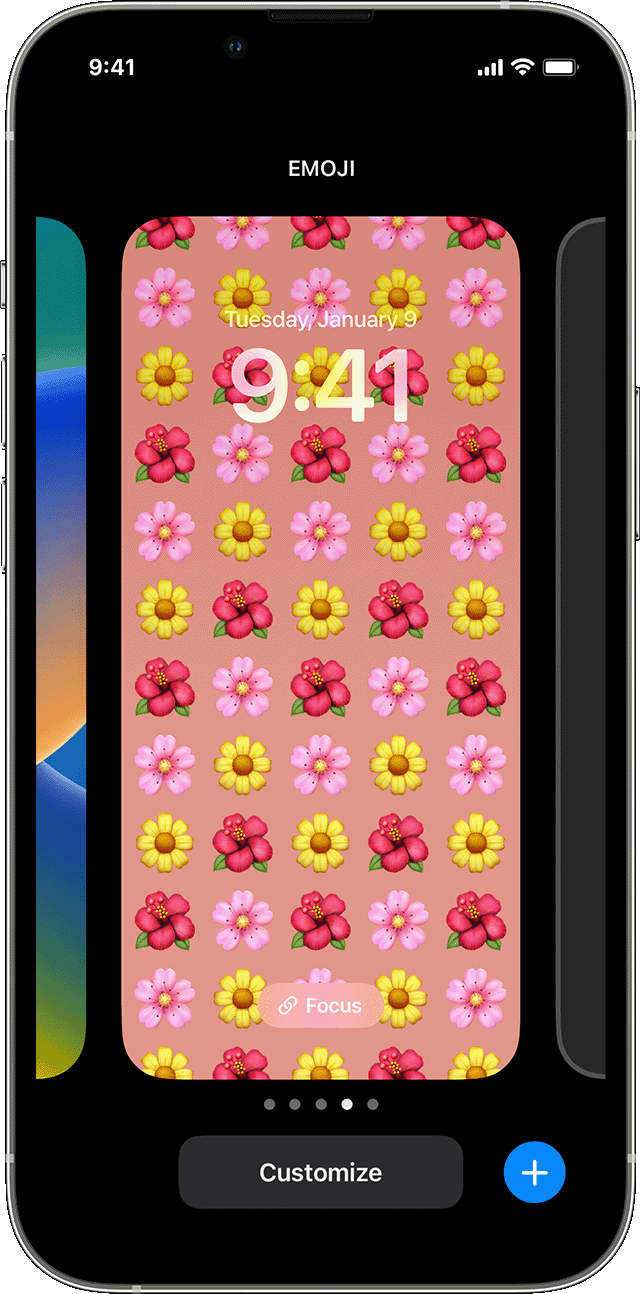
  2. On the Lock Screen, touch and hold your Lock Screen to open your wallpaper gallery.
  3. To select a wallpaper you already created, swipe left and right. To add a new wallpaper, tap the Add button .

  4. You can rotate between wallpapers you create from the Lock Screen in iOS 16.

From the Lock Screen wallpaper options, you can also tap the Focus button to link a Focus to a specific wallpaper, customize existing wallpapers, or swipe up on a wallpaper and tap to delete it.

If you can't use Face ID to change your Lock Screen, touch and hold your Lock Screen until the Customize button appears. If the Customize button doesn’t appear, touch and hold the Lock Screen again, then enter your passcode. "


Thanks!


1 reply
Question marked as Top-ranking reply

Jul 14, 2023 4:48 PM in response to rubee194

Hey rubee194,


We'd recommend reviewing this article for your options on changing your Lock Screen wallpaper: Change the wallpaper on your iPhone - Apple Support


"Change your wallpaper from the Lock Screen

  1. Make sure that you previously set up Face ID on your iPhone. To change your wallpaper from the Lock Screen, Face ID must clearly see your eyes and the areas around them.
  2. On the Lock Screen, touch and hold your Lock Screen to open your wallpaper gallery.
  3. To select a wallpaper you already created, swipe left and right. To add a new wallpaper, tap the Add button .
  4. You can rotate between wallpapers you create from the Lock Screen in iOS 16.

From the Lock Screen wallpaper options, you can also tap the Focus button to link a Focus to a specific wallpaper, customize existing wallpapers, or swipe up on a wallpaper and tap to delete it.

If you can't use Face ID to change your Lock Screen, touch and hold your Lock Screen until the Customize button appears. If the Customize button doesn’t appear, touch and hold the Lock Screen again, then enter your passcode. "


Thanks!


This thread has been closed by the system or the community team. You may vote for any posts you find helpful, or search the Community for additional answers.

Multiple lock screen wallpaper

Welcome to Apple Support Community
A forum where Apple customers help each other with their products. Get started with your Apple Account.