Display application window on top of menu bar

application window does not display on top menu bar though its set to always hide, even if I drag my application to the top of screen it automatically comes down the menu bar strip space.. is there a way to display the application window on full screen include on top of menu bar.

I am using MacBook Pro M2 Max, any idea if that's possible?


Posted on Jul 17, 2023 11:05 PM

Reply
4 replies

Jul 18, 2023 8:41 PM in response to Khem76

Khem76 wrote:


https://discussions.apple.com/content/attachment/7a5ea1ca-bb25-4dce-b771-10a7a3e70ac3
-------
see the attached screenshot area where yellow circle is, though the menu bar is hidden but app window is not occupying that area, what I am trying to do is my app window should display from the top of the screen not the area below the yellow circle, hope I am able to explain the issue;; I tried all options under Desktop & Dock settings but application windows always display below that area.


Can you do any of the following:


—You can grab the the upper edge of the open window with your mouse and drag it to the top...


—You can double click on any border to have it expand fully..


—You can hold the option key and click the the green pill button to expand fully all the screen real estate


—or you can click the green pill button to go into "Full Screen" mode

ref Use Mission Control on your Mac - Apple Support


or you saying you have no menu bar under any of the alternatives above?


Jul 18, 2023 8:19 AM in response to Khem76

Khem76 wrote:

application window does not display on top menu bar though its set to always hide, even

if I drag my application to the top of screen it automatically comes down the menu bar strip space..

is there a way to display the application window on full screen include on top of menu bar.
I am using MacBook Pro M2 Max, any idea if that's possible?


Not sure I get the issue...as written


You can make changes to the menubar behavior


>System Settings>Desktop & Dock>Menubar makes some change, then come back to your preferred setting
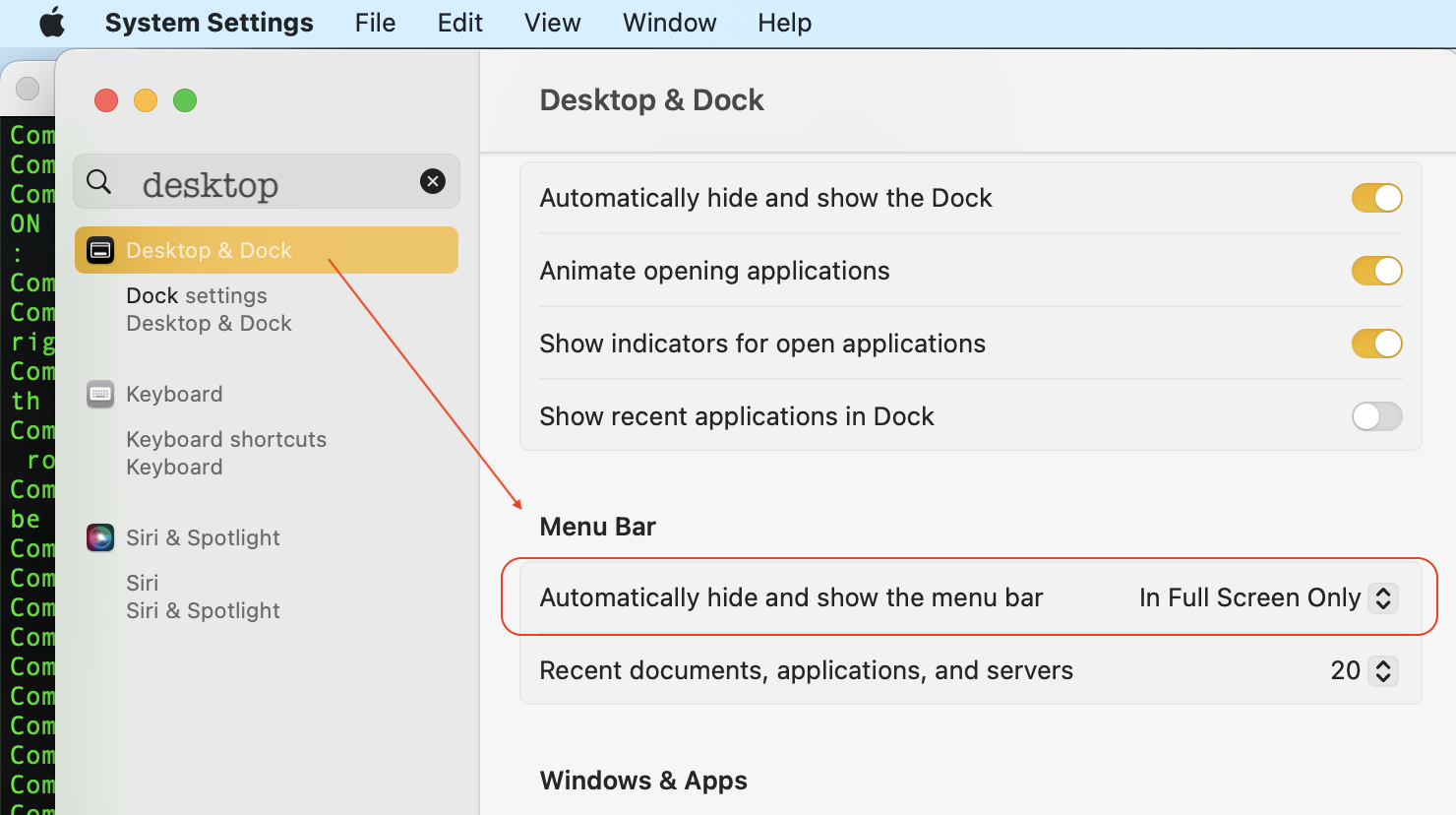


ref: Change Desktop & Dock settings on Mac


if you have an issue—


To trouble shoot further you can:


—A SafeBoot Use safe mode on your Mac - Apple Support will sort many anomalies


Does a quick disk repair before it fully boots up, and certain system caches get cleared and rebuilt, third party system modifications and system accelerations are disabled.

Login and test. Reboot as normal and test. Caches get rebuilt automatically.


This test will tell you if third party interference; most* extensions etc are not loaded in safe boot mode.


—Test issue in another user (or guest user) account Change Users & Groups settings on Mac - Apple Support

This will tell you if it a universal issue or isolated to your user/admin account. 


Uninstall all third party apps that are Cleaners/Optimizers/VPN/Anti-Virus

all known to cause issues on the macOS


Jul 18, 2023 6:03 PM in response to leroydouglas


-------

see the attached screenshot area where yellow circle is, though the menu bar is hidden but app window is not occupying that area, what I am trying to do is my app window should display from the top of the screen not the area below the yellow circle, hope I am able to explain the issue;; I tried all options under Desktop & Dock settings but application windows always display below that area.

Jul 19, 2023 4:36 AM in response to leroydouglas

Yes, I tried all these options already but the app window does not go over the menu bar space, even though, menu bar is set to hide always.


I have another MacBook Pro 2019 model and it does allow application window to go over menu bar space.


This issue is happening in MacBook Pro M2 max, I tried changing the screen resolution, presets etc but no luck.


This thread has been closed by the system or the community team. You may vote for any posts you find helpful, or search the Community for additional answers.

Display application window on top of menu bar

Welcome to Apple Support Community
A forum where Apple customers help each other with their products. Get started with your Apple Account.
