
IPOD will no longer turn off/on shows meesage to go to Apple.com/suppor/IPOD
IPOD will no longer turn off/on shows meesage to go to Apple.com/suppor/IPOD
IPOD will no longer turn off/on shows meesage to go to Apple.com/suppor/IPOD
Hello iisbroken,
Thanks for choosing the Apple Support Communities. We see your iPod won't turn on and displays a link to get support. This usually happens because the iPod cannot turn on due to software or hardware issues. The link provided to you can be reached by following the link below:
iPod touch - Official Apple Support
Alternatively, you can try to restore your iPod using these instructions:
If you can't update or restore your iPhone or iPod touch - Apple Support
"You can put your iOS device in recovery mode, then restore it using your computer.
In these situations, you might need to use recovery mode to restore your device:
Learn what to do if you see the progress bar on your screen for several minutes.
Put your device in recovery mode and set it up again
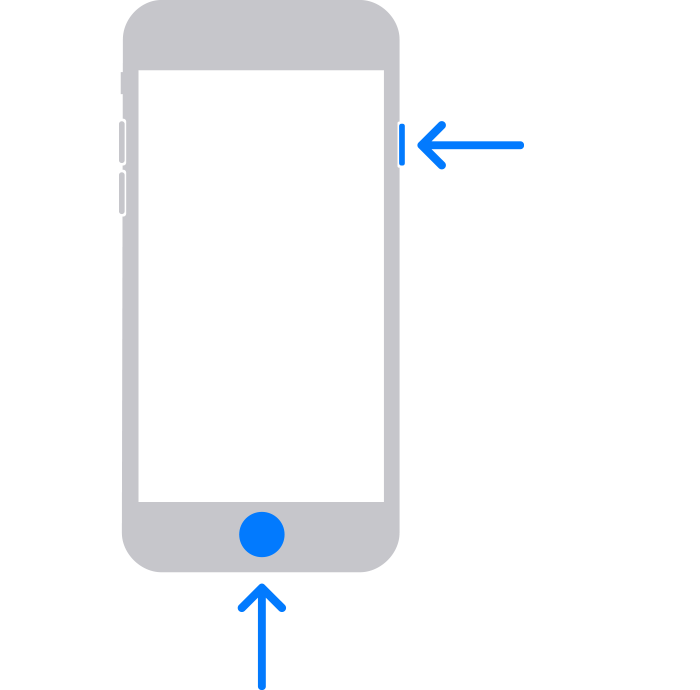
4. Locate your device on your computer. When you see the option to Update or Restore, choose Update. Wait while your computer downloads the software for your device. If the download takes more than 15 minutes and your device exits the recovery mode screen, let the download finish, then repeat step 3.
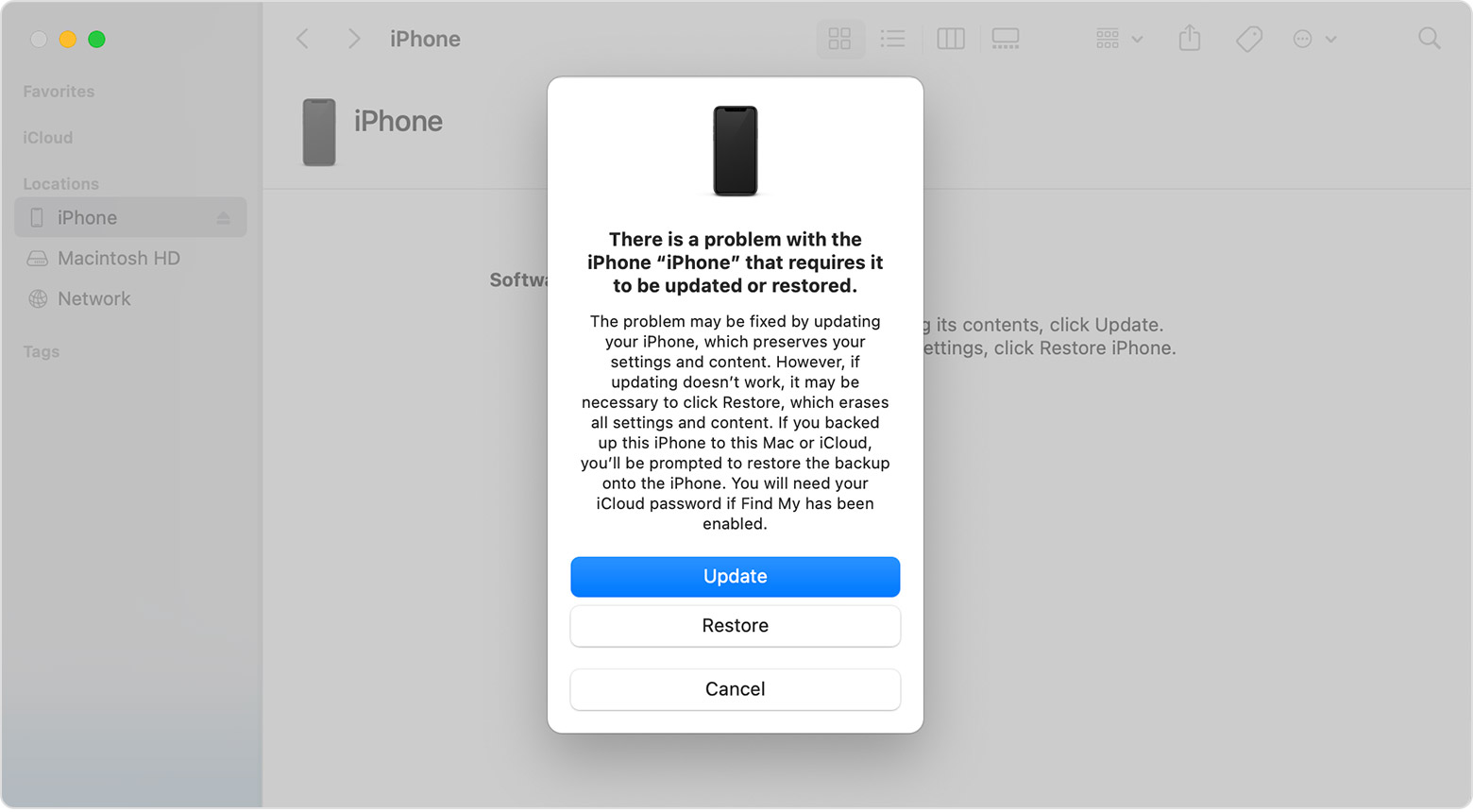
After the Update or Restore completes, set up your device."
We hope this helps.
Cheers!
Hello iisbroken,
Thanks for choosing the Apple Support Communities. We see your iPod won't turn on and displays a link to get support. This usually happens because the iPod cannot turn on due to software or hardware issues. The link provided to you can be reached by following the link below:
iPod touch - Official Apple Support
Alternatively, you can try to restore your iPod using these instructions:
If you can't update or restore your iPhone or iPod touch - Apple Support
"You can put your iOS device in recovery mode, then restore it using your computer.
In these situations, you might need to use recovery mode to restore your device:
Learn what to do if you see the progress bar on your screen for several minutes.
Put your device in recovery mode and set it up again
4. Locate your device on your computer. When you see the option to Update or Restore, choose Update. Wait while your computer downloads the software for your device. If the download takes more than 15 minutes and your device exits the recovery mode screen, let the download finish, then repeat step 3.
After the Update or Restore completes, set up your device."
We hope this helps.
Cheers!
IPOD will no longer turn off/on shows meesage to go to Apple.com/suppor/IPOD

