Why do I keep seeing "this iphone is open in another window"?
Why do I keep seeing "this iphone is open in another window"?
MacBook Pro 14"
Why do I keep seeing "this iphone is open in another window"?
MacBook Pro 14"
Hi curly1,
Thanks for posting in Apple Support Communities.
It sounds like you're getting an iPhone error on your Mac while it's connected. To address the behavior, force close Finder and relaunch it.
Force an app to quit
Press these three keys together: Option (or Alt), Command, Esc (Escape).1 Or choose Force Quit from the Apple menu in the corner of your screen.
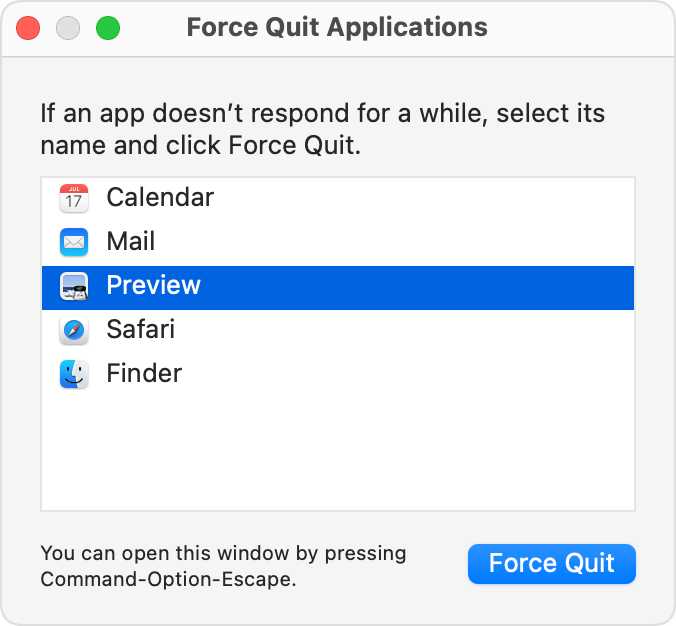
A Force Quit window opens. Select the app that you want to quit, then click Force Quit:
The Finder is always open, but if it stops responding, you can force it to quit and then open again: Select Finder in the Force Quit window, then click Relaunch.
How to force an app to quit on your Mac - Apple Support
Regards.
Hi curly1,
Thanks for posting in Apple Support Communities.
It sounds like you're getting an iPhone error on your Mac while it's connected. To address the behavior, force close Finder and relaunch it.
Force an app to quit
Press these three keys together: Option (or Alt), Command, Esc (Escape).1 Or choose Force Quit from the Apple menu in the corner of your screen.
A Force Quit window opens. Select the app that you want to quit, then click Force Quit:
The Finder is always open, but if it stops responding, you can force it to quit and then open again: Select Finder in the Force Quit window, then click Relaunch.
How to force an app to quit on your Mac - Apple Support
Regards.
Hello curly1,
If it's still not working, try starting the computer in safe mode.
Start up your Mac in safe mode
If the phone is still not accessible, make sure the computer is up to date: Update macOS on Mac then contact Apple to report the issue: Get Support
Cheers!
I did as suggested but I'm still seeing this warning message:
Is there anything else you would like to suggest?
Why do I keep seeing "this iphone is open in another window"?