How do I add family members??
I'm trying to change to the Apple Family Plan, but I don't see where to add my family members.
MacBook Pro 13″, macOS 12.6
I'm trying to change to the Apple Family Plan, but I don't see where to add my family members.
MacBook Pro 13″, macOS 12.6
Hello wayne1007,
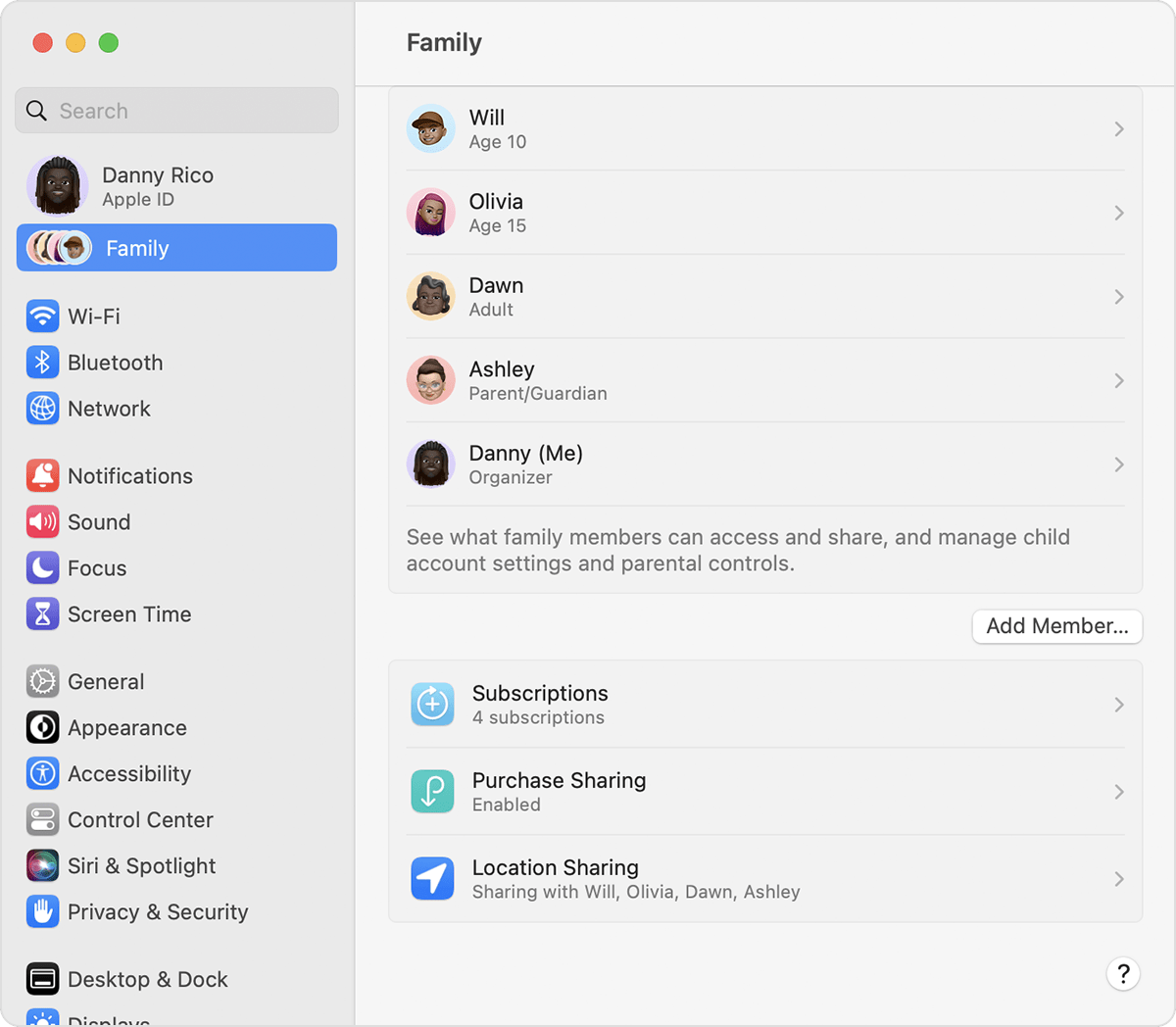
Thanks for that info and for choosing the Apple Support Communities. If we understand correctly, you are unable to add family members to Family Sharing. To do this on a Mac, depending on what macOS version you have, follow these steps:
"On your Mac with macOS Ventura or later
1. Choose Apple menu > System Settings.
2. Click Family.
3. Click Add Member, then follow the onscreen instructions.
4.
On your Mac with macOS Monterey or earlier
1. Choose Apple menu > System Preferences.
2. Click Family Sharing.
3. Click Add Family Member, then follow the onscreen instructions."
And that is from this Apple resource: Set up Family Sharing - Apple Support
Once they have accepted that invite, then you can start the process to share your subscriptions: Add a family member to your shared subscriptions - Apple Support
Cheers!
Hello wayne1007,
Thanks for that info and for choosing the Apple Support Communities. If we understand correctly, you are unable to add family members to Family Sharing. To do this on a Mac, depending on what macOS version you have, follow these steps:
"On your Mac with macOS Ventura or later
1. Choose Apple menu > System Settings.
2. Click Family.
3. Click Add Member, then follow the onscreen instructions.
4.
On your Mac with macOS Monterey or earlier
1. Choose Apple menu > System Preferences.
2. Click Family Sharing.
3. Click Add Family Member, then follow the onscreen instructions."
And that is from this Apple resource: Set up Family Sharing - Apple Support
Once they have accepted that invite, then you can start the process to share your subscriptions: Add a family member to your shared subscriptions - Apple Support
Cheers!
How do I add family members??