My phone reported stolen/lost by someone

I bought an iPhone 13 Pro Max a year ago from a foreign country and working normally, recently moved to the US. I went to an AT&T retailer, and they told me that the phone had been reported stolen or lost by someone. Although the phone I bought was new and not secondhand, I am the first owner of the phone. I checked it with the Apple Store, and they told me that there is no issue with your phone. I checked in on some online sites and came to know that Verizon reported my phone stolen or lost, and the surprising thing is that it is from the country I bought this phone from, even though Verizon doesn't have a network there.

iPhone 13 Pro Max, iOS 16

Posted on Jul 29, 2023 3:10 PM

Reply
5 replies

Jul 30, 2023 11:55 PM in response to Zubairw

Don'ts

If the device is removed from an account after it is erased, Activation Lock will be turned off. This allows another person to turn on and use the device.


An example of my iPhone 5 is given in the GIF below. There is no "Undo" after you remove it from your account.




iPhones are designed with strong security measures to protect the privacy and data of their owners. One of the key features that ensure this is the requirement of an Apple ID and password or a passcode to access the device's contents. This means that without the owner's authorization, it is nearly impossible for anyone else to open an iPhone and gain access to its data.


  • The Apple ID and password serve as a unique identifier for each user and are used to link the device to the owner's iCloud account.
  • In the event that the owner has chosen to set up a passcode, an additional layer of protection is added.
  • Additionally, enabling two-factor authentication for the Apple ID further enhances the security of the device by requiring a secondary verification step, typically through a trusted device or phone number, to access the account.


With these security measures in place, iPhones offer a high level of protection against unauthorized access. Even if someone physically possesses the device, they will find it extremely challenging to access its contents without the owner's Apple ID and password or the passcode. This helps safeguard sensitive information, personal data, and ensures the privacy of the iPhone's owner.


It is worth noting that while these security measures provide strong protection against unauthorized access, it is essential for iPhone owners to choose strong and unique passcodes or passwords. This minimizes the risk of brute-force attacks or password-guessing attempts.


Jul 30, 2023 11:57 PM in response to Zubairw

  1. If you desire to buy a Brand New iPhone then
    1. Purchase Apple Products from the Apple Online Store, Apple Retail Stores, and many Apple-authorized resellers and wireless service providers.
  2. If you plan to buy a second hand device
    1. If you are buying Second-hand then please demand an original receipt of purchase issued by the Apple Online Store, Apple Retail Stores, and many Apple-authorized resellers and wireless service providers from the person/agency that is selling you the device.
    2. Check for Activation Lock before you buy a device from someone else
      1. Before you buy an iPhone, iPad, iPod touch, or Apple Watch from someone other than Apple or an authorized Apple reseller, make sure that the device is erased and no longer linked to the previous owner’s account. Ask the seller whether or not they've turned off Activation Lock, then follow these steps:
      2. Turn on the device and slide to unlock.
      3. If the passcode lock screen or the Home screen appears, the device hasn't been erased. Ask the seller to completely erase the device by going to Settings > General > Reset > Erase All Content and Settings. Don't take ownership of any used iPhone, iPad, or iPod touch until it's been erased.
      4. Begin the device setup process.
      5. If you're asked for the previous owner’s Apple ID and password, the device is still linked to their account. Hand the device back to the seller and ask them to enter their password. If the previous owner isn't present, they can remove the device from their account by signing in to icloud.com/find. Don't take ownership of any used iPhone, iPad, or iPod touch until it has been removed from the previous owner’s account.
      6. You will know that a device is ready for you to use when you're asked to "Set up your iPhone," “Set up your iPad," or “Set up your iPod” the first time you turn it on.
    3. If you buy a device that's still linked to a previous owner's account, contact them as soon as possible and ask them to erase the device and remove it from their account. Learn how to remove a device from a previous owner's account.


Jul 30, 2023 11:55 PM in response to Zubairw

Find IMEI & Serial No. of the Lost Device


  1. If an iPhone, iPad, or iPod touch is lost or stolen - Apple ...
  2. Find the serial number or IMEI on an iPhone, iPad, or iPod ...

You may use a web browser to get the Serial Number and the IMEI Number. You cannot track using the IMEI number. but you may need it so keep it handy

Log in to https://appleid.apple.com with your Apple ID credentials. All your devices will be listed there. Click on any to get the details.


Do's, If you had enabled "Find My" before it was lost


Beware of Phishing!


Be careful and be smart to --> Recognize and avoid phishing messages, phoney support calls ...

Note: Apple will never send you any info on Lost/Found iPhones. It (Phishing) may appear as the image given below.


Switched Off? Still traceable


Even if the iPhone is switched off it is findable, see the pic below.


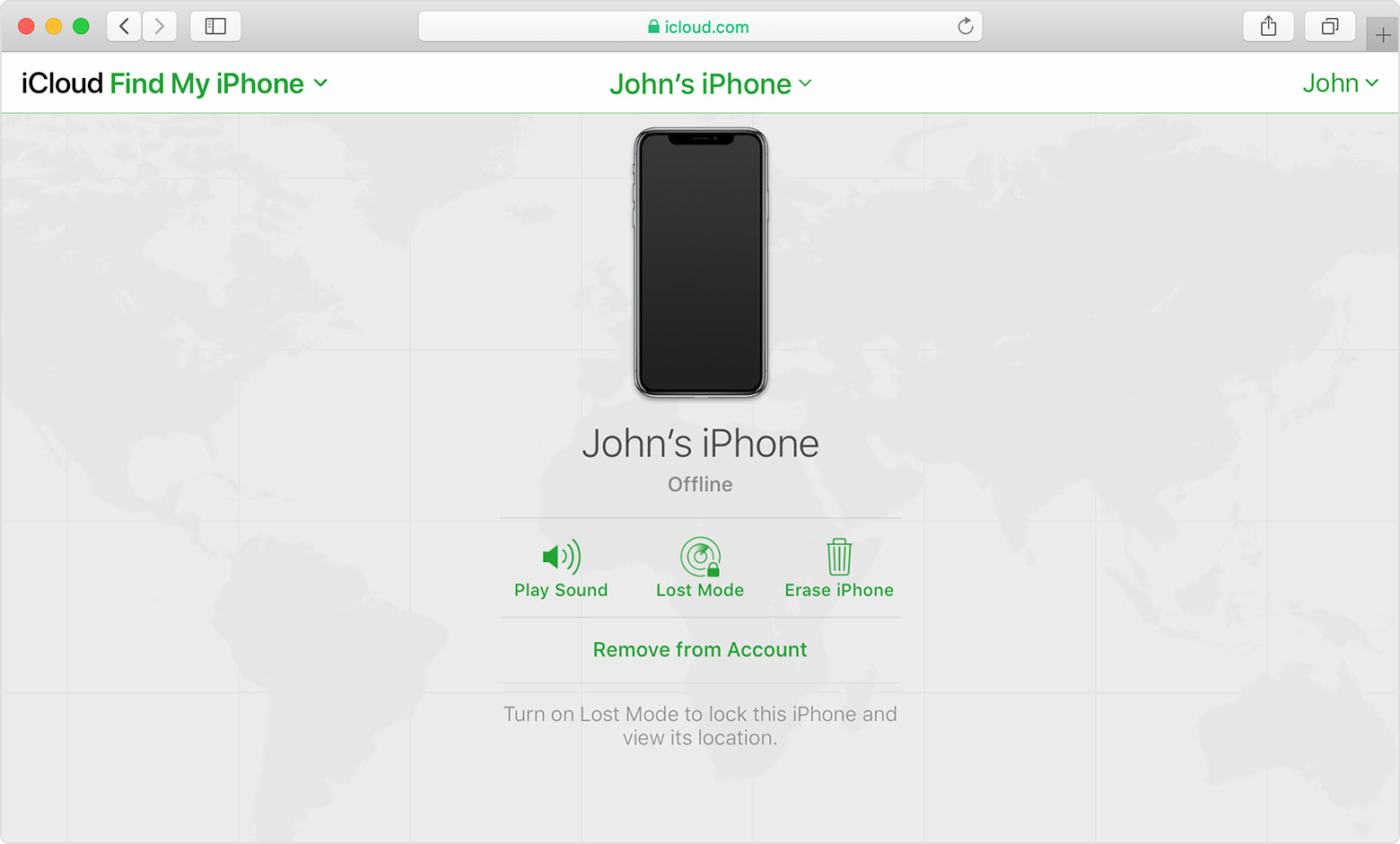
Device Offline?


I see my device in Find My, but it's offline


If you see "Offline," "No location available," or "Location Services Off," your device might be offline for one of these reasons:


Don't see your device?

  • You might not have Find My turned on.
  • If you're using the Find My app, you can't see your device's location if more than 7 days have passed since its last location was sent to Apple.
  • If you're using iCloud.com/find, you can't see your device's location if it's powered off, the battery has run out, or more than 24 hours has passed since its last location was sent to Apple.
  • Learn how you can still protect your information.


This thread has been closed by the system or the community team. You may vote for any posts you find helpful, or search the Community for additional answers.

My phone reported stolen/lost by someone

Welcome to Apple Support Community
A forum where Apple customers help each other with their products. Get started with your Apple Account.