iCloud videos
Why do my iCloud videos keep switching to still photos how to get my videos back. I have iPhone 13 Pro Max with 2TB plan
iPhone 13 Pro Max, iOS 16
Why do my iCloud videos keep switching to still photos how to get my videos back. I have iPhone 13 Pro Max with 2TB plan
iPhone 13 Pro Max, iOS 16
Hi UnsatisfiedBuyer,
To clarify, what happens when trying to play a video in the Photos app on your iPhone? Depending on your iCloud Photos settings, it may need to re-download the video from iCloud to play it. This can take from a couple of seconds to several minutes depending on file size and internet speed.
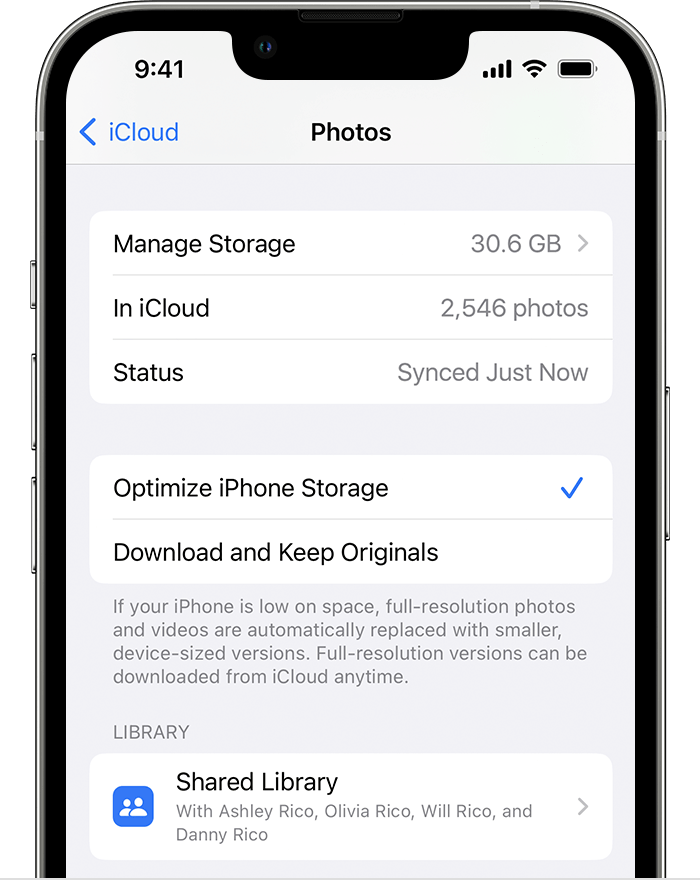
If you give the video a few minutes then tap it again, does it then play? If it does, this sounds like the Optimize iPhone Storage setting for iCloud Photos. You can see more info about what that setting does here: Manage your photo and video storage - Apple Support
Store your photos and videos in iCloud
By default, your photos and videos are stored on your device in their original, high-resolution version. This means that they use a lot of space on your iPhone, iPad, and iPod touch. With iCloud Photos, you can make more space available on your device and still have access to your entire full-resolution collection wherever you go.
Get started with iCloud Photos:
1. Tap Settings > [your name] > iCloud > Photos.
2. Tap Sync this iPhone. In iOS 15 or earlier, tap to turn on iCloud Photos.
3. Select Optimize iPhone Storage to save space on your device.
.
When Optimize Storage is turned on, full-resolution photos and videos are stored in iCloud, and, when needed, space-saving copies are stored on your device. And as long as you have enough space in iCloud, you can store as many photos and videos as you want.
If you have further questions, feel free to reply to this post
Cheers!
iCloud videos