Alphanumeric passcode to sign in inti iCloud on new Iphone

I bought a new one and when trying to complete the setup it is asking the passcode of the old one. My old phone passcode is alphanumeric and there is no option to enter alphanumeric passcode for the old phone passcode. any help how to get through this.

iPhone 14

Posted on Aug 7, 2023 7:16 PM

Reply
Question marked as Top-ranking reply

Posted on Aug 8, 2023 2:36 PM

Payal1287 wrote:

I bought a new one and when trying to complete the setup it is asking the passcode of the old one. My old phone passcode is alphanumeric and there is no option to enter alphanumeric passcode for the old phone passcode. any help how to get through this.


There should be an “Other Options” or some such wording at the bottom of that passcode prompt. Tap that.

12 replies
Question marked as Top-ranking reply

Aug 8, 2023 2:36 PM in response to Payal1287

Payal1287 wrote:

I bought a new one and when trying to complete the setup it is asking the passcode of the old one. My old phone passcode is alphanumeric and there is no option to enter alphanumeric passcode for the old phone passcode. any help how to get through this.


There should be an “Other Options” or some such wording at the bottom of that passcode prompt. Tap that.

Jan 3, 2024 11:51 AM in response to K_Faith

This question deserves a response. There are multiple places i've seen where Apple assumes you have a 6 digit passcode and doesn't give you a choice to enter something else. This is the worst place (same as in iforgot.apple.com and the support app) when you are trying to reset your Apple ID password.


There is a choice that says "Don't know your passcode", or something like that, but choosing that (even though you know your passcode but it's not 6 digits), and you get two choices. Enter passcode later, which would be fine, or cancel. Choosing either bounces you out of the process. So if you don't have Apple's default format of 6 digits for you passcode, you can't reset your Apple ID in this way.


Why is this, and is there a workaround that we can't seem to find?

Jan 3, 2024 4:15 PM in response to bwoodvine

bwoodvine wrote:

Thanks, but that is certainly not the case. Doing this via the support app, it clearly states that this is the device passcode for [device]. "This passcode protects your Apple ID, saved passwords, and other data stored in iCloud..." I've already done two-factor using my trusted phone number. If i tap on Don't Know link, it says "If you can't remember the passcode for [device]..."


Okay, are you meeting iCloud Keychain verification?

Set up iCloud Keychain - Apple Support

Which would be the passcode to another device.


Jan 4, 2024 11:15 AM in response to MrHoffman

Thanks for the link, I'll do that. I did have a support chat with them, but the person was not understanding the issue and repeatedly told me to wipe the device to remove the passcode, then cut off the chat while I was still typing.


You could always try it via iforgot.apple.com. You don't have to actually reset your Apple ID password, just start down the path.

Aug 8, 2023 2:27 PM in response to Payal1287

Hello Payal1287,


Thank you for reaching out to Apple Support Communities, and we'll be happy to help in any way we can. We understand you're having issues with entering a passcode on your new iPhone. Try the steps here to set up your new iPhone: Set up your iPhone or iPad - Apple Support


"Learn how to set up your iPhone or iPad.


If you already set up your new device but want to start over, learn how to erase your iPhone or iPad.


Turn on your iPhone or iPad

Press and hold the device's power button until you see the Apple logo. You'll then see "Hello" in many languages. Follow the onscreen instructions to get started.

If you're blind or have low vision, you can turn on VoiceOver or Zoom from the Hello screen.
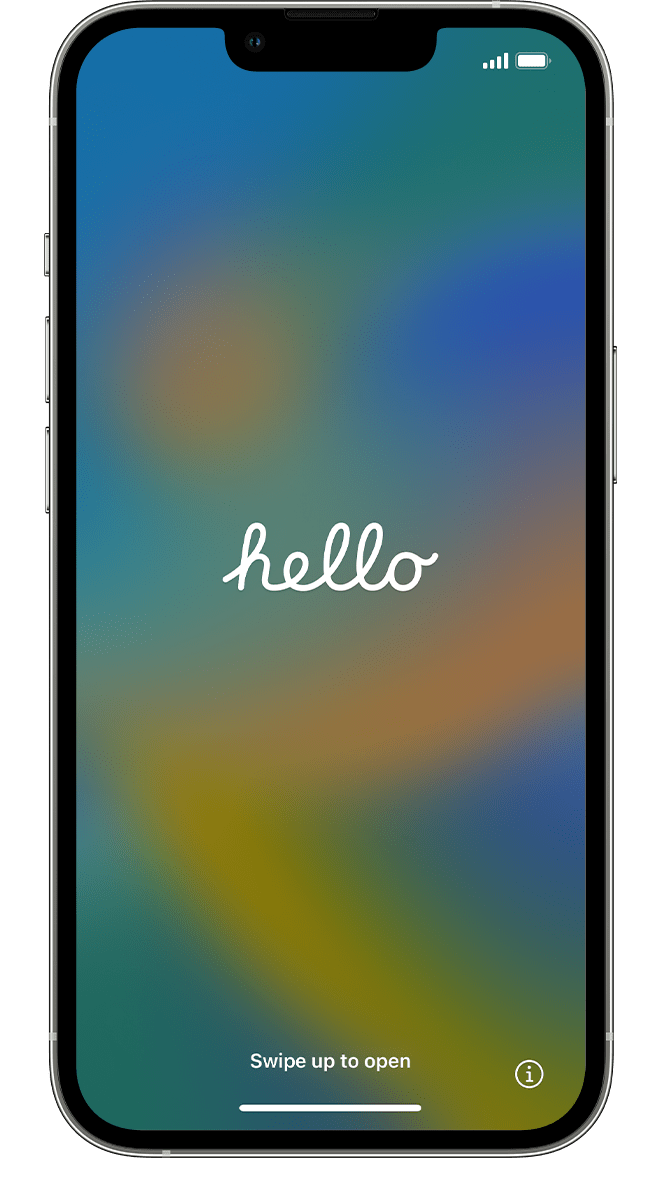
 

A new iPhone showing the Hello screen.Use Quick Start or set up manually

If you have another device, you can use it to automatically set up your new device with Quick Start.

If you don't have another device, tap Set Up Manually.

Here you can tap the blue accessibility button to set up Accessibility Options.
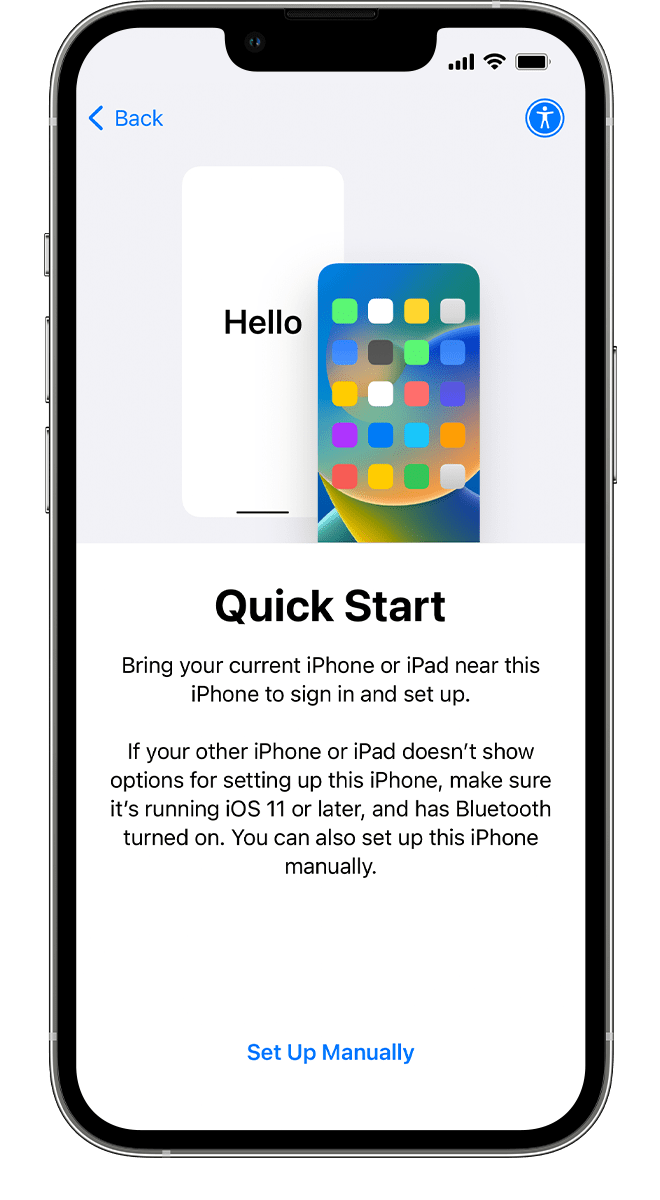
 

A new iPhone showing the Quick Start screen. The instructions advise you to bring your current device near your new device.

Activate your iPhone or iPad

You need to connect to a Wi-Fi network or a cellular network to activate and continue setting up your device. 

Tap the Wi-Fi network that you want to use or, if available, tap Continue Without Wi-Fi to use your device's cellular network. If you're setting up an iPhone or iPad (Wi-Fi + Cellular), you might need to insert your iPhone SIM card or iPad SIM card first. You might also be asked to activate your eSIM.

Get help if you can't connect to Wi-Fi or if you can't activate your iPhone.


Set up Face ID or Touch ID and create a passcode

Follow the onscreen instructions to set up Face ID or Touch ID to use face recognition or your fingerprint to unlock your device and make purchases.

Next, set a six-digit passcode to help protect your data. You need a passcode to use features like Face ID, Touch ID, and Apple Pay. If you'd like a four-digit passcode, custom passcode, or no passcode, tap Passcode Options.


Restore or transfer your data and apps

Choose how you want to restore or transfer your data from your old device to your new device. You can use an iCloud backup or a backup made from your computer, or move data from an Android device.

If you don't have a backup or another device, select Don't Transfer Apps & Data.
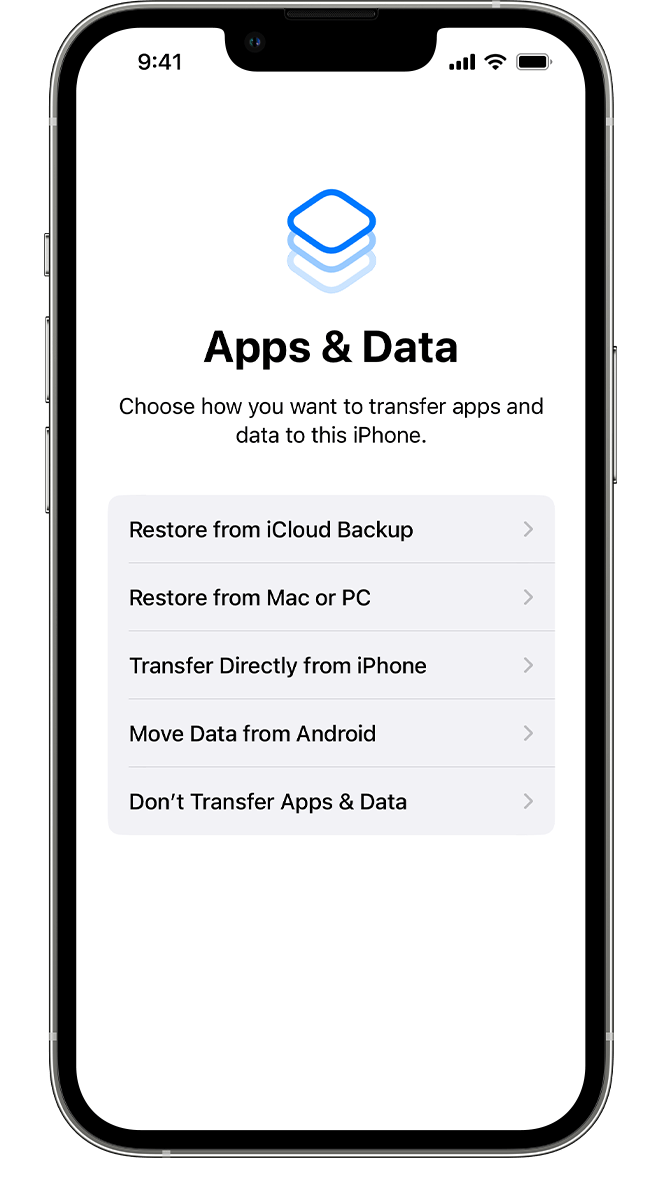
 

A new iPhone showing the Apps & Data screen, where you can select how you want to transfer your data to this device.Sign in with your Apple ID

Enter your Apple ID and password, or tap "Forgot password or don't have an Apple ID?" From there, you can recover your Apple ID or password, create an Apple ID, or set it up later.

If you use more than one Apple ID, tap "Use different Apple IDs for iCloud and iTunes?"

When you sign in with your Apple ID, you might be prompted for a verification code from your previous device.
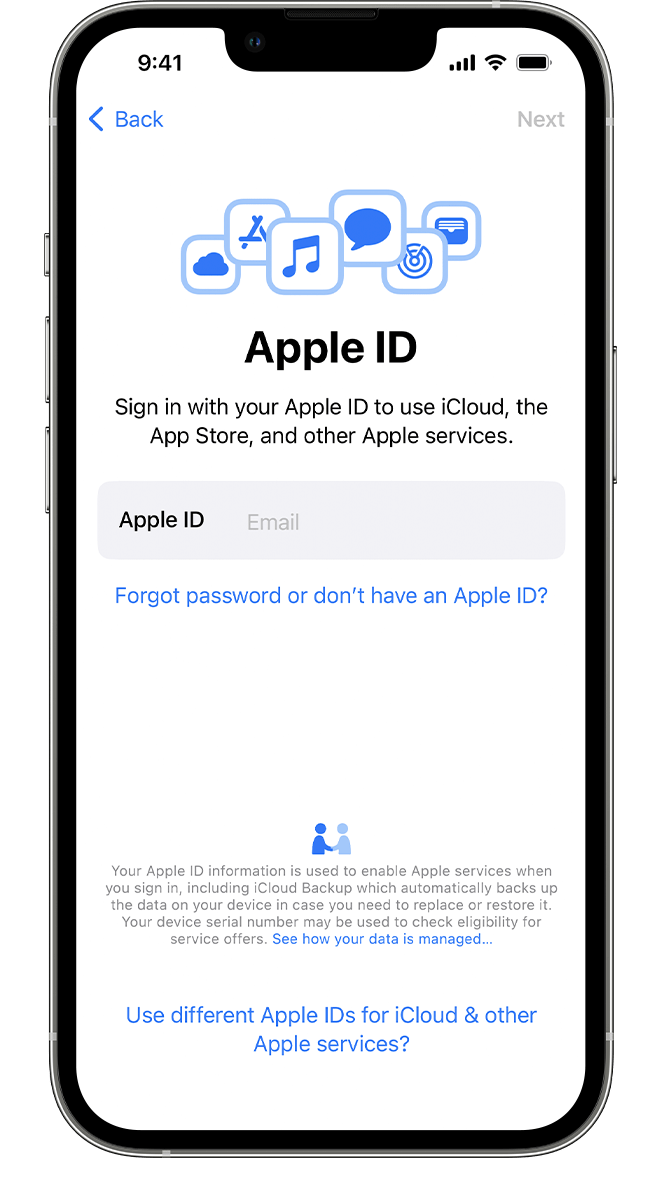
 

A new iPhone showing the Apple ID screen, where you can sign in with your Apple ID and password.

Turn on automatic updates and set up other features

Follow the onscreen instructions to allow iOS or iPadOS to update automatically and set up other features, like iMessage, FaceTime, Location Services, and Analytics.


Set up Siri and other services

Next, you'll be asked to set up or enable services and features, like Siri. On some devices, you'll be asked to speak a few phrases so that Siri can get to know your voice.

If you signed in with your Apple ID, follow the steps to set up Apple Pay and iCloud Keychain.


Set up Screen Time and more display options

Follow the onscreen instructions to set up Screen Time, which gives you insight into how much time you and your kids spend on your devices. It also lets you set time limits for daily app use.

You can also turn on True Tone, if your device supports it, and use Display Zoom to adjust the size of icons and text on your Home Screen."


We hope this helps.


Cheers!


Jan 3, 2024 1:52 PM in response to bwoodvine

bwoodvine wrote:

This question deserves a response. There are multiple places i've seen where Apple assumes you have a 6 digit passcode and doesn't give you a choice to enter something else. This is the worst place (same as in iforgot.apple.com and the support app) when you are trying to reset your Apple ID password.

There is a choice that says "Don't know your passcode", or something like that, but choosing that (even though you know your passcode but it's not 6 digits), and you get two choices. Enter passcode later, which would be fine, or cancel. Choosing either bounces you out of the process. So if you don't have Apple's default format of 6 digits for you passcode, you can't reset your Apple ID in this way.

Why is this, and is there a workaround that we can't seem to find?


This isn’t a device passcode, it’s a six-digit two-factor verification code associated with an Apple ID login in progress.

Jan 3, 2024 2:49 PM in response to MrHoffman

Thanks, but that is certainly not the case. Doing this via the support app, it clearly states that this is the device passcode for [device]. "This passcode protects your Apple ID, saved passwords, and other data stored in iCloud..." I've already done two-factor using my trusted phone number. If i tap on Don't Know link, it says "If you can't remember the passcode for [device]..."

Jan 4, 2024 10:41 AM in response to MrHoffman

Right, I'm sure that's exactly what it's for, but regardless of what it's for, why doesn't Apple allow the input of a passcode that is NOT 6 digits. And why can't I either skip this and lose my keychain, etc. data, or enter the passcode later. That is a choice after tapping "Don't know...", but choosing it just bounces you out of the process.


So now I'm forced to recover my password, which can take some time, because I chose to have a non-default format passcode.

Jan 4, 2024 12:23 PM in response to bwoodvine

bwoodvine wrote:

Thanks for the link, I'll do that. I did have a support chat with them, but the person was not understanding the issue and repeatedly told me to wipe the device to remove the passcode, then cut off the chat while I was still typing.

You could always try it via iforgot.apple.com. You don't have to actually reset your Apple ID password, just start down the path.


How do we keep getting from device passcodes to Apple ID passwords in this discussion?


Jan 4, 2024 2:04 PM in response to bwoodvine

bwoodvine wrote:

The OP gets to this point differently, but we get here by trying reset the Apple ID password without the original device. And we arrive at the same point, a screen seeking a passcode without the option to choose a different format aside from 6 digits.


Mixed questions always get confusing. I'm not entirely sure these are related, either. Exiting the thread.

This thread has been closed by the system or the community team. You may vote for any posts you find helpful, or search the Community for additional answers.

Alphanumeric passcode to sign in inti iCloud on new Iphone

Welcome to Apple Support Community
A forum where Apple customers help each other with their products. Get started with your Apple Account.