Hi. Am not able to upgrade my iCloud storage. Where to provide payment info, please suggest as it’s not going automatically to payment section after monthly subscription plan is selected. Currently am in Bangalore, India.

Upgrade iCloud Storage is clicked from

iphone device ( 8 plus) but payment info is not displayed.

iPhone 8 Plus

Posted on Aug 9, 2023 10:22 AM

Reply
Question marked as Top-ranking reply

Posted on Aug 10, 2023 10:34 AM

Hi monishaApple,


Thanks for posting in Apple Support Communities.


When upgrading iCloud storage, you will make selection to the desired plan and enter Apple ID password. The password that is currently linked to your Apple ID will be charged. You can add a payment method if one is not currently linked.


How to upgrade on your iPhone or iPad
1. Go to Settings, then tap your name. 
2. Tap iCloud, then tap Manage Account Storage or Manage Storage. Or scroll down and tap Upgrade to iCloud+.
3. Tap Buy More Storage or Change Storage Plan.
4. Choose a plan and follow the onscreen instructions.

Upgrade to iCloud+ - Apple Support


Update your payment method on your iPhone or iPad

1. Open the Settings app.

2. Tap your name.

3. Tap Payment & Shipping. You might be asked to sign in with your Apple ID.

4. Tap Add Payment Method, enter the new payment method, then tap Done.

5. Tap Edit.

6. Tap the red delete button next to the old payment method, th
en tap Delete.
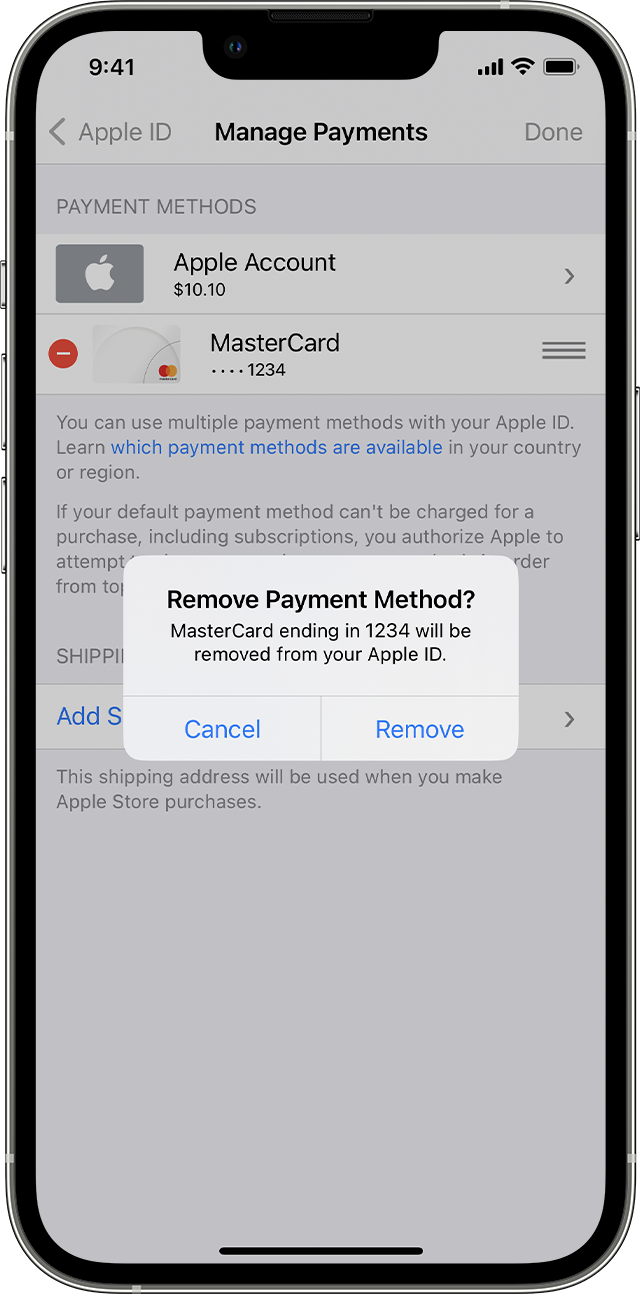
On iPhone, a message says Remove Payment Method. 

If you need to change or update your Apple ID payment method - Apple Support


Payment methods that you can use with your Apple ID - Apple Support


Regards.


1 reply
Question marked as Top-ranking reply

Aug 10, 2023 10:34 AM in response to monishaApple

Hi monishaApple,


Thanks for posting in Apple Support Communities.


When upgrading iCloud storage, you will make selection to the desired plan and enter Apple ID password. The password that is currently linked to your Apple ID will be charged. You can add a payment method if one is not currently linked.


How to upgrade on your iPhone or iPad
1. Go to Settings, then tap your name. 
2. Tap iCloud, then tap Manage Account Storage or Manage Storage. Or scroll down and tap Upgrade to iCloud+.
3. Tap Buy More Storage or Change Storage Plan.
4. Choose a plan and follow the onscreen instructions.

Upgrade to iCloud+ - Apple Support


Update your payment method on your iPhone or iPad

1. Open the Settings app.

2. Tap your name.

3. Tap Payment & Shipping. You might be asked to sign in with your Apple ID.

4. Tap Add Payment Method, enter the new payment method, then tap Done.

5. Tap Edit.

6. Tap the red delete button next to the old payment method, th
en tap Delete.
On iPhone, a message says Remove Payment Method. 

If you need to change or update your Apple ID payment method - Apple Support


Payment methods that you can use with your Apple ID - Apple Support


Regards.


This thread has been closed by the system or the community team. You may vote for any posts you find helpful, or search the Community for additional answers.

Hi. Am not able to upgrade my iCloud storage. Where to provide payment info, please suggest as it’s not going automatically to payment section after monthly subscription plan is selected. Currently am in Bangalore, India.

Welcome to Apple Support Community
A forum where Apple customers help each other with their products. Get started with your Apple Account.