Do you have an iPhone 8

I have just got giving an iPhone off somebody that works with me and I don’t know how to set it up if you could help me on line that would be helpful thanks A lot for the help and please get back to me as soon a

possible thanks Bye


iPad, iPadOS 16

Posted on Aug 14, 2023 12:44 PM

Reply
Question marked as Top-ranking reply

Posted on Aug 14, 2023 12:49 PM

The person that gave you the iPhone should have restored it to factory settings. If that were the case, turning it on, should prompt you with a "Hello" screen, and from there, it's just a matter of following the on-screen prompts to set it up.
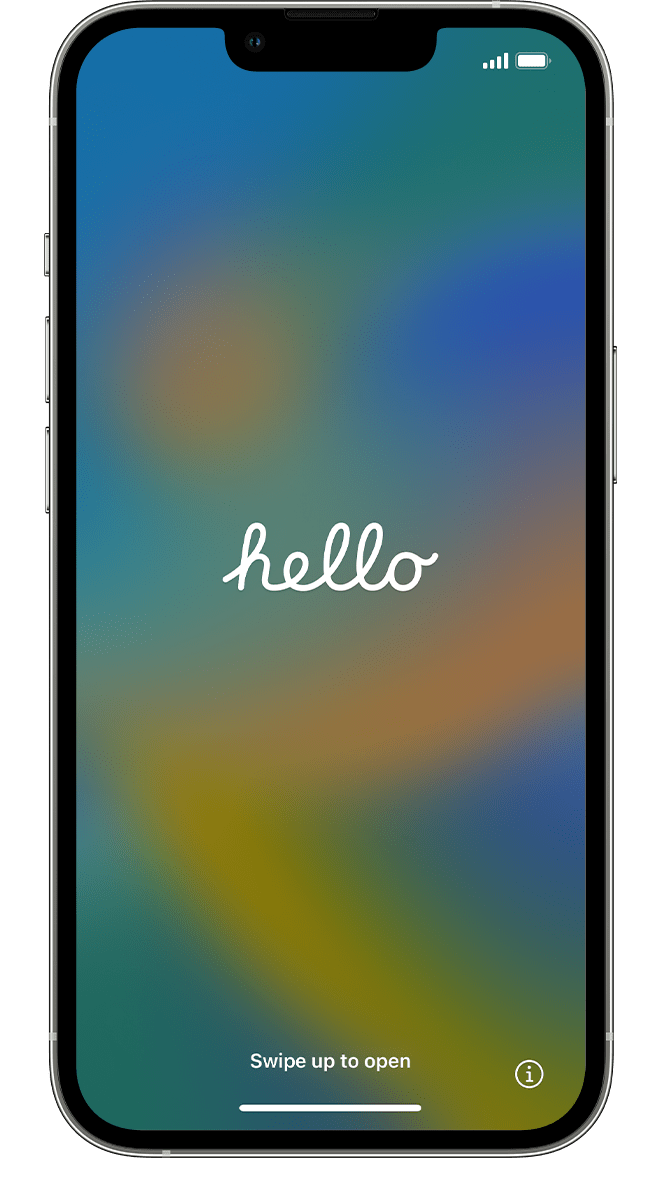
click here ➜ Set up your iPhone or iPad - Apple Support


If you see a different screen, then please explain what you see. If you see the Home Screen with the Apps, then the previous owner did not correctly restore it. Tell him to follow the steps in the support document linked below.

click here ➜ What to do before you sell, give away, or trade in your iPhone or iPad - Apple Support


1 reply
Question marked as Top-ranking reply

Aug 14, 2023 12:49 PM in response to aleisha81

The person that gave you the iPhone should have restored it to factory settings. If that were the case, turning it on, should prompt you with a "Hello" screen, and from there, it's just a matter of following the on-screen prompts to set it up.

click here ➜ Set up your iPhone or iPad - Apple Support


If you see a different screen, then please explain what you see. If you see the Home Screen with the Apps, then the previous owner did not correctly restore it. Tell him to follow the steps in the support document linked below.

click here ➜ What to do before you sell, give away, or trade in your iPhone or iPad - Apple Support


This thread has been closed by the system or the community team. You may vote for any posts you find helpful, or search the Community for additional answers.

Do you have an iPhone 8

Welcome to Apple Support Community
A forum where Apple customers help each other with their products. Get started with your Apple Account.