Hi Esthergorelkin,
As you're able to use the account from your laptop connect to a known working Wi-Fi network: Connect to Wi-Fi on your iPhone, iPad, or iPod touch, and test signing into your iCloud account on your iPhone with the steps below from the article here: Sign in to iCloud on all your devices
"Set up iCloud on your iPhone, iPad, or iPod touch
- On your iPhone, iPad, or iPod touch, go to Settings > [your name].
- If you don’t see [your name], tap “Sign in to your [device],” then enter your Apple ID and password.
- Do one of the following:
- iOS 16, iPadOS 16, or later: Tap iCloud, then turn on each app or feature you want to use. Tap Show All to see more apps.
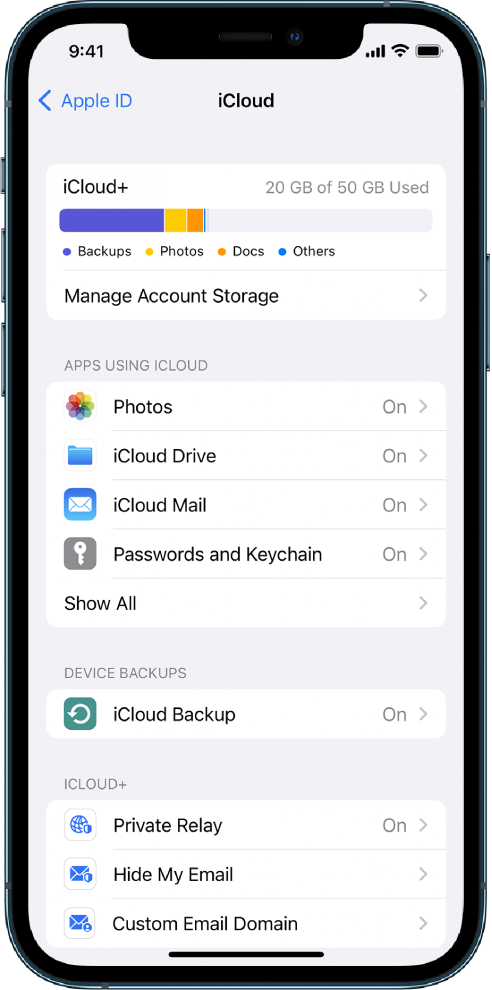 "
"
You can also check for an iOS update with the steps here and then test: Update your iPhone or iPad
If you need an update, after download and installing test signing into your iCloud account again and activating Mail with this guide: Set up iCloud Mail on all your devices
Should you continue to have issues double check all steps here have been completed: If you can't connect or sign in to iCloud
Cheers.



