
NOT BLOCKING NOISE
my airpods is not blocking the noise and hear like normal earphone.
iPhone 12 Pro
my airpods is not blocking the noise and hear like normal earphone.
iPhone 12 Pro
Hello alicegheem,
Thank you for reaching out to Apple Support Communities.
These steps will help you switch between the different modes on your AirPods:
"Switch between noise-control modes on your AirPods Pro
Press and hold the force sensor on the stem of an AirPod until you hear a chime.
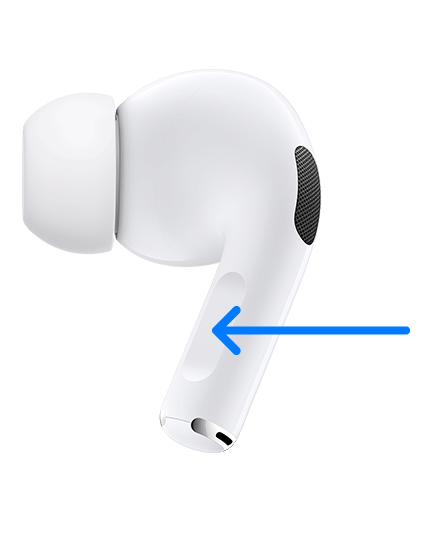
When you're wearing both AirPods, press and hold the force sensor on either AirPod to switch between Active Noise Cancellation and Transparency mode. You can customize which modes to switch between (Active Noise Cancellation, Transparency mode, and Off) in Bluetooth settings on your iPhone, iPad, or Mac.
To use Active Noise Cancellation with one AirPod only, use your iPhone or iPad to go to Settings > Accessibility > AirPods, and turn on Noise Cancellation with One AirPod. Then press and hold the force sensor to switch between Active Noise Cancellation, Transparency mode, and Off.
Switch between noise-control modes on your iPhone or iPad
 in the lower-left corner.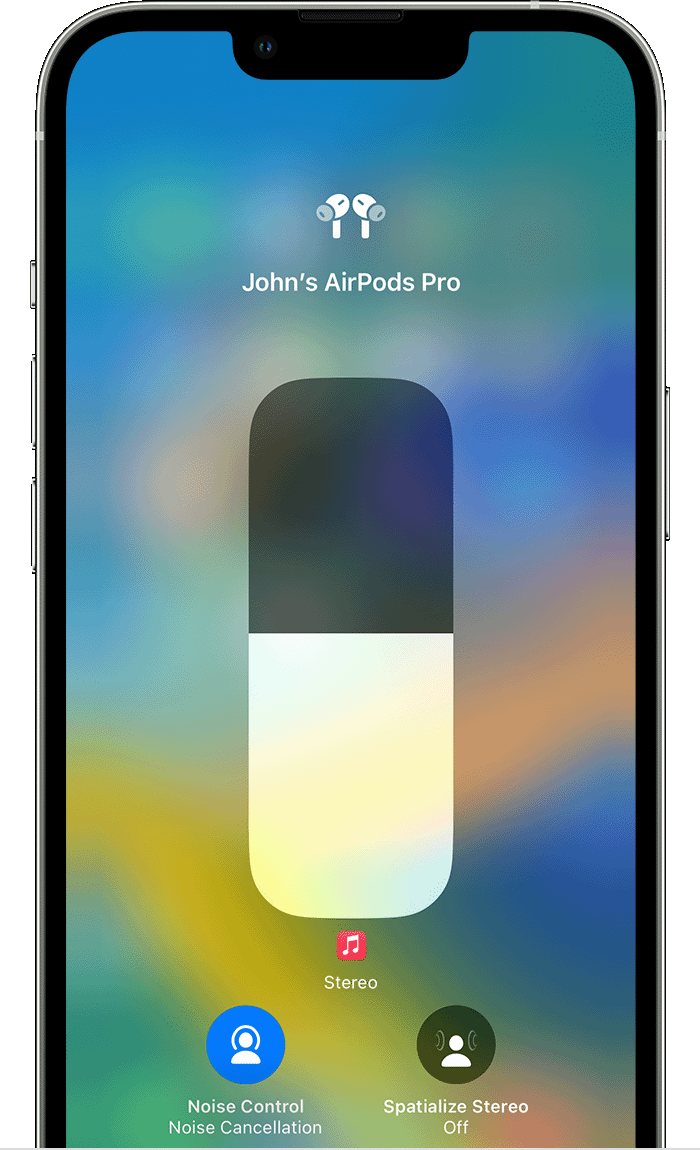
 Additional details can be found here: AirPods Pro and AirPods Max Active Noise Cancellation and Transparency mode
If the issue persists, can you provide a few more details? What kind of AirPods do you have? What happens when you attempt to use Noice Canceling mode? Also, When did you first notice this?
Cheers!
Hello alicegheem,
Thank you for reaching out to Apple Support Communities.
These steps will help you switch between the different modes on your AirPods:
"Switch between noise-control modes on your AirPods Pro
Press and hold the force sensor on the stem of an AirPod until you hear a chime.
When you're wearing both AirPods, press and hold the force sensor on either AirPod to switch between Active Noise Cancellation and Transparency mode. You can customize which modes to switch between (Active Noise Cancellation, Transparency mode, and Off) in Bluetooth settings on your iPhone, iPad, or Mac.
To use Active Noise Cancellation with one AirPod only, use your iPhone or iPad to go to Settings > Accessibility > AirPods, and turn on Noise Cancellation with One AirPod. Then press and hold the force sensor to switch between Active Noise Cancellation, Transparency mode, and Off.
Switch between noise-control modes on your iPhone or iPad
in the lower-left corner. Additional details can be found here: AirPods Pro and AirPods Max Active Noise Cancellation and Transparency mode
If the issue persists, can you provide a few more details? What kind of AirPods do you have? What happens when you attempt to use Noice Canceling mode? Also, When did you first notice this?
Cheers!
NOT BLOCKING NOISE

