Photos are locked on one photo and won’t move. Can’t even turn phone off
Photos are locked on one picture and won’t move and I can’t turn my phone off to reset it
iPhone 13
Photos are locked on one picture and won’t move and I can’t turn my phone off to reset it
iPhone 13
Hello Gene2838,
Thanks for reaching out to Apple Support Communities. We see you have some questions about your device not allowing you to leave the photo it's showing, and not being able to restart your phone. From here, we'd recommend using the steps in the following link, as it goes through what to do if your device is frozen: If your iPhone won't turn on or is frozen - Apple Support
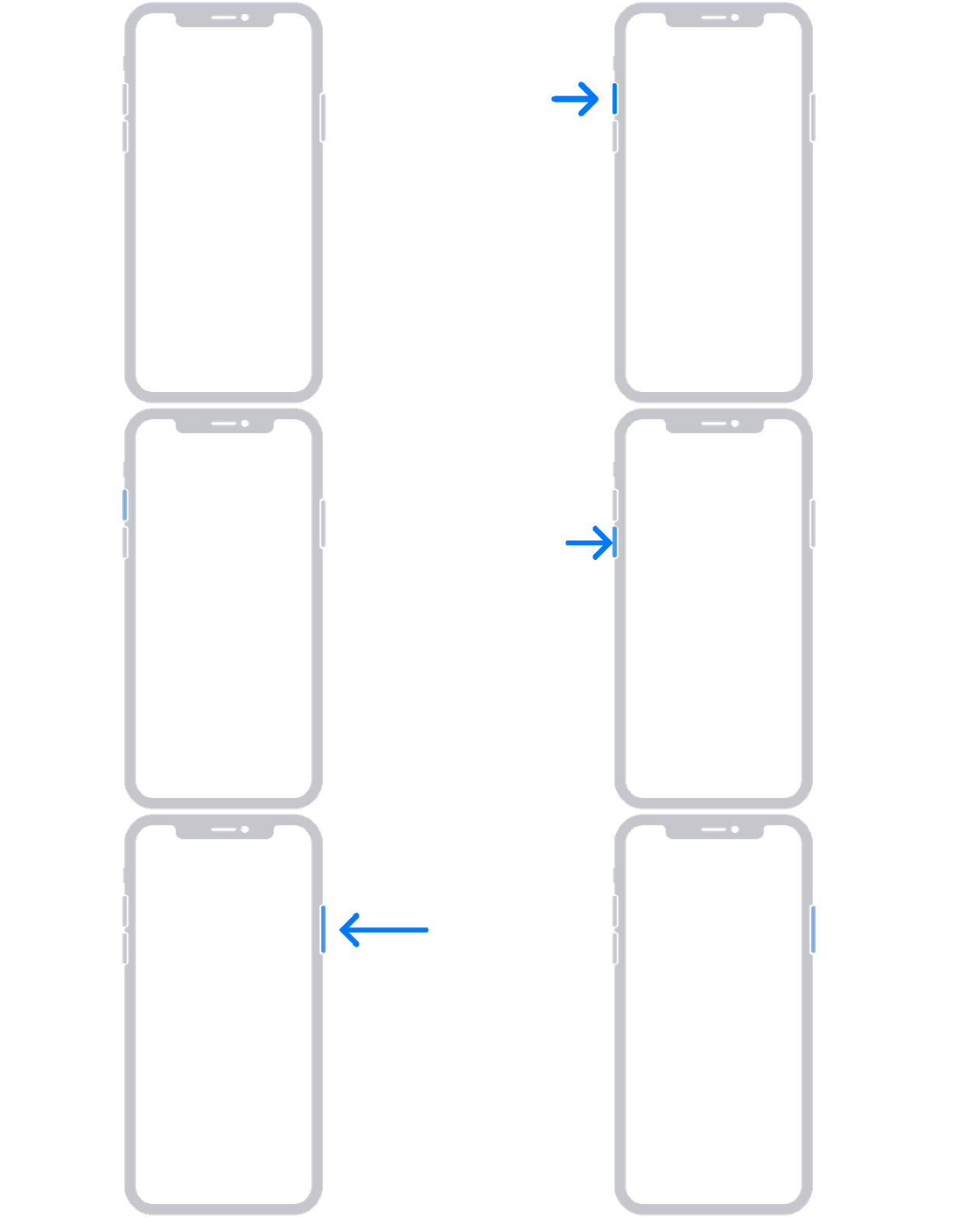
On your iPhone 8 or later, including iPhone SE (2nd and 3rd generation)
1. Press and quickly release the volume up button.
2. Press and quickly release the volume down button.
3. Press and hold the side button until you see the Apple logo.
4. If your phone doesn't turn on, follow these steps to check your hardware and charge your phone. You might need to charge for up to an hour.
5. If your phone still doesn't turn on, contact Apple Support.
Regards.
Hello Gene2838,
Thanks for reaching out to Apple Support Communities. We see you have some questions about your device not allowing you to leave the photo it's showing, and not being able to restart your phone. From here, we'd recommend using the steps in the following link, as it goes through what to do if your device is frozen: If your iPhone won't turn on or is frozen - Apple Support
On your iPhone 8 or later, including iPhone SE (2nd and 3rd generation)
1. Press and quickly release the volume up button.
2. Press and quickly release the volume down button.
3. Press and hold the side button until you see the Apple logo.
4. If your phone doesn't turn on, follow these steps to check your hardware and charge your phone. You might need to charge for up to an hour.
5. If your phone still doesn't turn on, contact Apple Support.
Regards.
Photos are locked on one photo and won’t move. Can’t even turn phone off