Customizing lockscreen doesnt work
When I press and hold my lock screen, the option to change my lock screen doesn’t show up. It worked before but suddenly it stopped working.
iPhone 14
When I press and hold my lock screen, the option to change my lock screen doesn’t show up. It worked before but suddenly it stopped working.
iPhone 14
Hello anel416,
Thank you for reaching out in Apple Support Communities. With the inability to customize the Lock Screen on your iPhone, we suggest for you to restart your iPhone. This is a step that can help resolve unexpected behavior and it may help you in this situation. If needed, here's how to properly restart an iPhone:
How to restart your iPhone X, 11, 12, 13, or later
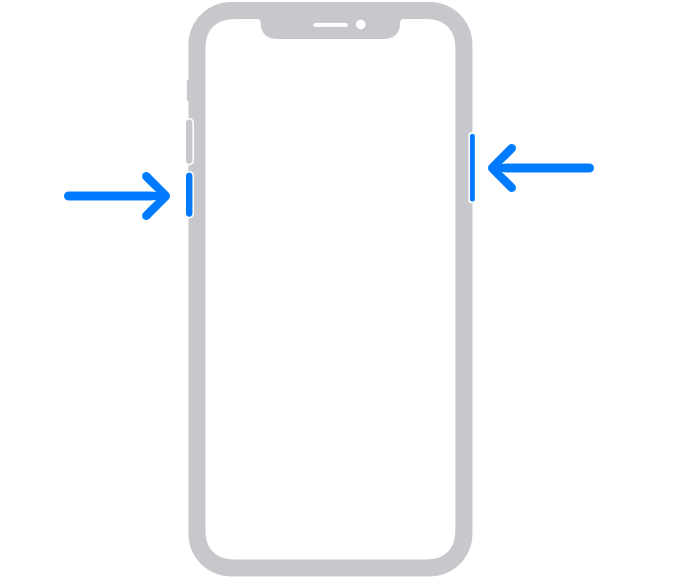
1. Press and hold either volume button and the side button until the power-off slider appears.
2. Drag the slider, then wait 30 seconds for your device to turn off. If your device is frozen or unresponsive, force restart your device.
3. To turn your device back on, press and hold the side button (on the right side of your iPhone) until you see the Apple logo.
Following these steps may help and is outlined in this article: Restart your iPhone - Apple Support
Kind regards.
Customizing lockscreen doesnt work