Hello Sjones1782,
To help us get a better understanding of the issue, we’d like to ask a few questions.
1. You mentioned that you get a login error; does a specific message or error code appear when that happens? If so, what does the exact error say?
2. Do you receive the same error when trying to sign in while your device is connected to another network?
3. Are you able to sign in with that TV provider on other devices successfully?
The above details will help us plan how to proceed.
Please also be sure to review all of the information outlined in the link you came from, to ensure the correct process is being used, so we can make sure there aren't any issues there: Sign in with your TV provider on your iPhone, iPad, or iPod touch
Sign in with your TV provider
You can sign in with your TV provider in Settings or the first time you use a supported app. After you sign in, any other supported app automatically signs you in so you don't need to enter your information again. If your TV provider has its own app, your device might automatically download it after you sign in.
Sign in from your iPhone, iPad, or iPod touch
You can sign in with only one TV provider at a time. Here's how:
1. Make sure that you have the latest version of iOS or iPadOS.
2. Go to the Settings app, then tap TV Provider.
3. Select your TV provider* from the list. You can also scroll down to choose a TV Provider from a different country or region.
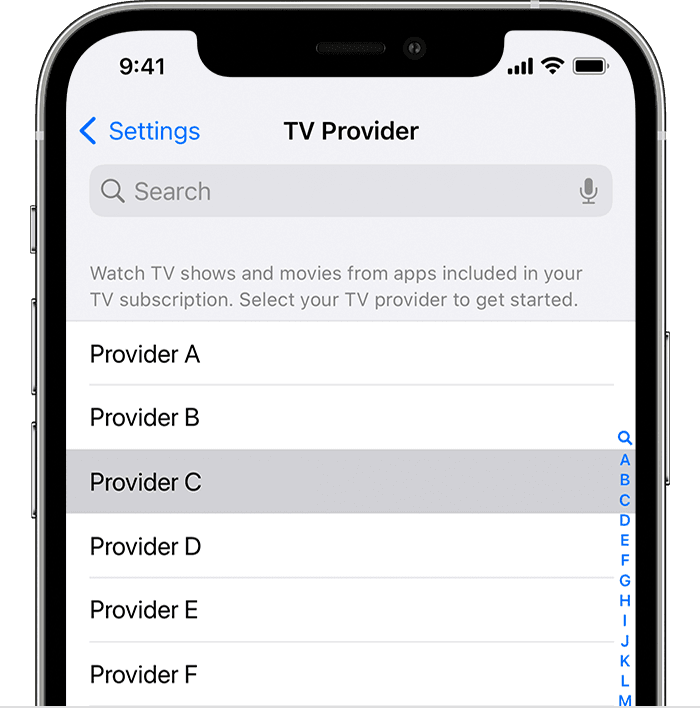
4. Enter your TV provider account information. If you aren’t sure, contact your TV provider.
5. After you enter your TV provider account information, tap Sign In.
*If your TV provider supports signing in with your TV provider, then you'll be prompted to enter your username and password for your TV provider. If your TV provider doesn't support signing in with your TV provider, your TV provider is saved so you don’t have to select it again, but you’ll still need to sign in to each app with your TV provider account information.
Thanks!


