Hello SADUDAYAN,
Thanks for posting in the Apple Support Communities. We're happy to look into this with you.
Do you have a backup of your device? If so, you may want to try disabling iCloud for Books and restoring a backup you created before enabling iCloud for Books.
Restore your iPhone, iPad, or iPod touch from a backup - Apple Support
"Restore your device from an iCloud backup
- Turn on your device. You should see a Hello screen. If you already set up your device, you need to erase all of its content before you can use these steps to restore from your backup.
- Follow the onscreen setup steps until you reach the Apps & Data screen, then tap Restore from iCloud Backup.
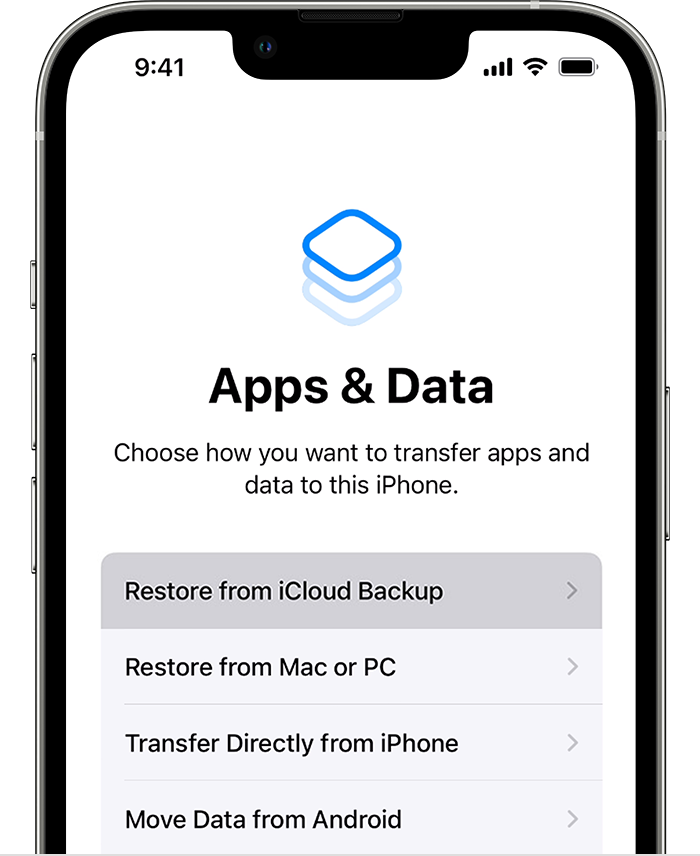
- Sign in to iCloud with your Apple ID.
- When asked, sign in with your Apple ID to restore your apps and purchases. If you've purchased iTunes or App Store content using multiple Apple IDs, you'll be asked to sign in to each. If you can't remember your password, you can tap Skip this Step and sign in later. You won't be able to use the apps until you sign in with your Apple ID.
- Stay connected to Wi-Fi and wait for a progress bar to appear and complete. Depending on the size of the backup and the network speed, the progress bar might need a few minutes to an hour to complete. If you disconnect from Wi-Fi too soon, the progress will pause until you reconnect.
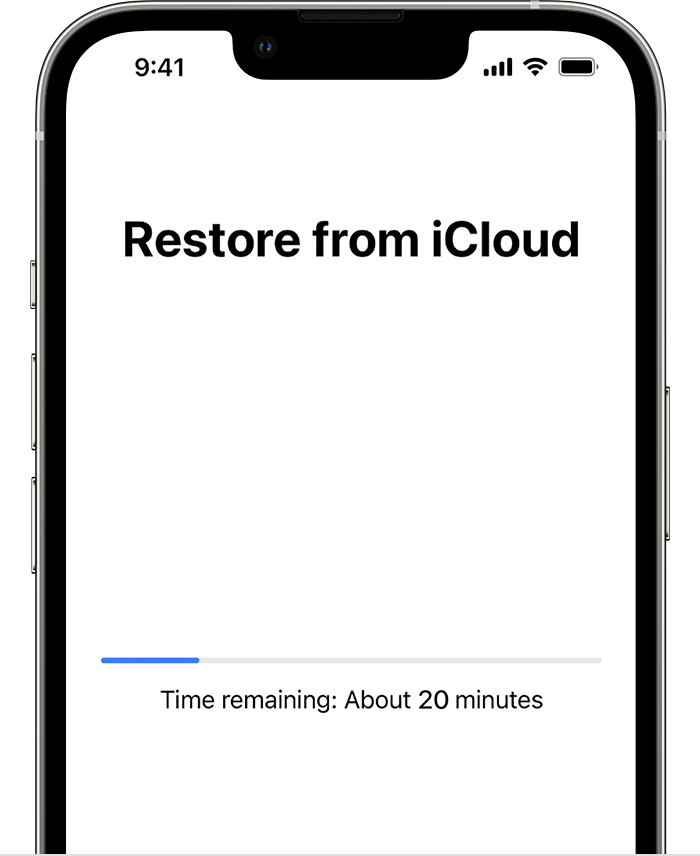
- Now you can finish setup and enjoy your device. Content like your apps, photos, music, and other information will continue to restore in the background for the next several hours or days, depending on the amount of information there is. Try to connect often to Wi-Fi and power to let the process complete."
Best regards.


