
I can not get my iPad screen to rotate
I have tried the lock and unlock button but no luck
iPad Pro, iPadOS 16
I have tried the lock and unlock button but no luck
iPad Pro, iPadOS 16
Hello Boneheadmat,
Thank you for reaching out to Apple Support Communities.
Here are a few steps and things you can check:
"How to rotate the screen on your iPad
 to make sure it's off.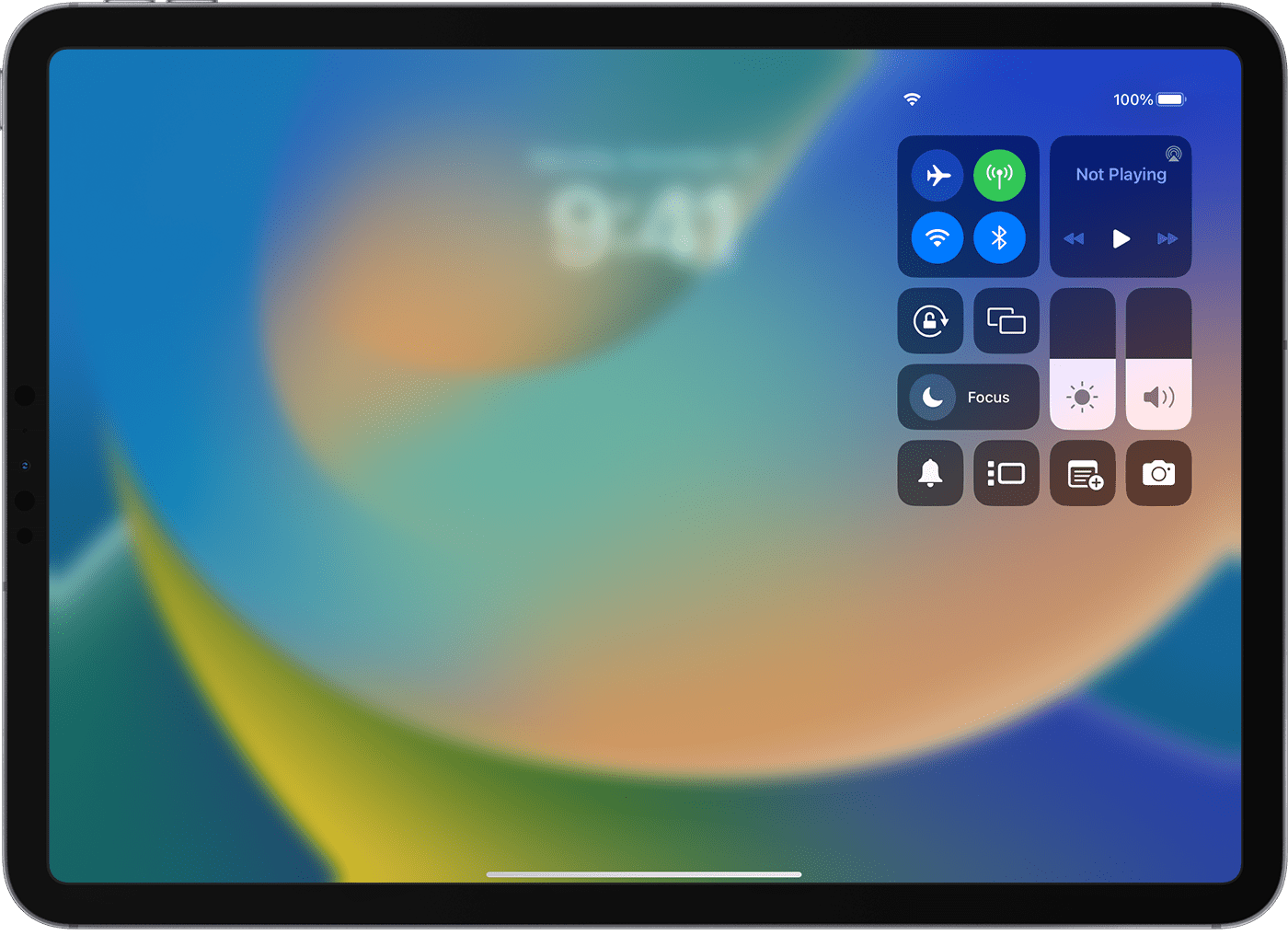
If the screen still doesn't rotate, try a different app like Safari or Messages, which work in landscape mode, and check to see if your iPad has a side switch.
If you have an older iPad, check to see if it has a side switch
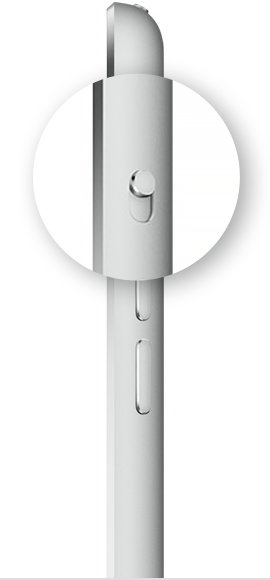
If you don't see the Rotation Lock button , check to see if your iPad has a side switch. If you have an older iPad with a side switch, you can set the side switch to work as a rotation lock or mute switch.
Go to Settings > General. Under Use Side Switch To, select the option that you want.
Check the app that you're using
Remember that not all apps support rotation. If some apps on your iPad rotate as expected and others don't rotate, the ones that don't were built that way by their developers."
Additional details can be found here: Rotate the screen on your iPad
If the issue persists, can you provide a few more details? Which iPad and iPadOS version do you have? Also, does this happen with all apps?
Cheers!
Hello Boneheadmat,
Thank you for reaching out to Apple Support Communities.
Here are a few steps and things you can check:
"How to rotate the screen on your iPad
to make sure it's off.If the screen still doesn't rotate, try a different app like Safari or Messages, which work in landscape mode, and check to see if your iPad has a side switch.
If you have an older iPad, check to see if it has a side switch
If you don't see the Rotation Lock button , check to see if your iPad has a side switch. If you have an older iPad with a side switch, you can set the side switch to work as a rotation lock or mute switch.
Go to Settings > General. Under Use Side Switch To, select the option that you want.
Check the app that you're using
Remember that not all apps support rotation. If some apps on your iPad rotate as expected and others don't rotate, the ones that don't were built that way by their developers."
Additional details can be found here: Rotate the screen on your iPad
If the issue persists, can you provide a few more details? Which iPad and iPadOS version do you have? Also, does this happen with all apps?
Cheers!
I can not get my iPad screen to rotate

