Hello romarin,
Thank you for reaching out to Apple Support Communities.
If you still have the songs on your computer, you can sync them to your device using these steps:
"Select items to sync automatically
- Connect your device to your computer.You can connect your device using a USB or USB-C cable or a Wi-Fi connection. To turn on Wi-Fi syncing, see Sync iTunes content on PC with devices on Wi-Fi.
- In the iTunes app
 on your PC, click the Device button near the top left of the iTunes window.
- Select a type of content you want to sync (for example, Music or TV Shows) in the sidebar on the left.
 Note: If you use iCloud Photos and Apple Music, your photos and music are synced automatically with iCloud. When you click Music or Photos, no options appear for syncing.
 - Select the Sync checkbox, then select the items you want to sync automatically each time you connect your device.
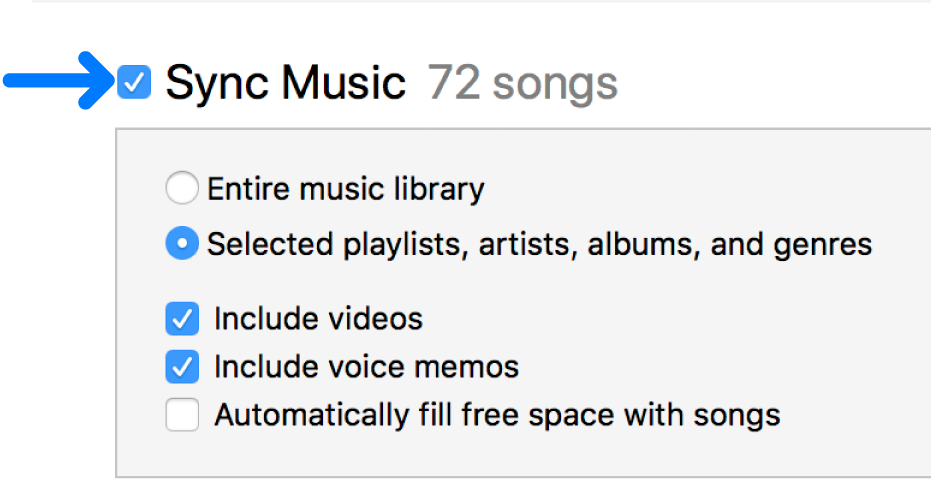
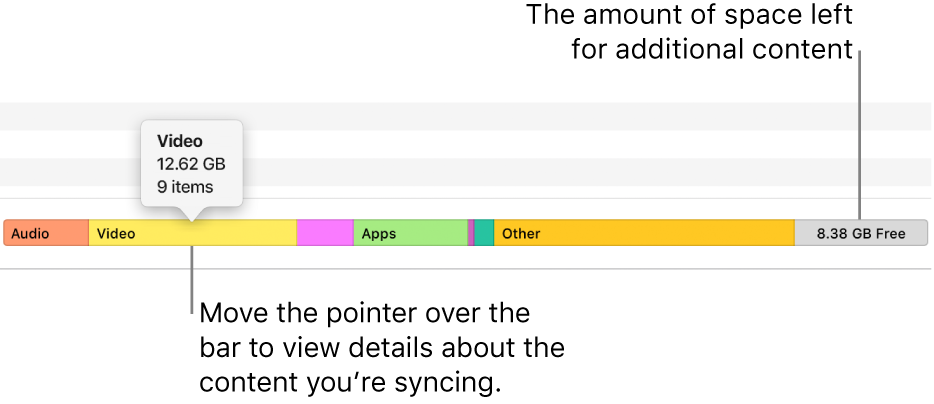
- Repeat steps 3 and 4 for each type of content you want to include on your device.The bar at the bottom of the window shows how much free space remains on your device after you sync.
- By default, iTunes syncs your device whenever you connect it to your computer. If you want iTunes to ask you before syncing, do one of the following:
- Require a prompt before syncing this device: Click Summary, then deselect “Automatically sync when this [device] is connected.”
- Require a prompt before syncing all devices: Choose Edit > Preferences, click Devices, then select “Prevent iPods, iPhones, and iPads from syncing automatically.”
7.When you’re ready to sync, click Apply.
Tip: To automatically sync a connected device at any time, choose File > Devices > Sync [device name].
WARNING: If you delete an automatically synced item from your iTunes library, the deleted item is removed from your device the next time you sync."
Additional details and steps can be found here: Sync iTunes content on PC with your devices
If the issue persists, can you provide a few more details? What exactly happens when you attempt to sync your music back to your iPhone?
Cheers!


