My apple phone 11 is not charging
Will not charge tried different plugs
iPhone 11, iOS 16
Will not charge tried different plugs
iPhone 11, iOS 16
Hi there FlsMjs83,
It sounds like you have tried steps with your iPhone 11, but we want to ensure that all possible steps were taken to help possibly resolve this. Check out the steps below and please complete any that have not been done:
If your device charges slowly or won’t charge
Follow these steps and try again after each:
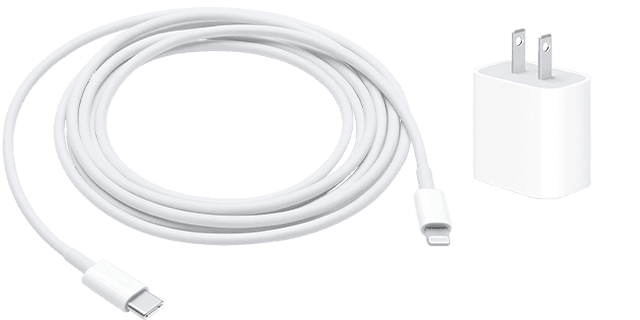
1. Check your charging cable and USB adapter for signs of damage, like breakage or bent prongs. Don't use damaged accessories.
2. Use a wall power outlet and check for firm connections between your charging cable, USB wall adapter, and wall outlet or AC power cable, or try a different outlet.
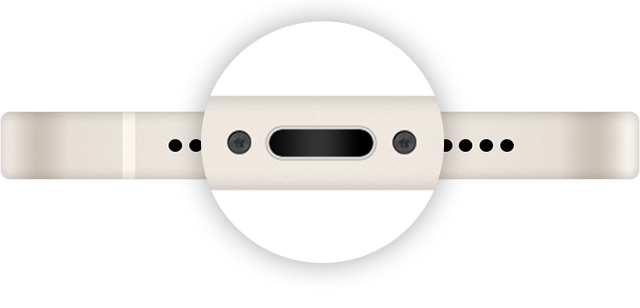
3. Remove any debris from the charging port on the bottom of your device, then firmly plug your charging cable into your device. If the charging port is damaged, your device probably needs service.
4. Let your device charge for a half hour.
5. If your device is still unresponsive, force restart your device:
* iPhone 8 or later and iPhone SE (2nd generation): Press and quickly release the volume up button. Press and quickly release the volume down button. Press and hold the side button until the Apple logo appears.
* iPhone 7, iPhone 7 Plus, and iPod touch (7th generation): Press and hold both the side (or top) button and the volume down button until the Apple logo appears.
* iPhone 6s or earlier, iPhone SE (1st generation), and iPod touch (6th generation) or earlier: Press and hold both the side (or top) button and the Home button until the Apple logo appears.
6. Let your device charge for another half hour.
7. If your device still won't power on or charge, take your device, charging cable, and charging adapter to an Apple Store or Apple Authorized Service Provider for evaluation. You can also contact Apple Support.
Those steps are from this article: If your iPhone or iPod touch won't charge - Apple Support
Take care.
Hi there FlsMjs83,
It sounds like you have tried steps with your iPhone 11, but we want to ensure that all possible steps were taken to help possibly resolve this. Check out the steps below and please complete any that have not been done:
If your device charges slowly or won’t charge
Follow these steps and try again after each:
1. Check your charging cable and USB adapter for signs of damage, like breakage or bent prongs. Don't use damaged accessories.
2. Use a wall power outlet and check for firm connections between your charging cable, USB wall adapter, and wall outlet or AC power cable, or try a different outlet.
3. Remove any debris from the charging port on the bottom of your device, then firmly plug your charging cable into your device. If the charging port is damaged, your device probably needs service.
4. Let your device charge for a half hour.
5. If your device is still unresponsive, force restart your device:
* iPhone 8 or later and iPhone SE (2nd generation): Press and quickly release the volume up button. Press and quickly release the volume down button. Press and hold the side button until the Apple logo appears.
* iPhone 7, iPhone 7 Plus, and iPod touch (7th generation): Press and hold both the side (or top) button and the volume down button until the Apple logo appears.
* iPhone 6s or earlier, iPhone SE (1st generation), and iPod touch (6th generation) or earlier: Press and hold both the side (or top) button and the Home button until the Apple logo appears.
6. Let your device charge for another half hour.
7. If your device still won't power on or charge, take your device, charging cable, and charging adapter to an Apple Store or Apple Authorized Service Provider for evaluation. You can also contact Apple Support.
Those steps are from this article: If your iPhone or iPod touch won't charge - Apple Support
Take care.
My apple phone 11 is not charging